
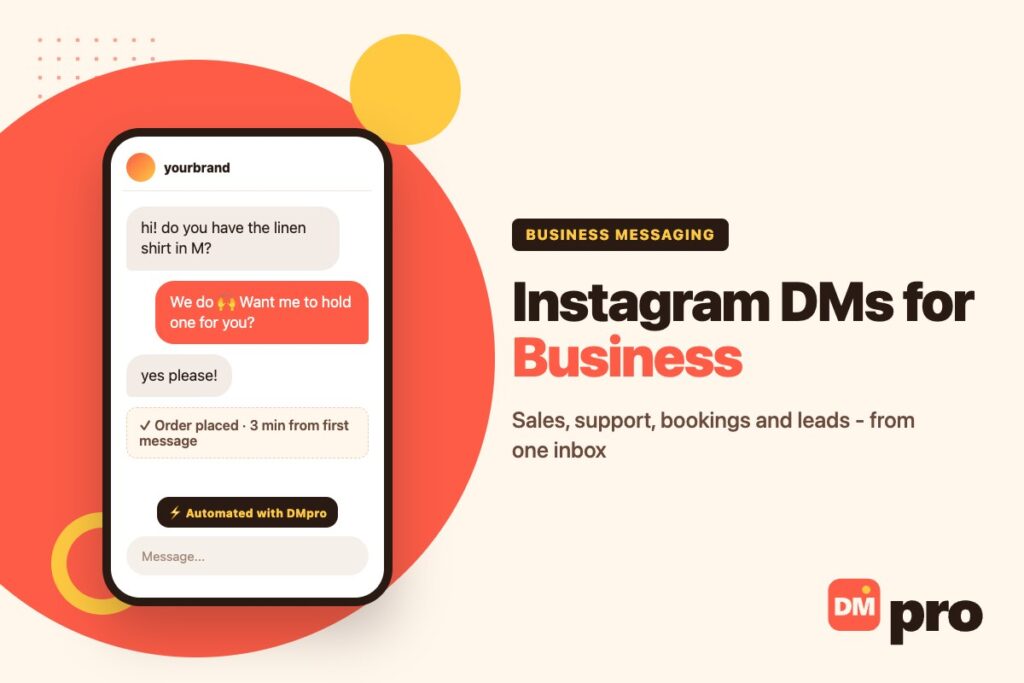
Your customers are already in your DMs. Instagram direct messages stopped being a place for hellos years ago; they are where people ask whether something is in stock, whether you deliver to their city, and whether you can fit them in on Saturday.
That makes the inbox a sales channel with an unusual property: the business that answers first usually wins, whatever the price. It is the most immediate part of DM marketing, and the easiest to run badly once volume grows.
This guide covers what businesses actually use DMs for, the native Instagram tools available to you, the rules that govern automated replies, how to set the channel up in a sensible order, and how to keep up when the inbox gets busy.
Key Takeaways
Why DMs Work So Well for Business
A DM is the closest thing to a face-to-face conversation online: private, personal and immediate. That is why it converts better than a comment or a post.
Speed Is the Advantage
Most people who message a business expect a fast reply, and interest fades quickly. Answering while someone is still deciding is often the entire difference between a sale and a maybe – and it is something email cannot match.
Context Lives in One Thread
Everything the customer asked before sits in the same conversation, so nobody has to repeat themselves. That single thread is what makes a small team feel organised.
Intent Is Higher
Someone who opens a DM has already decided to talk to you. They are further along than a person idly scrolling, which is why reply rates and conversion look so different here.

What Businesses Actually Use DMs For
It is not one job but five, and a single inbox can carry all of them.
The Five Jobs
Sales
Answering product questions and closing in the chat, often with a link or a product card.
Support
Orders, returns and problems, handled privately rather than in public comments.
Bookings
Appointments and reservations taken without the customer leaving the app.
Lead capture
Turning comments, story replies and mentions into conversations you can follow up.
Feedback and reviews
Asking happy customers at the moment they are happiest.
Who Wins Most
Ecommerce brands answering stock and sizing questions, coaches and service businesses booking calls, creators handling brand deals, and local businesses answering “are you open?” in seconds. If your sale needs a short conversation, the DM is usually your fastest route to revenue – and often the simplest way to generate new leads.
The Native Instagram Tools
Before adding anything, use what Instagram gives a professional account. For many small businesses this is enough for months.
In the App and Business Suite
Saved replies
Store the answers you type most and insert them with a shortcut.
Frequently asked questions
Up to four tappable questions that appear when someone opens a new chat.
Away messages and greetings
An automatic first response outside working hours, scheduled in Business Suite.
Action buttons
Book, Reserve or Order on your profile, so simple requests never become messages at all.
Where They Stop
Native tools do not do keyword routing, comment-to-DM, multi-channel inboxes or lead export. That is the point at which businesses add a tool – and our guide to the best DM apps covers the categories.

What You Can and Cannot Automate
Automation is supported by Meta, within rules that are worth knowing before you plan around them.
What Is Allowed
Replies to people who contacted you
Within 24 hours of their last message, through the official API.
Private replies to comments
For up to seven days after the comment.
Keyword routing
Word, contains or exact matching, so “price” and “pricing” reach the same answer.
What Is Not Possible
DMs to every new follower
Instagram’s messaging API has no follow event. Any tool offering it is driving your account through a browser.
Cold outreach through the API
You cannot message people who never contacted you; outbound needs a different approach entirely.
Gating content behind engagement
Meta’s spam policy treats requiring a follow or comment for access as spam – invite people to comment, but keep another route open.
How to Set Up Instagram DMs for Business
In this order. Each step is useful on its own, so you can stop wherever it stops paying.
Fix the profile and the buttons
A clear name field, one line on what you sell, and action buttons for booking or ordering, so the easy requests never reach the inbox.
Write your ten saved replies
The answers you type every week: delivery times, sizing, prices, opening hours, how to book. Keep them short and human.
Automate the repeats
Keyword replies for the questions that arrive daily, and comment-to-DM for posts that reliably generate questions.
Capture the lead in the chat
After answering, ask for an email or phone number and send it to your CRM, so the conversation is not the only record.
Only then add outreach
Once the inbox is under control, start conversations deliberately – see Instagram DM outreach for how to do it without damaging the account.
Best Practices for Business DMs
Habits matter more than tooling here.
| Do | Don’t |
|---|---|
| Reply fast, even if the answer is “checking now” | Leave messages sitting for days |
| Automate FAQs but keep a human route | Automate everything and disappear |
| Lead with help, then the offer | Open with a hard sell |
| Keep one record of every conversation | Let the inbox be your only memory |
| Use an official connection | Hand your password to an unknown app |

Keeping Up as Volume Grows
The native inbox stops coping somewhere around a few dozen meaningful messages a day, usually when a second person has to help.
Inbound: the DMpro Platform
The DMpro platform connects through official APIs and answers comments, DMs, story replies and mentions across Instagram, TikTok, Messenger, WhatsApp, Telegram and LinkedIn comments. Keyword rules and AI replies handle the repeats, button paths qualify people, and a wait-for-reply step collects an email or phone number. Threads land in one Conversations inbox with saved templates, team seats and statistics, and a webhook can push each lead into your CRM. Our Instagram DM CRM guide covers that side in detail.
Outbound: the DMpro Extension
The DMpro Chrome extension covers the other direction on Instagram and TikTok – a personal message drafted from each profile, sent from your own account with a daily cap and random gaps. Keep the two separate in your head: one answers, the other starts.
What to Watch
Median response time, how many conversations turn into orders or bookings, and how many people come back. If response time creeps up, add automation before adding staff.
Worth splitting out separately if you sell abroad: how many enquiries arrive in a language your keyword rules were not written in. Those do not show up as failures because nothing fails – the message simply matches nothing and no reply goes out. Our guide to auto-translating messages covers what each platform actually does and why the fix is a longer keyword list rather than a translation feature.
Run Your Business DMs From One Inbox
The DMpro platform answers the questions you get every day – stock, prices, opening hours, bookings – the moment they arrive, across six channels, and keeps every conversation in one inbox your team can share.
It connects through official APIs, so no password is shared, and the free plan covers 250 conversations a month. Billing counts conversations rather than contacts, so a busy week costs the same as a quiet one unless people actually talk to you.
- Automatic replies to comments, DMs, story replies and mentions
- Keyword matching with word, contains or exact modes
- Button paths and wait-for-reply to capture details
- One Conversations inbox with team seats and templates
- Webhooks into HubSpot, Salesforce or Notion
- Official API connections, no password sharing
- Six channels from one inbox
- Free plan with 250 conversations a month
- Replies must stay inside Meta’s 24-hour window
- No new-follower trigger – the API does not offer one
Conclusion
Instagram DMs are where interest becomes revenue for a lot of businesses, and the requirements are unglamorous: answer quickly, keep it human, automate the questions you answer every day, and keep a record outside the inbox.
Start with the native tools, add automation when the repeats become tiring, and only then think about outreach. Done in that order, the inbox turns into the most reliable sales channel a small team has.
Instant answers to the questions you get every day, across six channels – free for 250 conversations a month.
Start free with DMpro