
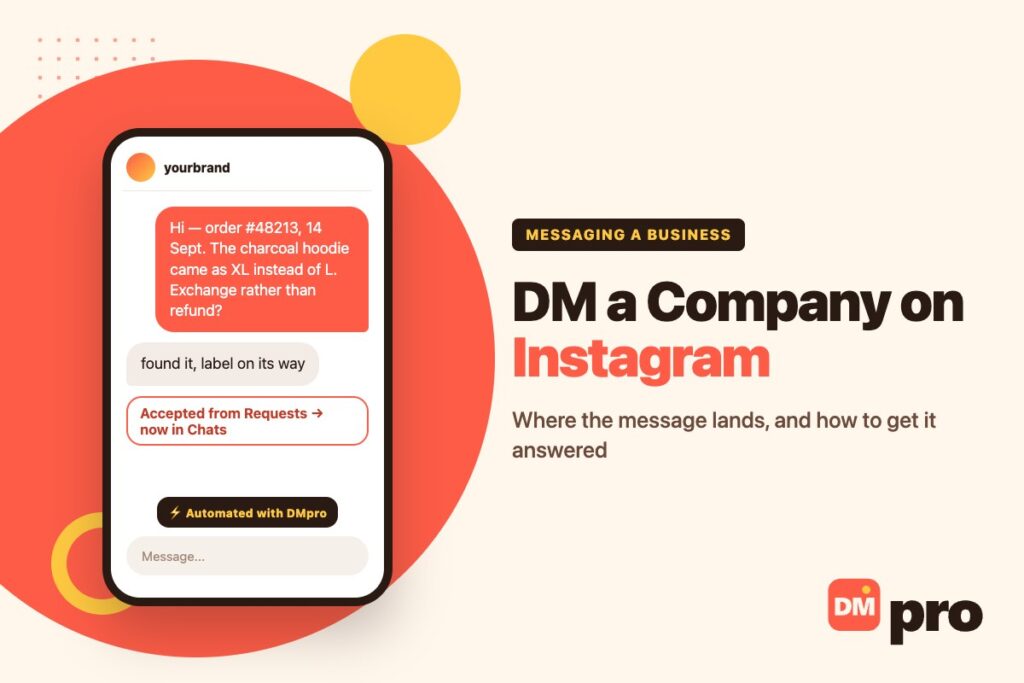
Messaging a company on Instagram is easy. Getting an answer is the part nobody explains, and the reason is usually not your message at all – it is that your message is sitting in a folder the company has never opened, or was never delivered in the first place.
Instagram decides where a DM lands before anyone reads it, using rules that have nothing to do with how politely you wrote. This guide covers those rules first, because they explain most unanswered messages, then how to write one that gets handled in a single reply, and what to do instead when the inbox turns out to be a dead end.
The routing rules here are from Instagram’s own help pages rather than from guesswork, and they are linked where it matters.
Key Takeaways
Where Your Message Actually Lands
Instagram sorts an incoming DM before a human sees it. Which bucket yours goes into is decided by your relationship to the account and by settings the company chose, possibly years ago and possibly by someone who has since left.
The Message Requests Folder
Instagram’s help page on who you can send messages to is blunt about it: you can message anyone, but if you message someone who does not follow you, depending on their settings it may appear as a message request rather than in their inbox.
That folder is a separate list. A business has to open it, read your message and accept it before the conversation joins the ordinary Chats list – and many never do, because nothing pushes them there. Our guide to Instagram DM requests covers what that folder looks like from the receiving end.
What Accepting Changes
Once a request is accepted, Instagram sends every later message from you straight to the inbox. This is why a second message to a company that once answered you behaves completely differently from the first – you are no longer a stranger to the system.
Replies to an Ad Are Treated Differently
One useful exception sits in Instagram’s own documentation on managing message requests: changing the request setting does not affect Messaging Ads or monetised content. A conversation that starts from one of their ads or a product they shared reaches them regardless. If a brand is unreachable by ordinary DM, replying to one of their ads is sometimes the only inbox that is actually staffed.

Why You Cannot Message Some Business Accounts at All
Sometimes there is no message button, or the message appears to send and nothing ever comes back. These are different problems with different causes, and none of them is about you personally.
They Turned Message Requests Off
Under Settings, below How others can interact with you, an account opens Messages and story replies and then Message controls, where Instagram lets them choose whether requests go to the Message Requests folder or whether to receive them at all. Picking the second option is a legitimate setting, used by plenty of brands that route support elsewhere.
Nothing on your side distinguishes this from being ignored. There is no bounce, no warning and no delivery receipt.
How to tell it apart from being ignored
You cannot, from Instagram. The tell is indirect: if the account answers comments quickly but never a DM, the inbox is probably closed rather than slow.
What still gets through
Conversations that begin from one of their ads or a product they shared, which Instagram states are unaffected by the request setting.
The Account Is Not a Business Account
A personal account that happens to sell things has none of the business messaging tools – no away message, no saved replies, no second inbox on desktop. It is one person’s phone. Our guide to Instagram business chat covers what changes when an account does convert.
You Have Been Restricted or Blocked
If a company restricted you, your messages move to their requests folder silently and they are not notified. If you were blocked, you usually cannot find the account at all. Our guide on blocking messages on Instagram explains what each one looks like from both sides.
The Message Is Being Filtered
Instagram filters requests it reads as spam into a hidden list. A first message that is mostly a compliment, or that carries a link, is the pattern most likely to end up there. This is a good reason not to open with flattery, quite apart from how it reads.
What the Symptom Usually Means
Match what you are seeing to the likeliest cause before you send anything else. A second message rarely fixes any of the bottom four.
| What you see | Most likely cause | What actually helps |
|---|---|---|
| Message sent, no read receipt, no reply | Sitting unaccepted in Message Requests | Reply to one of their ads, or use the website form |
| No message button on the profile | Requests turned off, or a restricted account type | Email in bio, website form, or their support page |
| An instant reply, then nothing | An away message or an automated greeting | Wait one business day, then try a staffed channel |
| Reply says they cannot discuss it there | DM is not their support channel by policy | Use the channel they named – it is the one with records |
| Read, then no answer | Your message needs a reply before it can be answered | Resend with the order number and one specific question |
| You cannot find the account at all | You may be blocked | Nothing on Instagram – use another channel |
Worth saying plainly: there is no app, site or trick that tells you whether a company read your DM or whether it was delivered. Anything advertising that is guessing, and usually wants your login.
How to Write One That Gets Answered
A company inbox is triaged, not read. Somebody is deciding in a second or two whether your message can be finished now or has to be parked. Everything below is aimed at making it finishable.
Put the identifier in the first line
Order number, booking reference, the date, the product name. If your message concerns something that exists in their system, lead with the thing that lets them find it. A support agent who has to ask for your order number has already parked you.
Ask exactly one question
The test is whether a single reply can close the conversation. Two questions halve your odds, because the second one usually needs a different person.
Say what outcome you want
Exchange, refund, a date, a quote, a yes or no. People answer faster when they are confirming a proposal than when they are being asked to invent one.
Skip the opening compliment
It is the signature of every spam request in the folder, it delays the point, and nobody triaging an inbox is moved by it. Start with the substance and be polite in the wording instead.
Send it during their working hours, in their timezone
An inbox is worked through from the top. A message that arrives mid-morning on a Tuesday is read by somebody at a desk; one that arrives at 11pm Saturday is below forty others by Monday.
Give it a business day before following up
Then follow up once, in the same thread, adding information rather than repeating yourself. A new thread starts you at the back of the queue again.

When the DM Is the Wrong Channel
Instagram is a good channel for a quick question about a product and a poor one for anything with money, deadlines or a record attached. Knowing when to leave is most of the skill.
Anything You Might Need to Prove
Refunds, warranty claims, cancellations, anything with a deadline. A DM thread can be deleted by either side and is not a record anyone will accept later. Use the channel that generates a ticket number or an email trail, even when the DM would be faster to send.
The Email in the Bio
A business account can display a contact email, and when one is there it is usually monitored by somebody whose job that is. It is almost always a better bet than the DM for a commercial enquiry, and it lets you attach things.
The Contact Form on Their Website
For a company that does not answer DMs at all – and for most B2B enquiries – the enquiry form on their own site is the channel that reaches a desk. It routes to whoever handles commercial messages instead of to whoever happens to run the Instagram account.
If you are doing this at any scale, a handful of suppliers or a list of agencies rather than one brand, contactID is built for exactly that: you give it the web addresses, it finds each site’s enquiry form and submits your message with the business named, and it reports back which sites had no form at all. It is a different product from anything that touches Instagram, because this is a different channel.
What you set up once
Your sender details and the message, with tags such as the business name filled in per site, so a hundred enquiries are not a hundred copies of the same paragraph.
What it tells you afterwards
Which submissions went through, which sites had no form, and the exact values entered on each one – so a non-reply is a real non-reply rather than a guess.
Where it does not apply
Consumer platforms, government sites and anything without a public enquiry form. If your target is one brand you already follow, the DM or their email is simpler.
If You Are Pitching, Not Asking
A partnership, a collaboration or a sales approach is a different message with a different failure mode. Support requests fail by being vague; pitches fail by being about you.
Lead With What They Get
The first line should describe something the company would want, in their terms, before it says who you are. Everything about your background is the second half of the message or the second message. Our guide to Instagram DM outreach goes through the structure in full.
Expect the DM to Be the Wrong Door
Most companies large enough to be worth pitching do not evaluate proposals in the Instagram inbox, whatever their follower count suggests. Treat the DM as a way to find the right person and the right channel, not as the place the deal happens.
One Follow-Up, Then Stop
A second message adding something new is reasonable. A third is the one that gets you reported, and reports are what cost accounts their messaging. Our guide to Instagram DM limits covers where the ceilings sit and what triggers them.
If You Are the Company Nobody Can Reach
Read this article from the other side and it is a list of ways a business loses customers quietly. Every message in that unopened requests folder was somebody who wanted something.
Open the Requests Folder
It is the single highest-value unread list most small businesses have, and the one nobody is assigned to. Everything in it is a person who took the trouble to write.
Set an Away Message That Says Something
An instant reply that promises a time and names the alternative channel is worth far more than a cheerful one that promises nothing. Our guide to the Instagram away message covers how it is scheduled and what it should say.
Answer the Repeated Questions Automatically
DMpro connects to Instagram through the official API and replies to the questions that arrive over and over – opening hours, delivery, sizing, availability – then hands anything it cannot answer to a person with the conversation attached. It works the same way across Messenger, WhatsApp, TikTok and Telegram, so a customer gets the same answer wherever they asked.
What it does not do is make you reachable on its own. If message requests are switched off in your settings, nothing on any platform can route around that – start there, then automate. Our playbook on selling on Instagram DM covers what happens after the first reply.
Stop Losing the Messages You Never Opened
Most businesses do not ignore customers on purpose. The requests folder is unread, the away message says nothing, and the person who set up the account left two years ago.
DMpro answers the repeating questions instantly through Instagram’s official API, keeps every channel in one inbox, and passes the real conversations to a person while the customer is still there. There is a free plan to start.
- Instant replies to the questions that repeat
- One inbox for Instagram, Messenger, WhatsApp, TikTok and Telegram
- Official API connection, so no password is shared
- Hand-off to a person with the whole thread attached
- Contact details captured and sent to your CRM
- Nothing waits in an unopened folder overnight
- The same answer wherever the customer asked
- A person only sees what actually needs them
- It cannot help if message requests are switched off in settings
- Automated replies still need writing properly once
Conclusion
Nearly every unanswered DM to a company is one of two things, and neither is about how you wrote it. Either the message is sitting unaccepted in a Message Requests folder nobody opens, or the account chose not to receive requests at all and it was never delivered. Both look identical from your side: sent, silent, no explanation.
So work the routing first. If there is no reply after a business day, stop rewriting the message and change the channel – the email in the bio, the website enquiry form, or a reply to one of their ads, which Instagram exempts from the request setting. For anything involving money or a deadline, use the channel that leaves a record, however much slower it feels.
And if you are reading this from the other side of the inbox, the requests folder is the most valuable unread list in the business. Everything in it is somebody who wanted to give you money and could not find the door.
Instant replies through Instagram’s official API, one inbox for every channel – free to start.
Start free with DMpro