

Suddenly losing access to your OnlyFans account is stressful, and it’s something many creators deal with at least once. But the good news is that most problems can be fixed with the right steps, and you might be able to recover OnlyFans account. But how?
We’ll explain the difference between a deleted account and an inactive one, why OnlyFans might disable your page, and what you can do to get your account back.
Even if you couldn’t recover your page, we’ll show you how to restart safely. So if you want to regain access to your account and make money on OnlyFans, don’t miss this guide.
Can You Recover A Deleted OnlyFans Account
One of the common questions among creators is how to recover OnlyFans account and if it’s even possible. The answer really depends on how the account was deleted.
When you manually delete your account, OnlyFans gives you a 30-day period so all subscriptions expire. During these 30 days, your account is scheduled for deletion. Meanwhile, you can still log in to your account and access your shared content.
However, you can not cancel your deletion request. After the 30-day window, you will lose access to your account and your shared media. But if your account was deactivated or temporarily locked by OnlyFans, then you might be able to recover OnlyFans account by following the right steps.
Deleted OnlyFans Account vs Inactive Account
Before talking about how to recover OnlyFans account, it is necessary to figure out whether your account is deleted or inactive. These two situations are very different, and knowing which one applies to you will help you recover it.
As mentioned, if you know how to delete OnlyFans account and have done it manually, you can’t restore it anymore. When an account is deleted:
- Your profile disappears
- Subscribers lose access
- All posts, messages, and data are erased
- Earnings history is removed
- You can no longer log in
On the other hand, an inactive account is disabled or locked temporarily and can be recovered. When your account is inactive, it’s still available as a valid account, and you can log into it.
But how to know your account is inactive? OnlyFans usually sends an email stating your account is inactive, and it will also appear on your profile. Your shared media is stored on your page and can be accessed once you recover OnlyFans account.
Why Is Your OnlyFans Account Inactivated?
Now that you know the difference between deleted and inactive accounts, let’s see the reasons that can cause this problem.
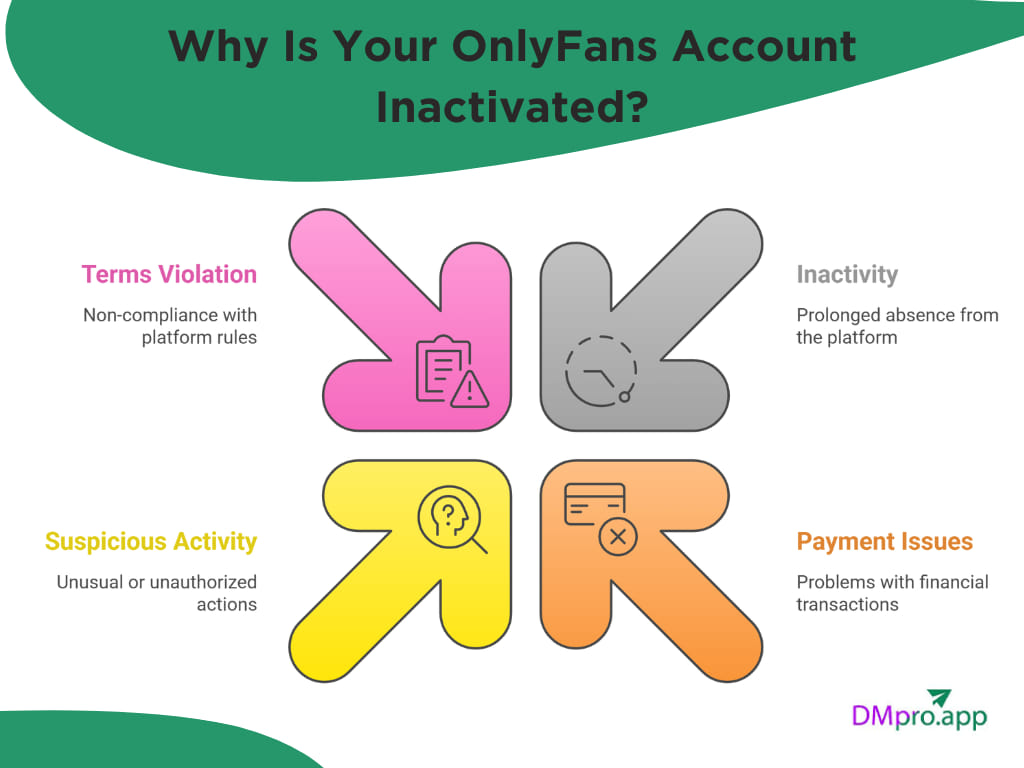
1. Long Period of Inactivity
One of the most common reasons for an account becoming inactive is that you haven’t logged in for a long time. OnlyFans may temporarily disable or hide accounts that show no activity for months. This type of inactivation is usually the easiest to fix, and you can recover OnlyFans account by logging back in and updating your profile.
2. Payment Issues
For both fans and creators, it might happen that their accounts become inactive due to payment issues. As a creator, your account can be disabled if:
- Your payout bank information is outdated
- The connected bank closed or rejected the transfer
- Your ID verification doesn’t match the bank details
- There were multiple failed payout attempts
3. Suspicious activity
To keep the platform safe, OnlyFans uses automated systems to detect unusual activity. If anything looks suspicious, the system will shut down the page, and you need to recover OnlyFans account. Suspicious activity includes multiple login attempts, logging in from a new country or device, unusually fast or repeated actions, etc.
4. Violating OnlyFans’ Terms Of Service
OnlyFans has a set of rules that every content creator on the platform needs to follow. By violating these guidelines, your account might get deactivated or even deleted. Make sure to check out and read the platform’s guidelines before starting to post content.
How To Recover Deleted OnlyFans Account?
Now, let’s check out how to recover your OnlyFans account.
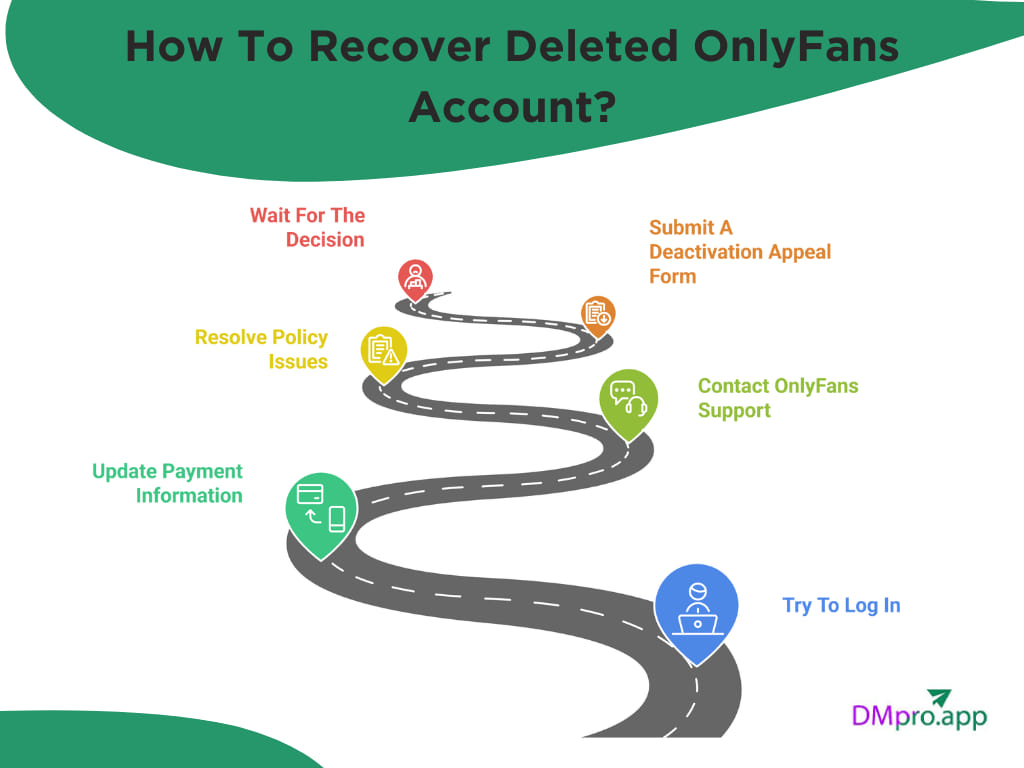
1. Try To Log In
Before anything else, to recover OnlyFans account, make sure you have the right username, password, and email address. Also, check your email inbox for any emails from the OnlyFans team.
2. Update Payment Information
If your account was disabled because of payment issues mentioned in the previous parts, you need to update your information to restore it. Here is how to recover OnlyFans account:
- Log in to your account and tap on ‘More’ on the left toolbar.
- Select ‘Settings’ and choose ‘Banking’.
- Add a valid credit card.
- Update your payout method.
- Upload new ID documents if requested.
3. Contact OnlyFans Support
If the problem wasn’t solved or you couldn’t even log into your account, it’s time to get help from the OnlyFans support team. You can email them at support@onlyfans.com and include the following data:
- Your full name
- Your registered email
- OnlyFans username
- A short explanation of what happened
- Screenshots
Agents will review your request and will help you recover OnlyFans account if it’s possible. Otherwise, they will explain the reason behind your account deletion.
4. Resolve Policy Issues
In case you have violated OnlyFans terms of service, you need to resolve it to recover your OnlyFans account. Check the flagged posts on your page and remove them, verify your identity, confirm your age, and provide additional documentation that the platform asks for. After solving the issues, you need to for the support team to review your account.
5. Submit A Deactivation Appeal Form
For accounts suspended due to policy violations, OnlyFans sometimes provides an appeal form. Here is how to recover OnlyFans account :
- After logging in to your account, you will see a pop-up message that says your account has been suspended.
- In the message, you will see the reasons why your account is banned. Now you need to create a ticket on the online support platform.
- Visit the OnlyFans online support site and select ‘Select a question’.
- Under the ‘For Creator’ section, select ‘Complaints and Reports’.
- Click on “How can I appeal against a decision to deactivate content or suspend my account?
- Fill the required fields and attach documents.
- Click on ‘Create Ticket’.
6. Wait For The Decision
After following these steps, you can do nothing but wait. Since real users view your account, the process might take time based on how serious the issue is. If you haven’t heard anything from the support team within a week, you can send a follow-up email. Make sure to use the same email address and include your ticket number.
What To Do If You Can’t Recover Your OnlyFans Account?
If you couldn’t recover OnlyFans account by following the previous steps, it’s time to start over.
Create a new OnlyFans Account
If your old account is permanently deleted or banned, your only option is to create a brand-new account. Since you already know how to start an OnlyFans, ot take less time to grow your page. You can apply everything you learned in the first time to boost your growth.
Use a New Email and Payment
To keep your new account safe, it’s better to start with a new email address, a new credit card, and a bank account. Make sure that your added card info matches your ID.
Create A Strong Profile
If you couldn’t recover OnlyFans account and started a new one, it’s important to have a strong foundation. A good profile looks professional, trustworthy, and can help you get more OnlyFans subscribers. Here is what you need to focus on:
- A clear and attractive OnlyFans bio
- High-quality profile picture
- Clear content niche (fitness, cosplay, modeling, etc.)
- Proper age and identity verification
Explore Alternative Platforms
If OnlyFans continues to cause issues or you want additional sources of income, you can join OnlyFans alternatives. Some of these platforms offer more freedom and allow better earnings. Two popular platforms are Fansly and Fanvue. They both provide a massive database of users and multiple ways for creators to monetize their content.
Conclusion
Recovering an OnlyFans account is challenging, but it doesn’t have to stop your progress as a creator. You often can regain access and recover Onlyfans account by fixing what caused the issue.
And even if your account can’t be restored, you can always start fresh with a new profile or explore alternative platforms that can open new opportunities and help you rebuild even faster.
FAQs
To keep your account safe, make sure your payment information is always up to date, avoid logging in from suspicious VPNs or unknown devices, and follow OnlyFans’ rules closely. It also helps to check your email regularly since OnlyFans usually warns you before disabling anything.
If you haven’t heard back within 5–7 days, send a polite follow-up using the same email address and include your ticket number. Support replies can be slow depending on the complexity of the case, but following up helps your request stay visible.
If you manually deleted your account, you have a 30-day window where your account is still accessible. During this period, you can log in, but you cannot cancel the deletion request. After 30 days, the account is permanently removed and cannot be restored.