


Have you ever thought about how to start an OnlyFans and make money online? While it might look scary, especially if you’re doing it for the first time, the process is simple and straightforward. By following the right steps and a bit of planning, anyone can become a creator.
In this guide, we’ll walk you through everything you need to know about how to start an OnlyFans as a couple or a single creator. So if you want to join the platform and make money on OnlyFans like a pro, don’t miss this guide.
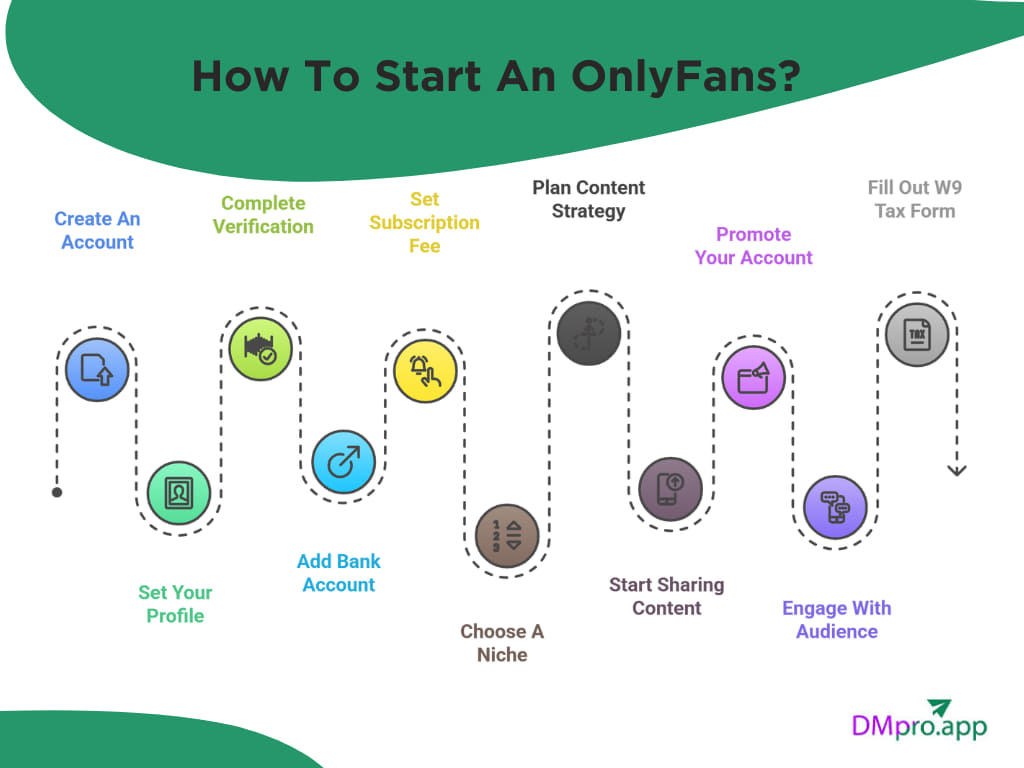
How To Start An OnlyFans?
Do you want to become one of the top OnlyFans earners? Lots of creators started without any followers but made thousands of dollars with their content. Here is how to start your account.
1. Create An Account
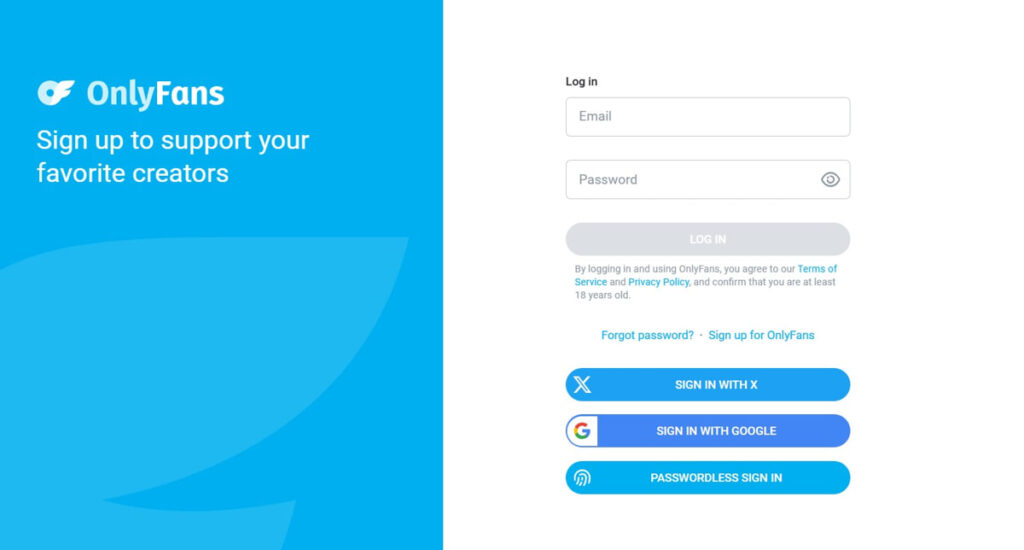
Just like joining any other platform, first you need to sign up and create a Creator account. Here is how to start an OnlyFans account:
- Open the OnlyFans website and click on ‘Sign Up’.
- You can create an account using your email, X, or your Google account.
- Pick a strong password and a username you’ll be comfortable using long-term. You can use an OnlyFans name generator for unique and easy-to-remember ideas.
- Finally, you need to verify your email address by clicking the link in your inbox.
2. Set Your Profile
Your profile is the first place visitors check and decide if they want to pay for your subscription or not. So if you want to get more subscribers on OnlyFans, you need to pay attention to your profile.
- Profile Picture and Cover Photo: Choose a clear, high-quality image that fits your style as your profile picture. It should be eye-catching, professional, and consistent with the theme of your page.
- Bio: Most users read the first 2,3 lines of your OnlyFans bio to see what type of content you share. Write a short description about yourself, what they can expect after subscribing to your account, and your posting frequency. At the end, add a soft call-to-action to invite them to check your content out.
- Social Media Links: OnlyFans allows you to link your Instagram, Twitter (X), TikTok, or other platforms. This helps users know you’re active and gives them more ways to follow you.
3. Complete the Verification Process
Before you can start earning or even fully use your OnlyFans account, you’ll need to complete the platform’s identity verification process. This step is required for every creator, even if you are using AI OnlyFans models. That’s because OnlyFans needs to make sure you are over 18 and legally allowed on the platform.
If you are wondering how to start an OnlyFans as a couple, both you and your partner need to verify.
Here’s what you’ll need:
- A valid government-issued ID (passport, driver’s license, or national ID card)
- A clear selfie holding your ID
- Your personal information (such as full name, birthdate, and address)
To complete the verification process, follow these steps:
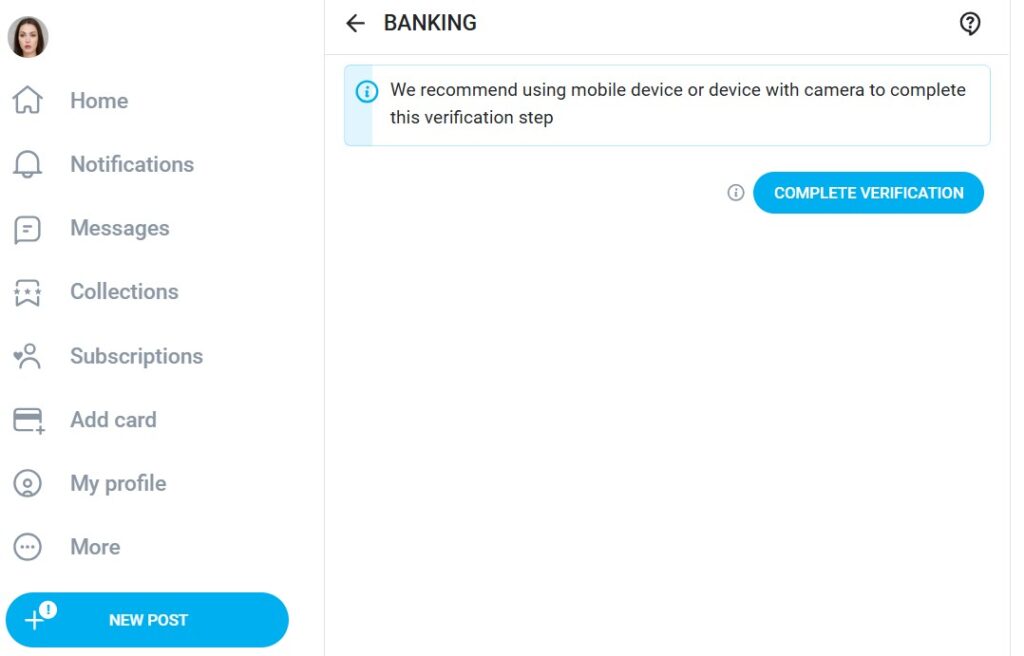
- The verification process is only available using a smartphone with a selfie camera.
- Log in to your account and tap on the ‘More’ icon on the left toolbar.
- In the dropdown menu, select ‘Become A Creator’.
- Choose your country (You can not change it later) and confirm you are over 18.
- Follow the on-screen instructions and submit your request.
Now you need to wait for the approval, which can take up to 48 hours. After getting approved, you are ready to follow the next steps on how to start an OnlyFans.
4. Add Your Bank Account
Once your profile is set up and your verification is approved, the next important step is adding your bank account. To add your payout details, follow these steps:
- Click on the ‘More’ option on the right toolbar.
- Select ‘Settings’ and choose ‘Banking’.
- Click ‘Add bank account’.
- Based on your country, you can view and select different payout methods available in your region.
- Enter your bank account information and save.
5. Set Up Your Subscription Fee
After adding your bank account, you can set a subscription fee for your page. Decide between having a free OnlyFans account or a subscription ranging from $4.99 to $50 per month.
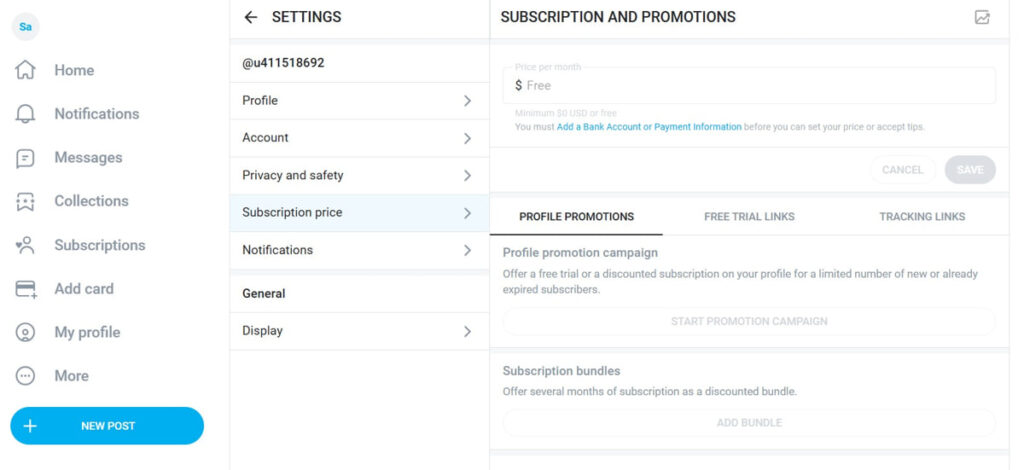
Many beginners start with a lower price while they build a fanbase, then increase it later. You can also offer free trials, discounts, or bundle prices to attract new followers. Here is how add your subscription:
- After logging in to your account, click on the ‘More’ button on the left toolbar.
- Choose ‘Settings’.
- In the opened window, click on ‘Subscription price’.
- Add your subscription fee and save the changes.
- You can also offer bundle deals or limited-time discounts.
Tip: Start with a free account to gain more subscribers first. There are many free OnlyFans creators who are still making great money by receiving tips or selling PPV.
6. Choose A Niche
One of the most important questions you need to ask yourself before starting an OnlyFans account is what your niche is. Are you planning to become a cosplay OnlyFans girl or want to provide a girlfriend/boyfriend experience for your fans?
Think about what you enjoy, what you’re comfortable with, and what you can do consistently. If you are still not sure, don’t worry. Most creators don’t start with a perfect niche. They experiment and discover what their audience loves over time.
7. Plan Your Content Strategy
Before sharing content, it’s important to plan the type of content you want to share. Knowing how to start an OnlyFans without knowing how to attract fans with your content can’t help you as a creator.
To become successful on OnlyFans, plan for what you’ll post, how often you’ll post it, and how you’ll keep fans engaged. A little planning can make your page look more professional and help you earn more consistently.
A content strategy helps you:
- Stay consistent (fans love reliability)
- Know what to post each week
- Keep your page organized
- Understand what content brings in the most subscribers and tips
Also, if you are searching for how to start an anonymous OnlyFans, there are lots of OnlyFans content ideas you can try without showing your face.
8. Start Sharing Content
Now that you know how to start an OnlyFans account and have a clear plan in mind, you are ready to share content. You can introduce yourself, talk about what kind of content you’ll be posting, or share a warm message as your first post.
You might not receive a high engagement in your first weeks or even months, but the key is consistency. By scheduling your content for the best time to post on OnlyFans, you can receive higher reach.
Don’t limit yourself to just one type of content on OnlyFans. Mix different types of content to boost your chances of getting tips on OnlyFans. Try sharing posts, PPV content, custom videos, and even hosting streams.
9. Promote Your Account
After sharing posts consistently, you need to promote your OnlyFans account on other platforms to get subscribers. Even if your content is amazing, it won’t magically find an audience unless you put it out there.
If you are wondering how to start an OnlyFans without followers, it’s possible, but it might take longer to get results. Choose the platforms where you feel most comfortable. Most creators use Instagram, TikTok, Reddit, and X, but make sure to experiment and see what works best for you.
10. Engage With Your Audience
When users subscribe to your page and choose you among thousands of creators, they are searching for connections. Reply to their messages, answer their comments, and show interest when they share what kind of content they love.
By knowing what content they like, you can create it as PPV or custom videos and sell them for a higher price. After knowing how to start an OnlyFans, you can try these ideas for engaging with your audience:
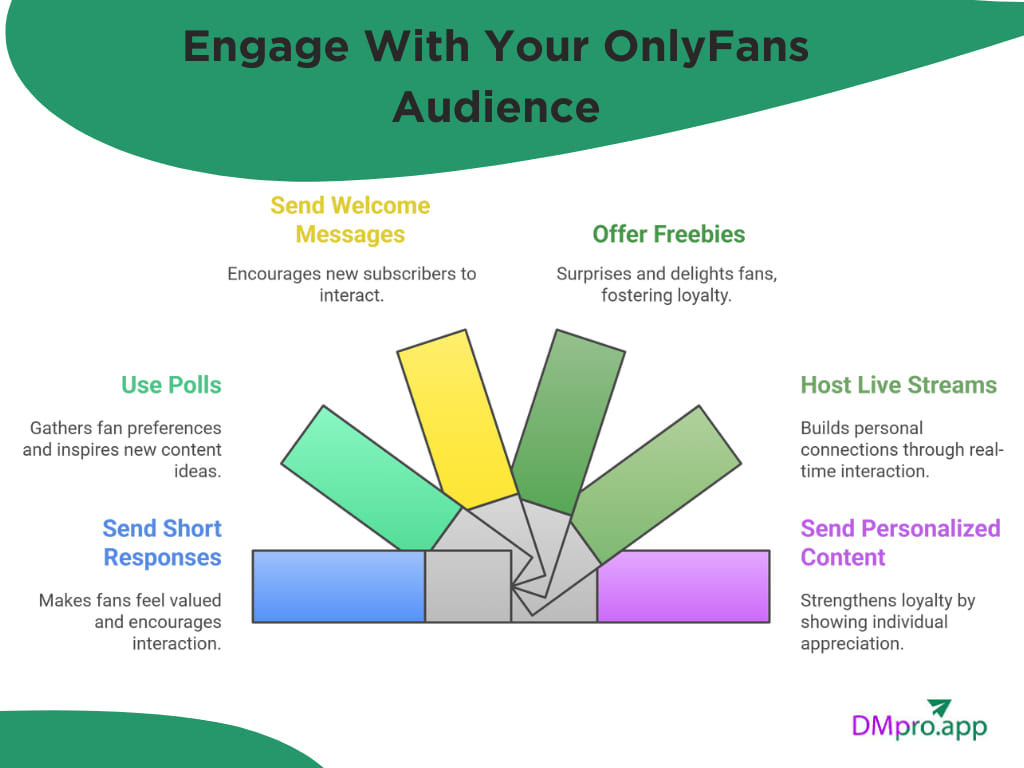
- Reply to messages daily: Asend short, friendly responses to make fans feel valued.
- Use polls to ask what they want next: It shows you care about their preferences and inspires new ideas for content creation.
- Send welcome messages: A warm ‘thanks for subscribing!’ message can encourage users to interact.
- Offer occasional freebies: It can be a surprise photo or short clip.
- Host live streams: Real-time chats help build deeper, more personal connections.
- Send personalized content: Send a short custom message or photos to your loyal fans.
11. Fill Out W9 Tax Form
By knowing how to start an OnlyFans and planning your content, you are ready to make money. After earning $20, you can withdraw your money, but first, you need to fill out tax forms.
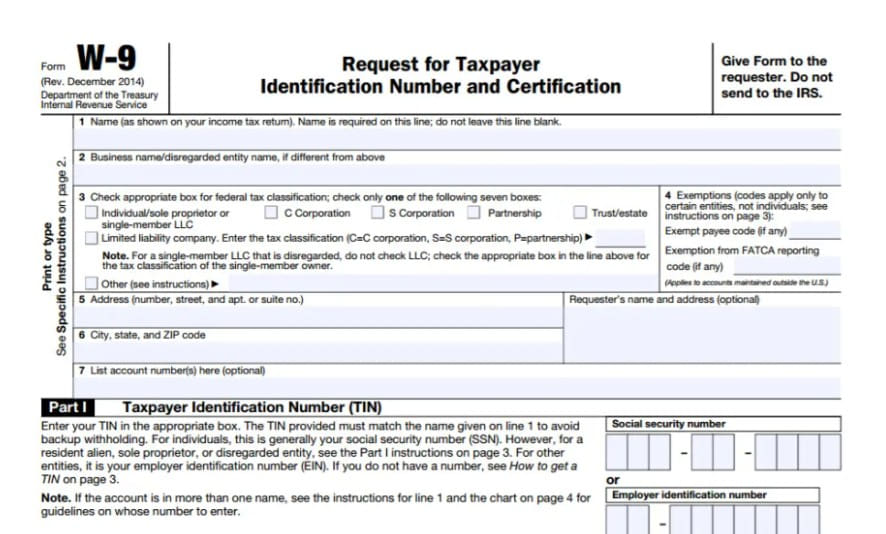
If you’re a U.S. citizen or resident, you’ll need to fill out a W-9 form.
This form tells OnlyFans (and the IRS) basic information like your name, address, and Social Security Number so your income can be reported correctly.
If you’re not a U.S. citizen, you’ll fill out a W-8BEN form instead. This confirms that you’re earning as a non-U.S. creator and helps prevent unnecessary tax withholding.
Analyze
Conclusion
While becoming a creator on OnlyFans seems difficult at first, with the right plan and strategy, it’s as easy as pie. Follow the steps mentioned for how to start an OnlyFans account to start making money on this platform. Remember, success on OnlyFans doesn’t happen overnight. It comes from consistency, creativity, and genuine connection.
If you feel you don’t like OnlyFans anymore, you are always free to delete your OnlyFans account.
FAQs
Not at all! Many creators start from zero and build their audience over time. Followers definitely help, but consistency and good promotion matter even more. Everyone starts somewhere; don’t let a small following stop you.
Yes! Creating an account is 100% free. You only earn money after you set up your subscription fee or sell PPV content. OnlyFans takes a 20% fee from what you earn, but signing up costs nothing.
Most creators get approved within a few hours, but it can take up to 48 hours. Make sure your photos and ID are clear to avoid delays. If you’re starting an OnlyFans as a couple, both partners must complete verification.