
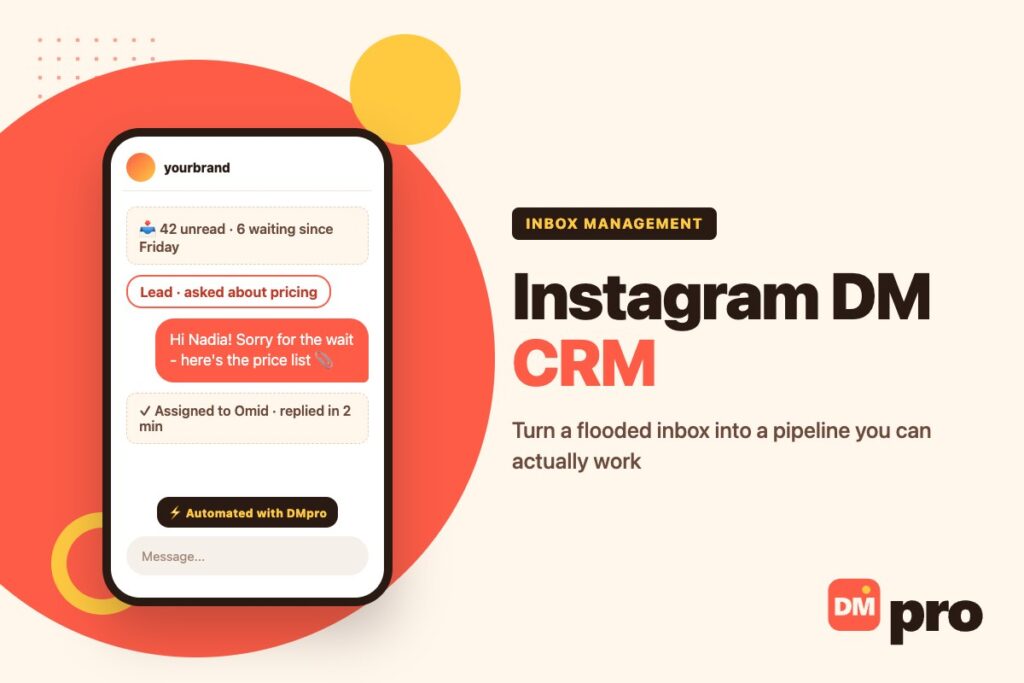
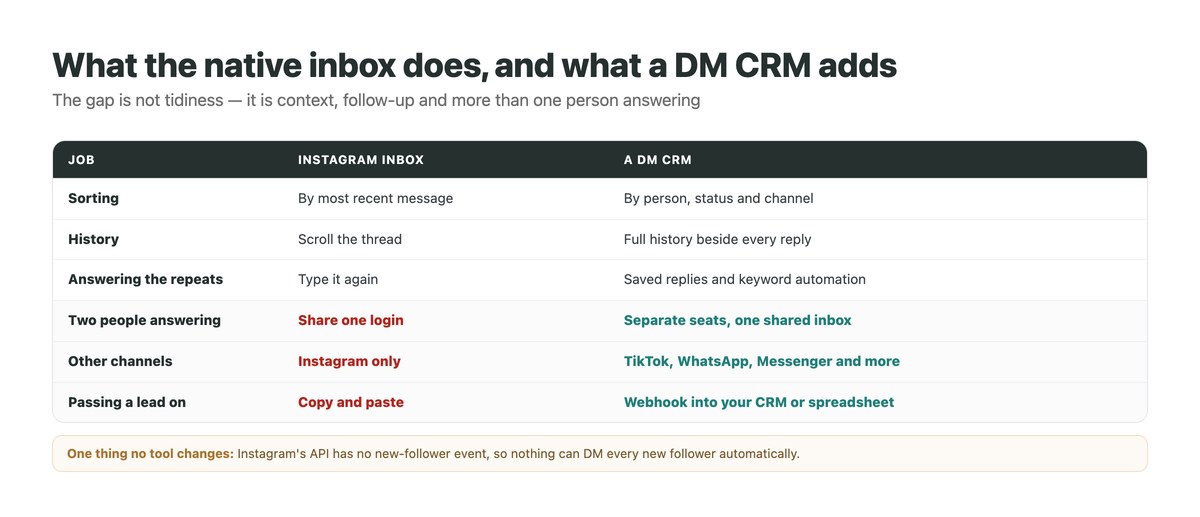
The Instagram inbox is built for chatting, not for running a business. It sorts by whoever messaged most recently, keeps no record beyond the thread, and gives two people no way to work in it without sharing a login.
That is fine until your DMs start carrying leads. Then the failure mode is quiet and expensive: a question answered two days late, a follow-up nobody remembered, a customer who asked about sizing in March and gets treated like a stranger in June. An Instagram DM CRM exists to stop that, and it is where a serious DM marketing setup ends up.
This guide covers what a DM CRM actually is, how it differs from the native inbox, the features worth paying for, how the official connection works, and how to set one up with the DMpro platform.
Key Takeaways
What Is an Instagram DM CRM?
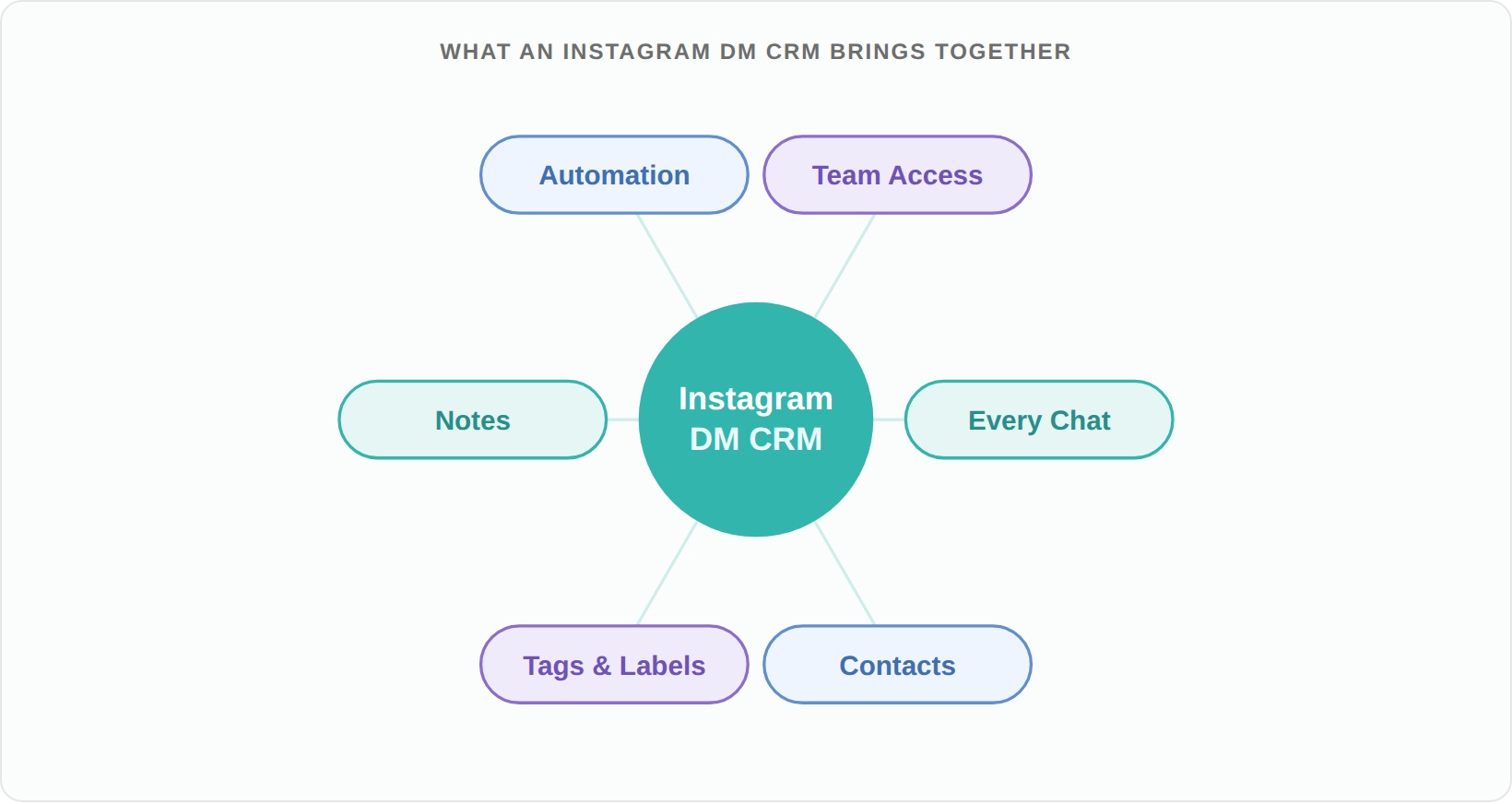
An Instagram DM CRM manages your direct messages the way a sales CRM manages contacts: every conversation in one view, organised around the person rather than the timestamp, with the history and the next step attached.
Inbox vs CRM
A regular inbox shows messages. A CRM shows relationships – who this person is, what they asked for last time, and what should happen next. Once volume grows, that shift is what stops leads leaking.
Why the Term Borrows From Sales
CRM stands for customer relationship management. Applied to Instagram, it means treating each thread as a relationship worth tracking instead of a message to clear.
What a Busy Inbox Actually Costs
The damage is rarely dramatic. It is a slow leak.
Three Common Leaks
Late replies
Most people who message a business expect a fast answer, and the first brand to respond usually wins the sale.
Forgotten follow-ups
The person who said “let me think about it” is the easiest sale you will ever lose.
No context
Answering without knowing what someone already bought makes a returning customer feel like a stranger.
And One Hidden Cost
Reputation. Fast, informed replies make a business look organised and easy to trust; slow ones do the opposite, and people remember. A tracked conversation is also far more likely to convert, which is why a CRM is one of the simplest ways to generate leads from DMs you already receive.
Features Worth Paying For
Not every tool that touches your inbox is a CRM. These are the features that make the difference, and the questions to ask about each.
| Feature | What it does | Ask |
|---|---|---|
| Unified inbox | Every conversation in one organised view | Which channels does it actually cover? |
| Conversation history | Full context beside each reply | How far back does it keep? |
| Saved replies | Send the answer you type most, instantly | Can the team share them? |
| Automation | Keyword replies and comment-to-DM handle the repeats | Does it run on the official API? |
| Team seats | Several people answering without sharing a login | Is there a per-seat fee? |
| Lead export | Push contacts and answers into your CRM | Webhook, integration or CSV? |
How an Instagram DM CRM Connects
The connection method decides both what is possible and how safe it is.
The Official API Route
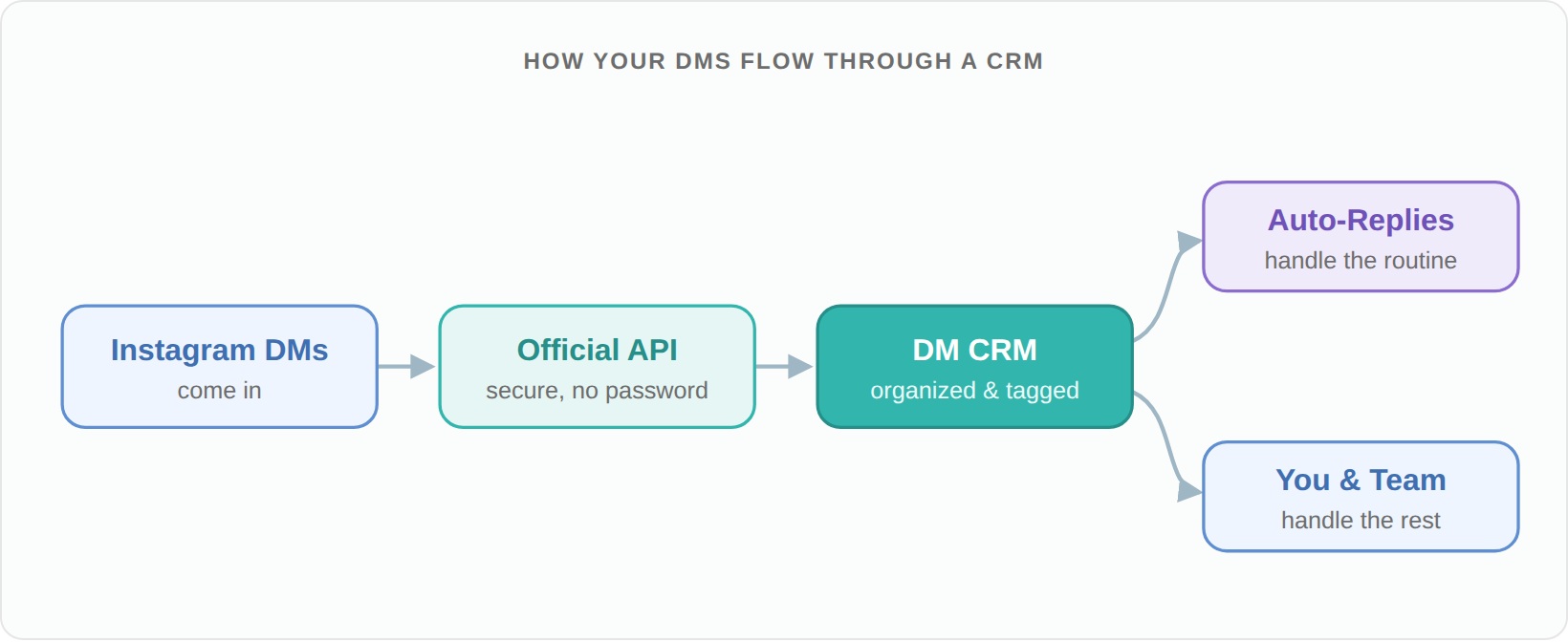
You authorise the tool once through Meta’s login on an Instagram professional account. From then on, messages, comments, story replies and mentions flow into the CRM, and replies go back out through the same connection. Your password never leaves Instagram.
What the API Allows
Replies inside the window
You can reply for 24 hours after the person’s last message, and send a private reply to a comment for up to 7 days.
Triggers you can use
Comments, direct messages, story replies and mentions in stories or Reels.
What does not exist
There is no new-follower event, so no officially connected tool can DM every new follower – whatever an ad claims.
Tools That Ask for Your Password
Avoid them. A tool logging in as you is doing browser automation, which is the behaviour Instagram polices, and you have handed a third party full account access.
Who Needs One
Anyone whose DMs carry revenue, which is more businesses than expect it. If the pipeline is outbound rather than inbound, the list comes first – our Instagram prospecting strategy guide covers choosing who belongs on it.
The Four Common Cases
Creators
Brand deals, collaboration requests and fan messages in the same inbox.
Shops and local businesses
Product questions, sizes, stock and bookings, where speed decides the sale.
Agencies
Several client inboxes without sharing a pile of logins.
Support teams
Volume that has to be answered by more than one person.
The Threshold
If more than a handful of DMs a day matter to you, the native inbox has already started costing you something. That is usually the point to move.
How to Set One Up With DMpro
The DMpro platform is a DM CRM with automation on top, connected through official APIs. Setup takes an afternoon.
Connect your accounts
Authorise Instagram through Meta login, and add TikTok, Messenger, WhatsApp, Telegram or LinkedIn if you use them. No passwords are shared.
Let the inbox fill
Conversations arrive in real time in one Conversations view, with threads, lists and the full history for each person, so anyone on the team can pick one up.
Automate the repeats
Turn on keyword replies for the questions you answer daily, comment-to-DM for posts that generate questions, and AI replies where a scripted answer is not enough.
Save the answers you retype
Message templates keep your best replies one click away, and batch send covers the times you need to tell a group the same thing.
Push leads where they belong
Use a webhook to send contacts and their answers to HubSpot, Salesforce, Notion or a sheet, and check the 7-day, 30-day and all-time statistics to see what the inbox is producing.
What DMpro Does and Does Not Do
Being specific is more useful than a feature wall.
What It Does
Automatic replies to comments, DMs, story replies and mentions on six channels; keyword matching by word, contains or exact; button paths and a wait-for-reply step that collects an email or phone number; AI replies; product cards; a shared Conversations inbox with team seats; saved templates; statistics; and webhooks into your CRM.
What It Does Not Do
Welcome every new follower
Not possible on the official API – no tool can, and we say so rather than sell it.
Start cold conversations
Inbound only. Outbound lives in the DMpro Chrome extension, which sends DMs from your own account on Instagram and TikTok.
Replace your sales process
It captures and organises; closing is still a person’s job – see selling in the DMs.
Best Practices for DM Management
A CRM only pays off if the habits around it are right.
| Do | Don’t |
|---|---|
| Answer the fast-moving questions first | Work strictly top to bottom |
| Automate the repeats, write the rest yourself | Automate everything and sound like a bot |
| Keep saved replies short and current | Let templates drift out of date |
| Use an official connection | Hand your password to an unknown app |
| Export leads somewhere durable | Let the inbox be your only record |
Run Your Instagram DMs Like a Pipeline
The DMpro platform keeps every conversation in one inbox across Instagram, TikTok, Messenger, WhatsApp, Telegram and LinkedIn comments, answers the repetitive questions automatically through official APIs, and pushes the leads it captures into your CRM.
The free plan covers 250 conversations a month with no card, and billing counts conversations – one unique person in a rolling 30-day window – rather than contacts, so a viral post does not raise your bill.
- One Conversations inbox across six channels
- Keyword replies, button paths and AI answers
- Wait-for-reply steps that capture email or phone
- Saved message templates and batch send
- Webhooks into HubSpot, Salesforce or Notion
- Official API connections, no password sharing
- Team seats instead of a shared login
- Free plan with 250 conversations a month
- No new-follower trigger – the API has none
- Outbound outreach needs the separate Chrome extension
Conclusion
An Instagram DM CRM turns a chaotic inbox into something you can run a business on: conversations organised by person, history beside every reply, the repeats automated, and more than one person able to answer without sharing a login.
Start with the inbound side, because that is where the leaks are. For a smaller operation the same argument runs on a shorter budget – see boosting sales with Instagram DMs as a small business for what the messaging window allows, and an Instagram strategy for small businesses for where the hours should go. Connect through the official API, automate the questions you answer every day, and make sure the leads you capture end up somewhere outside the inbox.
Every conversation in one inbox, the repeats answered automatically – 250 conversations a month free.
Start free with DMpro