
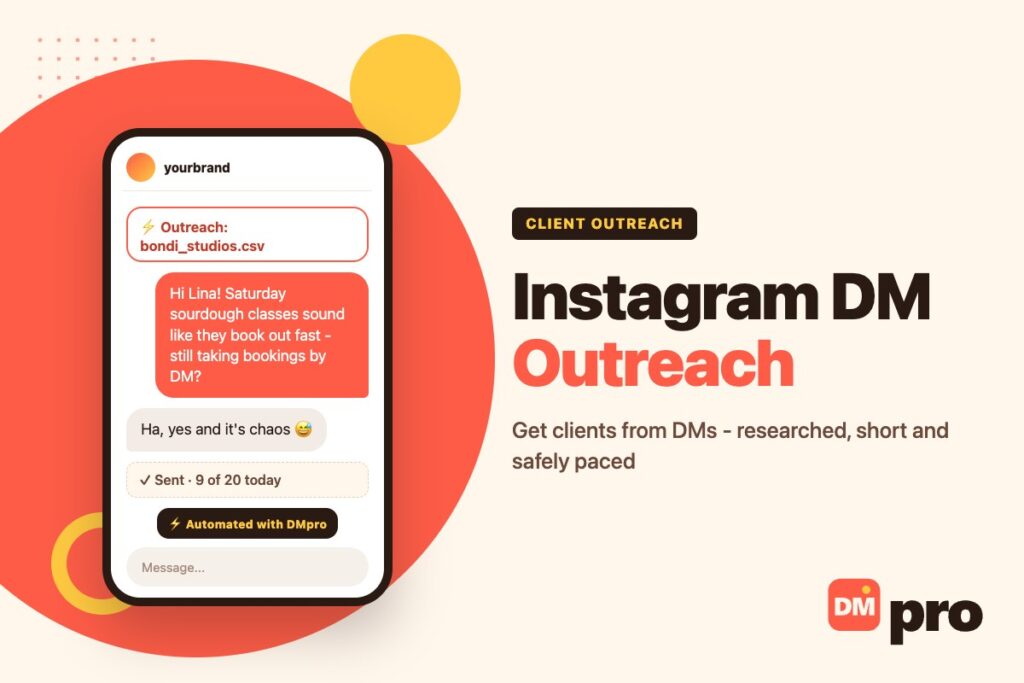
A cold email lands in a folder with two hundred others. An Instagram DM lands next to messages from the person’s friends. That difference is why Instagram DM outreach still books clients while other outbound channels have gone quiet – and why a careless DM is judged more harshly than a careless email.
It works when you treat it as a conversation rather than a broadcast. As part of wider DM marketing, outreach is the outbound half: you pick the person, you look at their work, and you write something only they could receive.
This guide covers the profile setup that has to come first, where to find prospects, a six-step process, the four-line message structure, how many DMs you can send without trouble, and the mistakes that get accounts restricted. It finishes with how the DMpro Chrome extension writes a personal DM from each profile and sends it automatically, so you can do this at a pace that fits a working week.
Key Takeaways
What Is Instagram DM Outreach?
Instagram DM outreach is messaging a specific person on Instagram to start a business conversation: pitching a service, proposing a partnership, recruiting, or opening a sales conversation with a potential client. You choose the recipient instead of publishing and waiting for them to find you.
What Makes the Instagram Version Different
The context is public
Their bio, their last dozen posts and the comments under them tell you what to open with. No purchased email list gives you that.
The format is personal
A DM sits in the same list as messages from real friends, so it is read like one and judged like one. A template stands out immediately.
Who It Works Best For
Agencies, freelancers, coaches, SaaS founders and brands selling to people who run their business from their phone: creators, shop owners, studios, restaurants, local services. If the decision maker posts on the account themselves, a DM reaches them directly.
Instagram DMs vs Other Outreach Channels
For the right audience, DMs outperform every other outbound channel. For the wrong one, they are useless. Choosing well matters more than any template, and it is the first decision in any outreach strategy.
| Channel | Best audience | Why it wins | Where it fails |
|---|---|---|---|
| Instagram DM | Creators, ecommerce, local services, founder-led brands | Personal, visible context, read like a real message | Strict pacing, requests folder |
| Website contact form | Small businesses and B2B companies with a website | Lands in an inbox the owner checks | Slow by hand, less personal |
| Cold email | Established B2B and corporate buyers | Formal, easy to attach a proposal | Spam filters, crowded inboxes |
| Corporate roles and professional services | Clear work identity | Formal tone, connection limits |
If a marketing team runs the account and the owner never touches it, switch channel. For businesses whose website has a contact form, contactID fills in those forms for a whole list, with a message personalized for each site.
Fix Your Profile Before You Send Anything
Everyone you message will tap through to your profile before deciding whether to reply. A great message from an empty account still gets ignored, so spend an hour here before you spend a week on outreach.
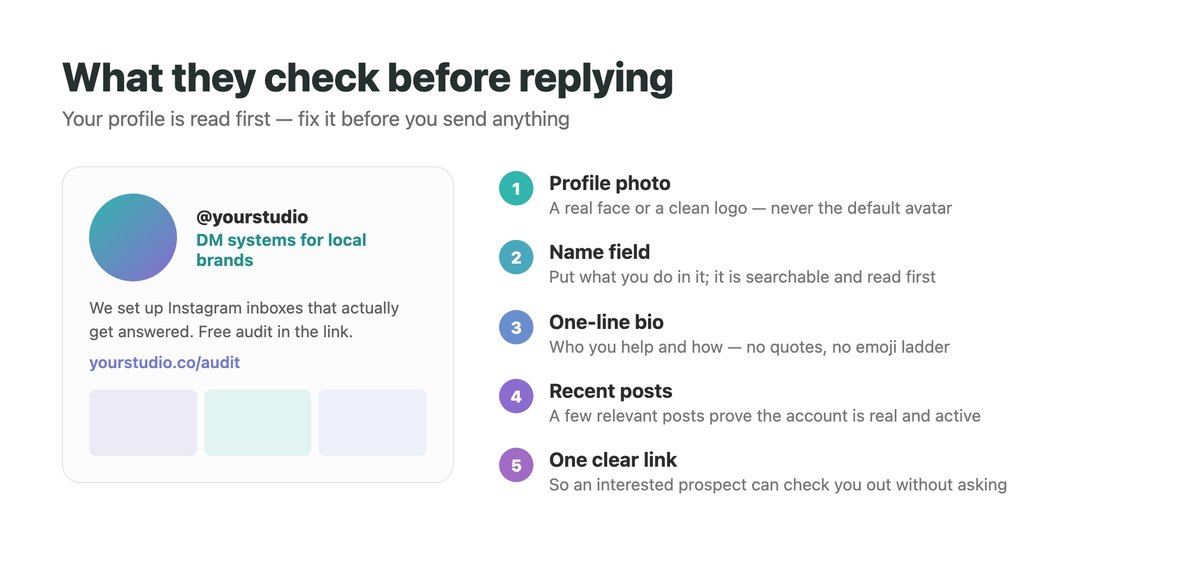
The Five Things a Prospect Checks
Profile photo
A real face or a clean logo, never the default avatar.
Name field
Put what you do next to your name. It is searchable and it is the first thing read.
Bio
One line on who you help and how. Skip quotes and emoji ladders.
Recent posts
Three to six relevant posts prove the account is active and real.
Link
One clear destination – a case study, a portfolio or a booking page – so an interested prospect can check you out without asking.
Personal Account or Brand Account?
For services, a founder or team member’s account often gets more replies than a logo, because people reply to people. If you send from a brand account, sign the message with a first name.
Where to Find Prospects on Instagram
Fifty well-chosen accounts beat five thousand random ones. These sources surface people who already show interest in your area.
Hashtags and Location Tags
Niche hashtags and city tags show who is active in a category or area right now. For local services, a location tag is often the best list you will ever build.
Engaged Commenters in Your Niche
People who leave thoughtful comments under accounts in your category are active, interested and usually reachable. They are better prospects than the accounts they comment on.
Your Own Audience
Followers who engage with your posts and people who replied to your stories already know you. They should be the first names on any list.
Clean the list
Remove private, inactive and obviously irrelevant accounts before you write a word.
Note the hook
Next to each handle, write the one detail you will open with. If you cannot find one, drop the account.
How to Do Instagram DM Outreach in 6 Steps
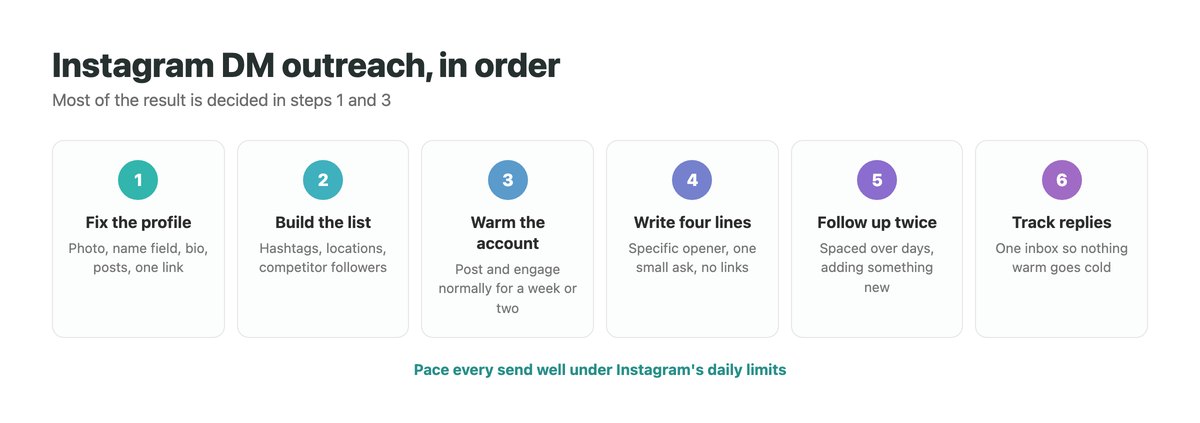
The order matters. Most of the result is decided in the first three steps, before any message is sent.
Fix the profile
Photo, name field, bio, a few relevant posts and one link, as above.
Build a targeted list
Collect handles from hashtags, locations and engaged commenters, then clean it. Aim for a list you could research name by name – that is the heart of any Instagram prospecting effort.
Warm the account
A new account that starts messaging strangers gets restricted fast. Post, follow and engage normally for a week or two first, and start with a handful of messages a day.
Write four lines
A detail only they would recognise, what you noticed or can help with, one line of proof if you have it, and a single easy question. No links in the first message.
Follow up twice
Space follow-ups over several days and add something each time: an example, a result or a smaller version of the offer. Stop cleanly when someone is not interested.
Track replies
Once a few dozen threads are live, keep a simple record of who you messaged, what you offered and who replied, so warm conversations do not disappear under notifications.
How to Write an Outreach DM That Gets Replies
A DM is read on a phone between other things. It has four short lines, and line one does most of the work.
The Four-Line Structure
Line 1: the specific detail
Something only true of them: a post, a product, a new location, a comment their customers keep leaving.
Line 2: what you noticed
The gap or opportunity that detail points to, in their terms rather than yours.
Line 3: one line of proof
A result for a similar business, if you have one. Skip it rather than invent it.
Line 4: one easy question
Something a stranger can answer in a word or two. “Worth a look?” beats “Can we book a call?”
Ignored vs Answered, Side by Side
The same offers, written two ways. The difference is entirely in how specific the first line is:
- Agency to a local brand. Ignored: “Hi! We help brands grow on social.” Answered: “Your new Bondi store post did numbers. Are you handling the DMs from it yourself?”
- Freelancer to a founder. Ignored: “I am a designer with 5 years of experience.” Answered: “Your pricing page loads slowly on mobile. Want a 30-second screen recording?”
- Collab pitch to a creator. Ignored: “Let us collaborate!” Answered: “Your reel on client onboarding matched a guide we published. Worth cross-posting?”
- Follow-up. Ignored: “Just bumping this up!” Answered: “Sent that recording over – two fixes in there, both under an hour.”
Moving From Reply to Sale
A reply is the start, not the win. Answer quickly, ask one more question about their situation, and only then share a link or a price. Our guide on how to sell on Instagram DM picks up from here.
How Many Outreach DMs Can You Send a Day?
Fewer than you think. Instagram does not publish a number, because the real threshold depends on account age, history and how human the activity looks. Our Instagram DM limit guide explains the rest, including character counts and message requests.
Safe Starting Points
A new account should stay in single digits or low teens a day for its first weeks. An account that is a few months old with a real following can usually handle a couple of dozen. Even long-established accounts see more blocks once they go past roughly 40 to 50 a day.
Signs You Are Pushing Too Hard
Messages fail to send
Or stay stuck with no delivery. Stop for the day.
An action-blocked notice or CAPTCHA
Stop for 24 to 48 hours, do not test it by sending manually, then restart at a lower volume.
Replies drop suddenly
Your messages may be landing in hidden requests. Slow down and make them more specific.
What Instagram’s Rules Say
Instagram’s help centre and Meta’s spam policy target repetitive, high-frequency and unwanted messaging, whether manual or automated. Personal messages at a human pace keep the risk low, but automating DMs can still breach Instagram’s terms, and no tool can remove that risk completely.
How to Automate Instagram DM Outreach With DMpro
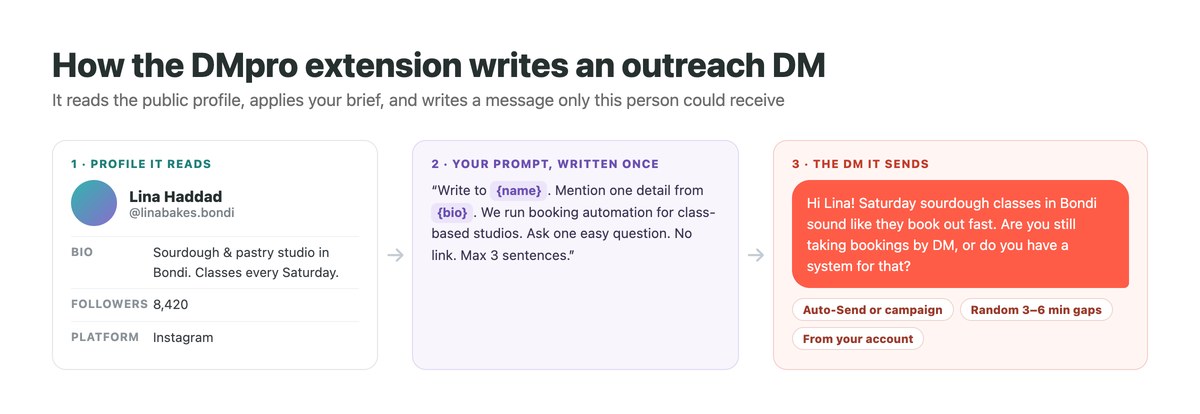
The DMpro Chrome extension automates the two slow parts – writing a personal first line for every prospect, and sending at a safe pace – while you keep the list, the offer and the conversations. It runs in the Instagram tab you are already logged into, so your password is never requested. It is listed on the Chrome Web Store, and you can try it on 10 prospects a month without paying.
Write the Brief Once
You describe yourself, your offer and the reply you hope for in a single prompt. On each profile, the AI reads the name, bio and follower count and writes a separate message. Variables such as {name} and {bio} let you tell it exactly what to reference, and if the bio loads a moment late, Smart Message Update offers to regenerate so nothing is written from half a profile.
Choose How It Sends
Generate and review
Open a profile, click Generate, read the draft and send. Best while you are still refining the prompt.
Auto-Send
Each click writes the DM and sends it straight away as you move through profiles. There is no undo once a message is sent.
Campaigns
Paste handles or import a CSV; the campaign works through the list one DM at a time over hours or days, and stops by itself at the daily limit, when Instagram shows a warning, or if your credits are used up.
Keep It Safe and Measurable
New users start with Safety Mode switched on, which limits you to 20 DMs per day and spaces them 3 to 6 minutes apart at random. Each campaign shows sent, failed, skipped and remaining for every handle, and exports as a CSV. Anyone who answers does so in your usual Instagram inbox. For list-based sending at larger scale, see how to mass DM on Instagram.
Instagram DM Outreach Mistakes to Avoid
Nearly every failed campaign makes at least one of these.
| Mistake | Why it fails | Do this instead |
|---|---|---|
| Pitching in the first message | It asks for a decision before trust exists | Earn the second message with a question |
| Sending a paragraph | Nobody reads walls of text on a phone | Four short lines |
| Swapping a name into a template | A merge tag is not research, and it shows | Reference one real detail |
| Messaging from a bare profile | Prospects check you before replying | Fix the profile first |
| A link in message one | Links from strangers are ignored and hurt delivery | Share it after they reply |
| Scaling before it converts | A message that fails at 50 fails at 5,000 | Prove it small, then grow |
Run Your Instagram DM Outreach With DMpro
Researching every profile and writing every opener by hand is what limits DM outreach to a few messages a day. The DMpro Chrome extension removes that ceiling without removing the personal touch: it drafts every DM from the prospect’s own profile and sends it for you, from your account, at whatever pace you set.
It works on Instagram and TikTok from the same interface. You can test it free on 10 prospects each month. The $19 Starter plan covers 500 AI-written DMs, and Professional also saves email addresses found in Instagram bios, useful for a follow-up by email.
- AI-written opener from each profile’s name, bio and stats
- Generate and review, Auto-Send, or full campaigns
- Campaigns from pasted handles or a CSV
- Safety Mode for new accounts: 20 per day, spaced at random
- Automatic pause on block signals and at the daily cap
- Your Instagram login stays in your own browser
- Works for TikTok prospects too
- Free tier to test your offer first
- Replies stay in your Instagram inbox – there is no separate reply tracker
- Automation can still break Instagram’s terms of use, so send conservatively
Conclusion
Instagram DM outreach works because it is the one outbound channel where you can see the person before you write to them. That context is the advantage, and skipping it is what turns outreach back into spam.
Fix the profile. Pick fifty accounts you can say something true about. Two things decide whether those messages are ever seen: how Instagram orders an inbox, covered in Instagram DM order, and whether you are paying to start the conversation instead, which is what click-to-Instagram-Direct ads do. Write four lines. Follow up twice. Pace it like a person. Run that loop every week, scale only once the message earns replies at fifty, and let a tool take over the writing and sending while you handle the conversations.
DMpro writes a DM from every prospect’s profile and sends it from your account – 10 free a month.
Try the DMpro extension