
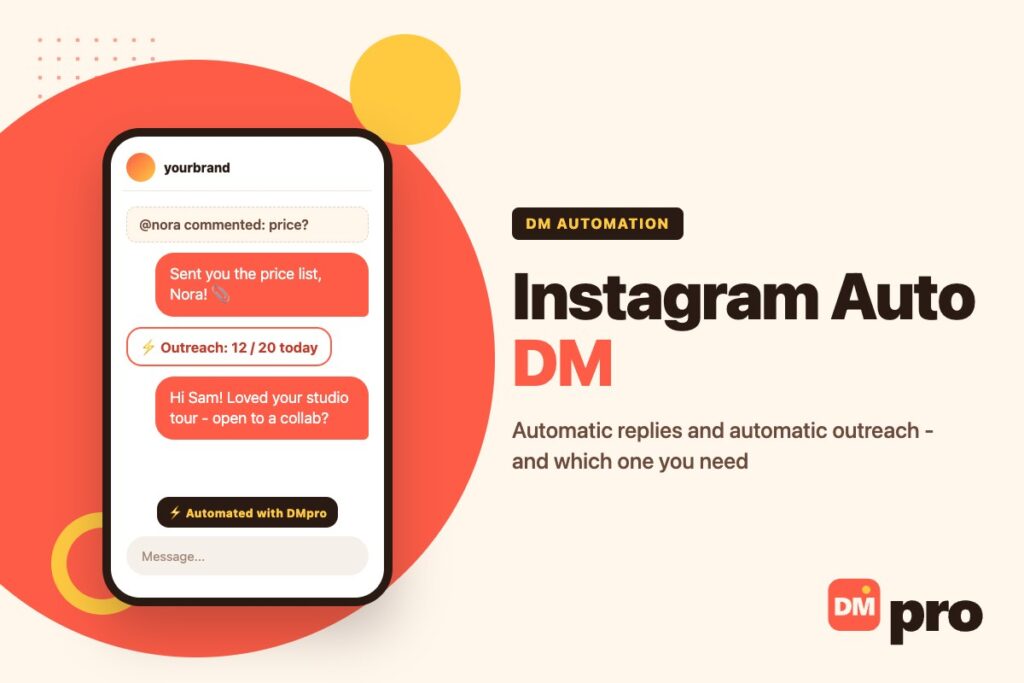
An Instagram auto DM is any direct message a tool sends for you instead of you typing it. That sounds like one thing, but people searching for it usually want one of two very different jobs: answering the people who comment on or message you, instantly and around the clock, or starting conversations with people you have chosen, without sending each message by hand. Both are part of Instagram DM marketing, and they run on different rules.
The first job, automatic replies, runs on Meta’s official messaging API and is supported by Instagram. The second, automatic sending, has to run from your own account and carries real account risk if you push it. Mixing the two up is the most common reason people pick the wrong tool, get no results, or get their account restricted.
This guide separates them cleanly. You will see every type of Instagram auto DM, how to set up each in DMpro, examples by goal, and the safety rules that matter for each side. DMpro runs both: the DMpro platform handles automatic replies, and the DMpro Chrome extension sends outbound DMs automatically.
Key Takeaways
What Is an Instagram Auto DM?
An Instagram auto DM is a direct message sent by software on your behalf, either in response to something a person did or as part of a campaign you started. What separates a useful one from spam is not the automation itself but whether the person expected, or would welcome, the message.
Inbound: Automatic Replies
Here the other person moves first. They comment a keyword under your Reel, send you a DM asking for prices, reply to a story or mention you, and the automation answers within seconds. Because they started the interaction, Meta’s platform allows businesses to reply through its API, inside a defined messaging window.
Outbound: Automatic Sending
Here you move first. You pick creators, prospects or partners and a tool sends each of them a message. Instagram’s API does not let a business cold-message people who have never contacted it, so outbound automation works from the Instagram session in your own browser, pacing messages the way a person would.
Why the Difference Matters
The two sides differ in who is allowed to be messaged, how fast, and with what risk. A comment-to-DM flow can answer hundreds of people an hour because each one asked. An outreach campaign sending the same hundreds in an hour would look like spam. Keep them apart in your head and in your tools.

Types of Instagram Auto DM
There are five common forms. The first four are inbound and use the official API; the last is outbound.
Comment-to-DM
Someone comments on a post or Reel and receives a private message a moment later. It is the most popular form because one post can open hundreds of conversations. Our comment-to-DM automation guide goes deeper on the setup.
Keyword matching
Match a whole word, any text that contains the keyword, or the exact comment. Loose matching catches “price?” and “whats the price”; exact matching avoids false hits.
Public reply plus private message
A short public reply shows other viewers that you answer, while the details go privately. Meta allows a private reply to a comment for up to 7 days.
DM Keyword Auto-Replies
When a message contains a word such as “price”, “hours” or “booking”, the automation answers with the right information and, if useful, buttons for the next step. It keeps response times close to zero for the questions you get every day.
Story Reply Auto DMs
A reply to your story, whether a poll answer, a question sticker or an emoji, can trigger a message with a discount code, a product link or a follow-up question. Story replies are warm by nature: the person has just seen your content.
Mention Auto DMs
When someone tags your account in their story or Reel, an automatic thank-you, a repost request or a reward code turns a shout-out into a conversation.
Outbound Auto DMs
A tool writes and sends messages to a list you chose, one at a time, with pauses between them. This is the form used for influencer outreach, partnerships and prospecting, and it is covered in detail in our guide on how to mass DM on Instagram.
What About New Followers?
Many guides promise an automatic DM to every new follower. Instagram’s public messaging API has no follow event, so standard automation tools cannot detect a new follow and message it. Meta runs a limited Follow to DM beta for selected accounts, which it decides on and can withdraw at any time. The practical alternative is to make it easy for new followers to message you first – a story sticker, a pinned post with a keyword – and let the reply automation take it from there.
How to Set Up Automatic Replies in DMpro
The DMpro platform connects to your Instagram professional account through Meta’s login, so you never share your password. Each automation is one trigger, the rules that filter it, and the messages it sends.
Connect your Instagram account
Create a free account and link an Instagram Business or Creator account with messaging permissions. DMpro then listens in real time for comments, DMs, story replies and mentions.
Choose a trigger
Pick comment on a post or Reel, direct message, story reply, or mention in a story or Reel. For comments, you can limit the automation to a single post.
Set the keyword and match mode
Enter the keyword and choose word, contains or exact matching. Case sensitivity is off unless you turn it on.
Build the reply
Add a message, a file such as a PDF menu, product cards, or buttons that split the conversation into Paths. Use Wait for reply to collect an email or phone number, or hand the conversation to an AI response trained on your instructions.
Add ground rules and go live
Set a per-person frequency cap so nobody gets the same flow twice in a row, add an end date for time-limited promotions, then activate. Every thread appears in the Conversations inbox, and statistics show results over 7 days, 30 days and all time.

How to Send Instagram DMs Automatically to People You Choose
For outreach, the DMpro Chrome extension does the sending. It works inside the Instagram tab you are already logged into, writes a personal message for each profile with AI, and sends it automatically. It never asks for your Instagram password. Add it from the Chrome Web Store; the free tier includes 10 AI-written messages a month.
Auto-Send While You Browse
Open a profile, click Generate, and with Auto-Send switched on the message is written and sent in the same click. It suits sessions where you pick each person yourself.
Best use
Once your prompt is tested and the drafts read well, for a focused list of profiles.
Watch out
There is no undo after a DM has been sent, so keep review on while you refine the prompt.
Campaigns From a List
Paste usernames or import a CSV, write the prompt once, and set a daily limit and random delays. The campaign sends one personalized DM at a time and pauses itself when it reaches the cap, sees a block signal, or runs out of credits.
Safety Mode
On by default: 20 messages a day with random gaps of 3 to 6 minutes. Stay there until you know how your account behaves.
Tracking
Each username shows sent, failed, skipped or remaining, and the results export as a CSV. Replies arrive in your normal Instagram inbox.
Instagram Auto DM Examples by Goal
Most businesses combine a few of these. Notice that every inbound example answers something the person asked for, and every outbound example is written for one specific person.
| Goal | Trigger or method | Example message |
|---|---|---|
| Answer price questions | Comment or DM containing “price” | “Here is the full price list. Want me to hold a slot for this week?” |
| Share a launch link | Comment keyword on the launch Reel | “Here is the link you asked for – the first 50 orders ship free.” |
| Reward story engagement | Story reply | “Thanks for voting! Here is 10% off for the next 48 hours.” |
| Thank people who tag you | Mention in a story | “You made our day – mind if we repost this?” |
| Reach creators or partners | Outbound campaign | “Your studio tour was great. Open to a paid collab next month?” |
Is Instagram Auto DM Allowed?
It depends entirely on which kind you mean, and pretending otherwise does readers no favours.
Automatic Replies Through the API
Replying automatically to people who contacted you is supported by Meta through its Instagram messaging API. The rules are about timing: you can reply within 24 hours of the person’s last message, and a private reply to a comment within 7 days. A good tool respects those windows for you.
Automatic Sending From Your Account
Automating outbound DMs can breach Instagram’s terms of use even when every message is personal, and no tool can remove that risk completely. What keeps the risk low is behaviour: modest daily volumes, random timing, messages written for each person, and stopping at the first warning. Read Instagram’s DM rules before you begin.
What Meta Treats as Spam
Meta’s spam policy is the line on both sides. It covers the obvious and the less obvious:
High-frequency or repetitive messaging
Sending at very high rates, or the same content over and over, whether by hand or automatically.
Engagement gating
Requiring a follow, like, share or comment before someone can get specific content. Use comment keywords as a convenient way to ask, not as the only way to access the thing you promised.
Unwanted contact
Messages people did not want and report, which is what most often gets accounts restricted for DMs.
Instagram Auto DM Best Practices
The same habits make automated messages both safer and more effective.
| Do | Don’t |
|---|---|
| Answer what was asked in the first message | Open with a sales pitch or a bare link |
| Offer a button or keyword to reach a person | Leave people stuck in a loop with no human |
| Cap each flow per person and set end dates | Send the same flow to the same person repeatedly |
| Personalize every outbound DM | Send identical copy to a whole list |
| Ramp outreach slowly with random gaps | Send in bursts from a new account |
Writing Auto DMs People Actually Reply To
Automation only removes the typing. The words still decide whether anyone answers.
For Automatic Replies
Deliver the thing first, then ask one easy question. A reply that says “Here is the menu – dinner or lunch?” gets more answers than one that asks for an email before sending anything.
Comment reply
“Sent it to your DMs, Leo – check your requests folder if you do not see it.”
Price question
“Packages start at $120. Want the comparison sheet or a quick call?”
Story reply
“Glad you liked the drop! Which colour caught your eye?”
For Automatic Outreach
Write the brief, not the message. In DMpro’s extension you describe who you are and what you want back, and the AI writes each DM from the person’s name, bio and stats. Ask for a first line that mentions something real from the profile and keep the whole message under 40 words.
One Brand, Two Tools for Instagram Auto DM
Pick by who starts the conversation. The DMpro platform answers people who comment, DM, reply to stories or mention you, on Instagram, TikTok, Messenger, WhatsApp, Telegram and more, with keyword triggers, button flows, AI responses and a shared inbox.
The DMpro Chrome extension starts conversations for you on Instagram and TikTok: an AI-written DM for every profile, sent automatically from your own account, with daily caps, random delays and automatic pauses.
- Comment, DM, story reply and mention triggers
- Word, contains or exact keyword matching
- Button Paths, Wait for reply and AI responses
- Outbound campaigns from a username list or CSV
- Safety Mode for outreach: 20 a day, 3 to 6 minute gaps
- Automatic replies run on Meta’s official API
- Never asks for your Instagram password
- Free plans on both tools
- No new-follower trigger, because Instagram’s API offers none
Conclusion
An Instagram auto DM is worth setting up once you know which job you are solving. If people already comment on and message you, automatic replies make sure every one of them hears back in seconds. If you need to reach people who do not know you yet, automatic outreach saves hours, as long as you keep it personal and slow.
Start with one automation, such as a comment keyword on your next Reel or a price auto-reply, and measure it for a week. Then add the next. Automate the repetitive part and keep the real conversations for yourself.
Answer every comment and DM automatically with DMpro – free to start, connected through Meta’s official login.
Start free with DMpro