
Reels are the one Instagram format with an official download built into the app, which is strange given that practically every page about reels downloaders sends you to a third-party site instead.
It does not always work, and the reasons it fails are specific rather than random: the poster’s privacy setting, their age, whether the reel predates the feature, and whether they switched it off for that particular video. Knowing which of those you have hit tells you whether to keep trying or to stop.
This covers the built-in route and what decides it, what the downloaded file actually looks like, and the honest position on the sites that promise a cleaner one.
Key Takeaways
The Built-In Download, and What Decides It
Start here, because for a large share of the reels anyone wants to save, the official route simply works and nothing else is needed.
Public Accounts: On Unless Switched Off
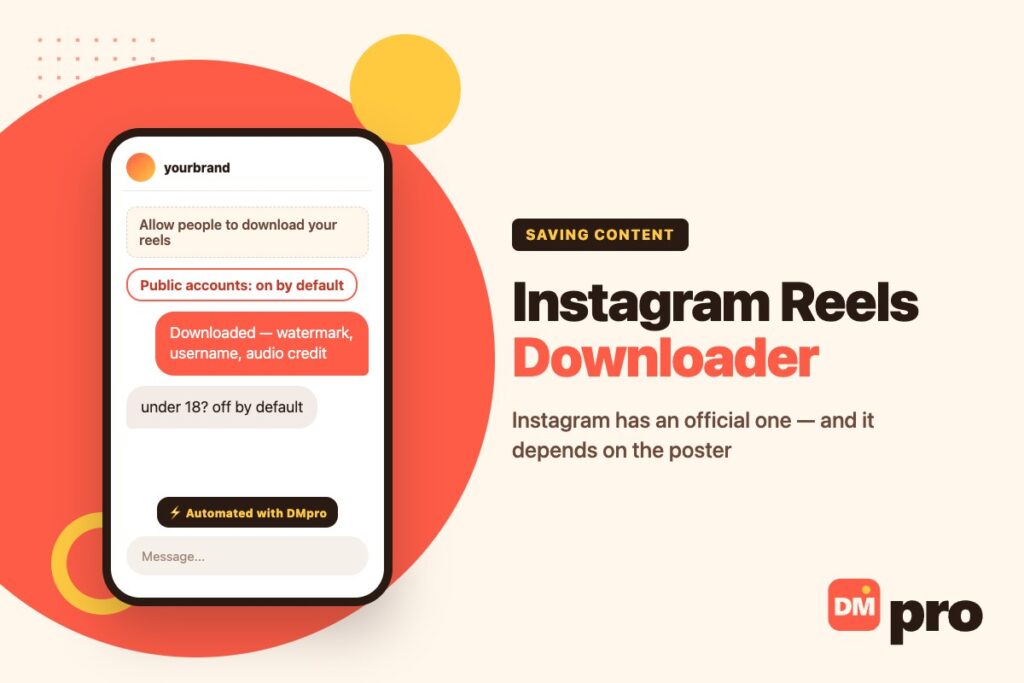
Instagram’s page on who can download your reels sets the rule plainly: for public accounts, anyone on Instagram can download and share your reels, unless you change your reels download settings.
That default is why the feature is more useful than its reputation suggests. Most public reels are downloadable now, from the share menu, with no tool involved.
Under-18 Public Accounts: Off by Default
Instagram reverses the default for public accounts belonging to users under 18 – downloading is off unless the person turns it on. If a reel from a younger creator refuses to download while others work, this is usually why rather than anything you did.
Private Accounts: Never
Nobody can download the reels of a private account. The only thing that changes it is the account becoming public, which is not something a viewer can influence and not something any tool can work around.
Old Reels Are the Common Surprise
For public accounts, only new reels become downloadable unless the poster goes back and changes the setting for the rest. A creator’s recent work downloading while their back catalogue refuses is the expected behaviour, not a glitch.
Equally, a copy somebody already downloaded stays downloaded. Turning the setting off later does not reach files that have already left the app.
Phone Only
Instagram notes the feature is not available on computers. A good share of “there is no download button” comes from people looking on a desktop, where there genuinely is not one.

Downloading a Reel the Official Way
On a phone, from the reel itself. If the option is missing, one of the rows above is the reason.
Open the reel in the app
Not the browser and not a desktop. The download option only exists in the mobile app.
Open the share options
The same menu you would use to send the reel to someone. Download sits alongside the sharing choices.
Choose download
The file saves to your camera roll at the quality Instagram serves, with the watermark and credits applied.
If there is no download option, stop
It means the poster has it off, their account is private, they are under 18 with the default in place, or the reel predates the setting. None of those is something to work around.
What the Downloaded File Looks Like
This is the trade Instagram is making, and it is worth understanding before deciding the official route is not good enough.
Watermark, Username, Audio Credit
A reel downloaded through Instagram carries an Instagram watermark, the poster’s username and audio attribution. The credit is baked into the video rather than added as metadata, so it travels wherever the file goes.
That is the entire design. The download exists so reels can be shared onward with their origin attached, not so they can be re-uploaded as original work.
Why That Is Usually Fine
For the legitimate reasons to save a reel – keeping a copy of your own work, sending something to a colleague, building a swipe file of ideas, showing a client an example – the watermark costs nothing and the attribution is a feature.
And Why People Look for Alternatives
The honest reading of the market: almost all demand for a third-party reels downloader is demand for the same video without the credit. Worth naming, because it changes what the question actually is.
Your Own Reels
A separate case with better options, and the one a business usually needs.
Save the Original Before You Post
The cleanest copy of your reel is the one on your device before it is uploaded, with no watermark and no compression. Keeping the source file is a habit worth having, because every route afterwards gives you a worse version.
Keep the edit, not just the export
The project file matters more than the finished video when a reel has to be recut for a different aspect ratio later.
Name them so you can find them
A folder of files called reel-final-2 is the reason people end up downloading their own watermarked work back off Instagram.
Audio rights do not travel
A track licensed inside Instagram is licensed for Instagram. Reusing that export elsewhere is a separate question – our guide to adding music to a post or reel covers where the library applies.
Download Your Information
For anything already posted, Instagram’s own export will return your media in bulk. Choosing the specific-types option and selecting photos and videos avoids an archive containing every message you have ever sent – our guide to the Instagram story downloader question walks through that export in more detail.
Decide Who May Download Yours
The same setting works from your side. You can allow or block downloading for a single reel as you share it, or for every reel from your account privacy settings, and changing it later does not affect copies already taken.

The Case Against Downloader Sites
Not a moral argument – two documented facts and one piece of arithmetic.
They Exist to Defeat a Deliberate Limit
Instagram built a download, decided what it would include, and gave posters a switch. A site that returns the same video without the watermark, or returns one the poster declined to share, is working around that on purpose – and Instagram’s Terms of Use prohibit attempting to bypass technological measures limiting access to the Service or its data.
The Sign-In Form Is the Dangerous Part
Some of these sites want only a link. Others want you to log in, and that is a different proposition: Instagram’s page on accounts restricted for data scraping names handing credentials to a third-party site among the behaviours that get an account flagged.
Which account? Yours. The site is not the one that loses anything, and it will ask the next visitor the same question tomorrow.
Weigh It Honestly
Plenty of people use these services and nothing happens. That is worth saying rather than pretending otherwise – but the thing at stake is an account built over years, and the thing gained is a credit-free copy of a video somebody else made.
Why the Download Option Is Missing
Work down this list before assuming you need a tool. Four of the five have no workaround and are not meant to.
| What you are seeing | Why | What to do |
|---|---|---|
| No download option on desktop | The feature is phone-only | Open the reel in the mobile app |
| Works on some reels, not others | The poster set it per reel | Nothing – that was a choice |
| Nothing from one particular account | The account is private | Ask them, if you have a reason |
| Recent reels work, older ones do not | Only new reels become downloadable | Ask the poster to change it for all |
| Nothing from a young creator | Under-18 public accounts default to off | Nothing |
| You want it without the watermark | That is the point of the watermark | Ask for the original file |
The last row is where most people arrive, and the honest answer is the dull one: if the credit is the problem, the file was never yours to use that way.
If You Make Reels for a Business
Two settings and one habit that matter commercially, none of which is about downloading other people’s work.
Leave Downloading On
For a business account, letting people download your reels is free distribution with your username welded to it. Every copy that travels carries your handle and the audio credit, which is a better outcome than the alternative – somebody screen-recording it and losing the attribution entirely. The rest of the messaging settings a professional account controls are covered in our guide to Instagram business chat.
Keep Your Masters
The source file on your device is the only clean copy you will ever have. Reels get recut for TikTok, for ads, for a website; starting from a watermarked download means every reuse looks second-hand.
The Reel Is the Advert. The DM Is the Shop.
A reel that performs produces questions, and they arrive as direct messages and comments within the hour – available, price, do you ship here. DMpro connects through Instagram’s official API and answers the ones that repeat the moment they land, passing anything unusual to a person with the thread attached.
Our guide to Instagram comment auto reply covers the public side of that, and Instagram DM CRM covers keeping the conversations afterwards.
A Reel Travels for Six Hours. Then It Is Over.
Distribution on reels is spiky in a way nothing else on Instagram is. A video finds an audience, that audience asks the same handful of things at once, and by the next morning the moment has passed and half of them have gone elsewhere.
DMpro works at that speed: recognising the question underneath each comment and message, replying immediately, and bringing a colleague into anything unusual with the exchange already laid out rather than described.
- Replies measured in seconds, not hours
- Reads comments and story replies, not just the inbox
- Sanctioned connection – your login stays yours
- Buyer details written into your CRM as you talk
- Five platforms converging on one screen
- The hours a reel actually travels are covered
- Public questions get public answers
- Nothing asks you for your Instagram password
- Nothing to do with making or exporting video
- Somebody writes the standard answers once, properly
Conclusion
Try the built-in download first. For public accounts it is on by default, it takes two taps in the mobile app, and it is the only route that is a feature rather than a workaround. When it is missing, the reason is almost always a deliberate choice by the poster, their age, or the reel being older than the setting.
What it gives you is a watermarked file carrying the poster’s username and audio credit. For every legitimate reason to keep a reel, that is fine – and the demand for a cleaner version is mostly demand to remove an attribution, which is the part no tool makes acceptable.
If the reels are your own, keep the source file before you upload. Nothing you can retrieve afterwards will be as good, and every reuse starts from whatever you kept.
Comment and DM replies that fire in seconds, on a connection Instagram sanctions.
Start free