
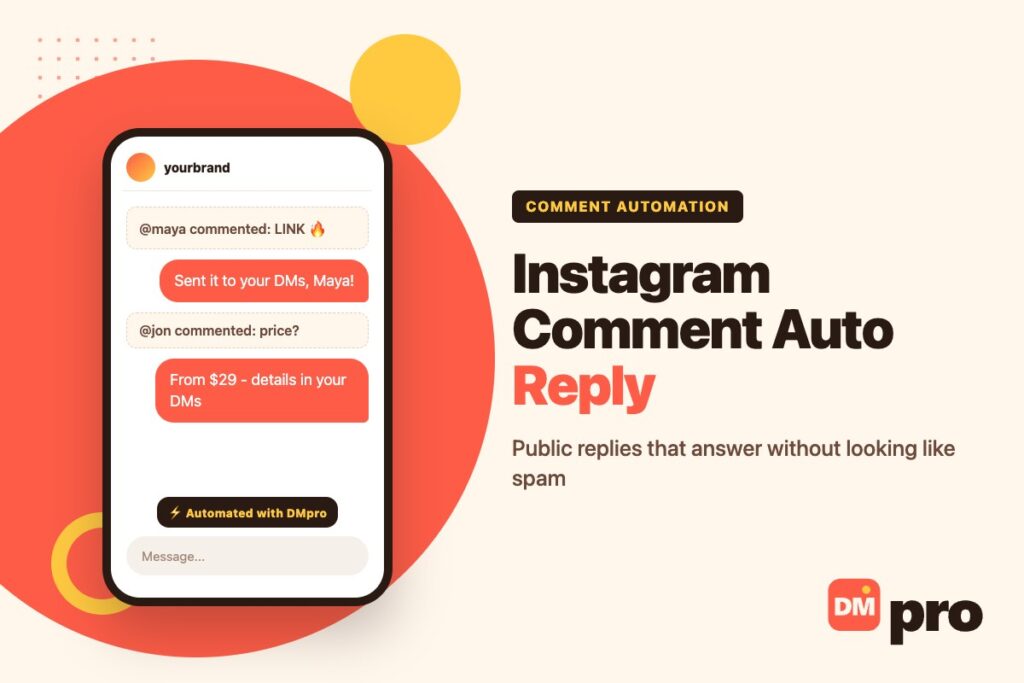
An automatic reply under a comment does two jobs at once: it answers the person who asked, and it shows everyone else scrolling the post that someone is home. Done well, it keeps a post’s comment section useful. Done badly – the same sentence pasted under two hundred comments – it looks exactly like the spam Instagram is built to suppress.
Most of what decides the difference is written down, just not in one place. Meta’s developer documentation sets out which comments can be replied to at all, and Meta’s spam policy sets out what happens when replies arrive too often or all read the same. Neither appears on the setup screen of a typical tool.
This covers public replies under comments. The other half – sending the commenter a private message – has its own rules, and both sit inside the broader question of using DMs as a marketing channel.
Key Takeaways
Two Kinds of Comment Auto Reply
A comment auto reply can go to one of two places. A public reply is posted under the comment, where everyone reading the post can see it. A private reply goes to the commenter as a direct message, where only they see it.
They behave very differently. Private replies are limited to one message per comment, have to be sent within seven days, and land in the recipient’s requests folder if they do not follow you – all covered in our guide to comment-to-DM automation. Public replies have none of those limits, and a different set of rules instead.
In practice the two are usually paired: a short public reply that answers in a line or says to check the DMs, and one private reply that carries the link or the code. The public half signals that the post is active; the private half does the work.

What Instagram Offers Without a Tool
Instagram’s own comment tools are mostly about keeping things out rather than answering. Its help page on hiding comments describes Hide unwanted comments, which is on by default and hides comments containing common offensive words, phrases or emojis; a spam filter; and Hidden Words, a custom list of words, phrases, numbers and emojis you never want shown. Hidden comments still count toward your total, and the person who wrote one is not told.
The nearest thing to an automatic answer is in Meta Business Suite, which has a comment-to-message automation that replies to comments containing specific keywords or hashtags – on the desktop version, and as a private message rather than a public reply. It sits alongside the other built-in options covered in our guide to Instagram’s built-in auto replies.
So an automatic public reply under your posts comes from a tool connected to Meta’s official API, not from a setting inside the app.
The Rules Meta Sets for Public Replies
These come from Meta’s developer documentation. Each one explains a way comment auto replies fail without an error message.
| Rule | What it means in practice |
|---|---|
| Top-level comments only | A reply to a reply is added to the original comment; the thread stays one level deep |
| No replies to hidden comments | If a filter hides a comment first, the auto reply cannot reach it |
| No public replies on live video | Meta says to send a private reply instead |
| Webhooks need Advanced Access | Without it, the tool is never notified that a comment arrived |
| The account must be public | Private professional accounts do not receive comment notifications |
| The manage-comments permission | Granted when you connect a tool through the official login |
Meta’s comment replies reference covers the first three, and its webhooks documentation the notification rules – including that comments on live media are only sent during the broadcast. The permission itself is described in the comment moderation guide, which also covers hiding and deleting comments through the same API.
Where Comment Auto Replies Turn Into Spam
Meta’s spam policy does not distinguish between a person and a script. It prohibits posting, sharing or engaging with content at very high frequencies, either manually or automatically, and says Meta may restrict accounts acting at lower frequencies when other indicators are present – naming posting repetitive content as one.
That is the risk with comment auto replies: not that they exist, but that they tend to be identical. The same sentence under every comment on a post that took off is both high-frequency and repetitive. Writing several variations, replying only where a reply adds something, and leaving obvious emoji-only comments alone keeps an account well away from that line.
The same policy names like-gating and share-gating: requiring people to like, share, follow or engage publicly in some other way before they can reach specific, exclusive content. That matters for the familiar comment-to-get-the-link format. Offering a link to anyone who asks is ordinary; making a public action a condition of access is the pattern the policy describes. How restrictions play out once an account trips them is covered in our guide to Instagram DM restrictions.

Setting Up Public Comment Replies Safely
The order below avoids the two common failures: a tool that never hears about comments, and replies that read as spam.
Use a public professional account
Comment notifications are only sent for public professional accounts, so a private account breaks the whole chain before any tool is involved.
Connect through the official login
Choose a tool that connects with Meta’s login and holds Advanced Access, never one that asks for your password. What that access does and does not allow is set out in our guide to the Instagram messaging API.
Pick the posts and the trigger words
Limit automation to the posts where people ask the same thing – a product drop, a giveaway, a price question – rather than every post you publish.
Write at least three versions of the reply
Rotation is the simplest defence against the repetitive-content signal, and it reads better to anyone scrolling.
Pair it with a private reply for anything personal
Links, discount codes and order details belong in a DM. The public reply can simply say a message is on its way.
Building a Comment Reply Campaign in DMpro
The safe-setup rules above map directly onto DMpro’s campaign builder, which uses Meta’s official comment API.
Choose Comment on post as the trigger
Then pick the specific post or Reel. Without a post selected, the keyword applies to comments on every post.
Set the keyword and match mode
Word matching is the default, so LINK fires for “link please” but not for “unlinked”; switch to Contains or Exact if you need to.
Add a Reply on comment step with several variants
One step can hold multiple message variants and DMpro picks one each time – the simplest way to avoid identical replies under every comment.
Send the link privately
Add a Send DM step, which goes to the commenter as a private reply, with the link inserted as a click-tracked {{affiliate_link}}.
Pace it
Set a short delay and a frequency cap so one person commenting five times is answered once.
What to Reply Publicly and What to Send Privately
A quick guide by the kind of comment you get most.
| The comment | Public reply | Private reply |
|---|---|---|
| “How much is this?” | Yes – the price helps everyone reading | Optional, with the link |
| “LINK” or another keyword | Short: sent to your DMs | Yes – the link itself |
| “Is this in stock in black?” | Yes, if the answer is the same for everyone | If it depends on their size or location |
| A complaint | A brief acknowledgement | Yes – the actual resolution |
| Emoji-only or “nice” | Usually no reply at all | No |
| A comment on a live video | Not possible publicly | Yes, during the broadcast |
Private replies to people who do not follow you arrive in their requests folder, which many people rarely open – worth knowing before relying on the DM half, and explained in our notes on how message requests are filtered.
Free Comment Auto Reply Tools: What to Check
Most comment automation tools offer a free tier, and a free tool is not automatically a risky one: public replies run through Meta’s official comment API, the same one paid tools use.
What to check is not the price but four things: that it connects through Meta’s login rather than your password; that it holds Advanced Access, without which it works in testing and fails on real comments; what the free tier actually counts, since limits are usually set by contacts or conversations rather than replies; and whether it handles both the public and the private reply, so you are not stitching two tools together.
Comparing those limits side by side is quicker than trialling each tool, and our guide to ManyChat alternatives lays out what several of the common tools publish about their free plans.
Reels, Posts and Live Video
Comments on posts and reels behave the same way for replies: a tool can answer top-level comments publicly and, separately, send one private reply per comment. Reels tend to attract far more comments from people who do not follow you, which makes the requests-folder problem more pronounced for the private half.
Live video is the exception. Public replies to live comments are not possible through the API, and Meta’s own documentation says to use a private reply instead. Live comment notifications only arrive while the broadcast is running, so anything that needs a reply has to be handled during the stream rather than afterwards.
For most accounts the practical rule is simple: automate public replies on the handful of posts where the same question repeats, send links privately, and handle live comments live.
Turning Comments Into Conversations
A public reply keeps the comment section tidy; the conversation that follows is where a sale or a booking actually happens, and it usually moves to the DMs.
DMpro handles both halves in one campaign: a public reply with rotating variants, a private DM with a tracked link, and the thread landing in one Conversations inbox. Comment triggers work on Instagram, Facebook, TikTok and LinkedIn company pages.
- Comment triggers scoped to one post or Reel
- Public reply plus private DM in the same flow
- Message variants so replies are not identical
- Click-tracked links in every DM
- Frequency caps so repeat commenters are answered once
- Built around Meta’s own comment rules
- Every comment conversation in one inbox
- Free plan to test on real posts
- No public replies on live video – Meta’s API does not allow them for any tool
Conclusion
Automatic public replies under Instagram comments are allowed and useful, within rules that are easy to miss: top-level comments only, nothing on hidden comments, no public replies on live video, and notifications that only reach a tool with Advanced Access on a public account.
The rule that actually costs accounts is Meta’s spam policy. High-frequency or repetitive posting counts whether a person or a script does it, and making a like, share or follow a condition of getting content is named as spam outright.
Automate public replies on the posts where the same question repeats, write several versions, send links privately, and leave the emoji-only comments alone.
Comment triggers with public and private replies – free for 250 conversations a month.
See a comment trigger run