
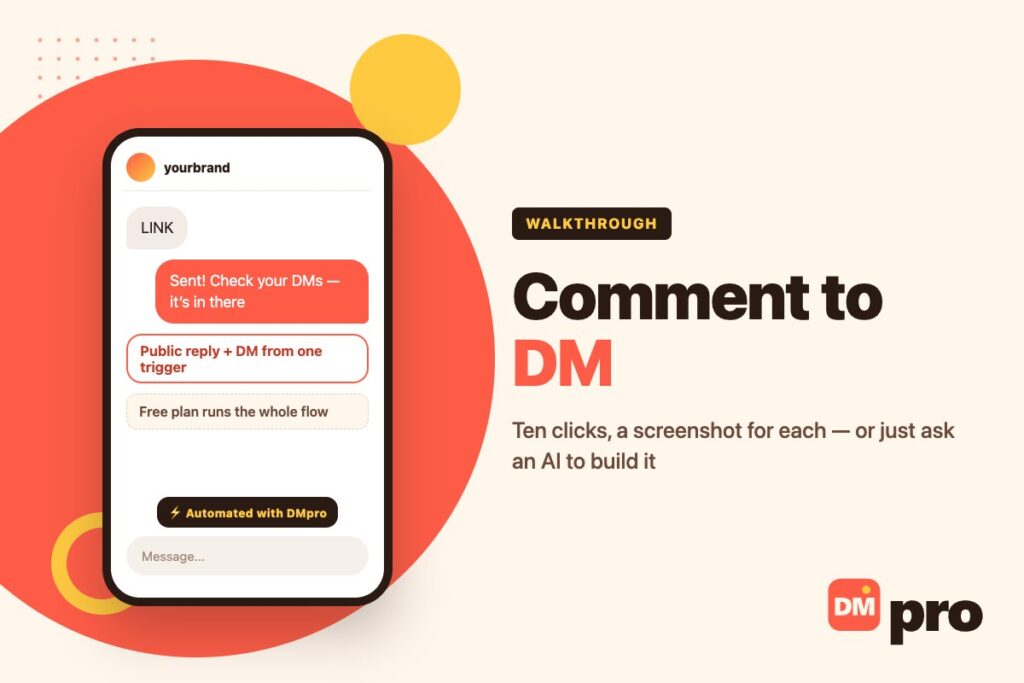
You post a Reel saying “comment LINK and I’ll send you my free ebook”, and four hundred people comment. Now you are replying to each one by hand, then opening each profile and pasting the same link into each DM. By comment ninety you are a copy-paste machine, and you are not capturing anything about any of them.
Comment to DM is the automation that removes that loop: a keyword in a comment triggers a public reply under it and a private message carrying whatever you promised. This page is the build, with a screenshot for every click – and then a second route where you describe the campaign to an AI assistant instead of clicking at all.
The rules each platform imposes are a separate subject, and they have their own pages: what Meta allows on Instagram and how TikTok’s version differs.
Key Takeaways
LINK will not fire on “links” until you switch to Contains.What Comment to DM Actually Does
One trigger, two messages, two audiences.
The Mechanic
A tool watches your posts for a keyword. When a comment contains it, two things happen: a reply is posted publicly under that comment, and a private message goes to the person who wrote it carrying the link, file, code or product list you promised.
It replaces the manual loop – read comment, type reply, open profile, paste link, send – which is fine at five comments and impossible at four hundred.
Why the Public Half Is Not Optional
People skip the public reply because the DM is the thing being delivered. That is backwards. The comment thread is read by everyone who scrolls past, so the public reply is the half that advertises; the DM only ever reaches one person.
The writing side of that – what each half should say – is covered in our guide to public comment replies.
What You Need Before You Start
Four things, and three of them are decisions rather than setup.
- A DMpro account – the free plan runs this end to end.
- Your Instagram or TikTok account connected under Social Accounts.
- The keyword you will say out loud in the post. Short, easy to spell, easy to type.
- The thing you are sending, and the words for both the public reply and the DM.
Who Builds These
Creators handing out an ebook or a discount code for a comment. Shops turning “how much?” into a product card. Agencies running the same flow across client accounts. And anyone answering the same six questions every day – which is most people with an audience.
Build It: The Ten Steps
Every click, in order. The screenshots come from a demo account, so the names and links in them are invented.
Open Campaigns and click Create
Sign in to DMpro and click Campaigns in the left menu. On a new account the page is empty – click the black Create your first campaign button. Once you have campaigns it becomes + New campaign.

Choose Instagram or TikTok
Pick the platform. One campaign uses one platform, so if you want both you build the Instagram one and then a second for TikTok. This walkthrough uses Instagram; TikTok follows the same path with the differences in the table further down.

Pick the “Public reply, then DM” template
Templates pre-fill the whole shape for you. This one sets up three blocks: a trigger when someone comments, a public reply under that comment, and a private DM. All three are editable.

Read the builder once – it takes ten seconds
Three areas, and they never move. Blocks on the left are the pieces you can add. Your flow in the middle runs top to bottom; click any block to edit it. Settings on the right change to match whatever you clicked.

Set the keyword
Click the Comment on Post block and type the word you will ask people to comment – LINK, GUIDE, PRICE. Whole word matching is on by default, so the campaign fires when that word appears as its own word and not inside another one.

Want it to catch “links” as well? Switch to Contains keyword – but carefully, because it matches inside other words too. While you are here, open the exclusions and tell it to ignore comments carrying links, media, emails or phone numbers. That is your spam filter.

Write the public reply
Click Reply on comment and write what everyone scrolling the comments will see – Sent! Check your DMs. This half is free distribution: it tells the commenter their link is coming and it tells every other reader that you answer.

Prefer it written for you? Add an AI Response block set to answer as a comment. It writes in your voice from a prompt you control and can take account of what the person actually wrote. AI replies consume AI credits.

Write the DM and put your link in it
Click Send DM, write the private message and paste your link – Hi {{name}}! Here is the ebook I promised: your-link. The {{name}} placeholder fills in the commenter’s name.

Sending something other than text? Send attachment puts a PDF or other file in the DM – that works on Instagram and on TikTok. Send cards builds a product carousel with buttons like Shop Now, and that one is Instagram only. On a comment trigger the DM is a single message, so pick one shape.

Name it and tick the account
Click Next step, give the campaign a name you will recognise in a list of twenty – Free ebook – and tick the connected account that should run it. Connecting an account itself is a one-off, under Social Accounts.

Publish
Click Publish campaign. From that moment, every comment carrying your keyword on that account’s posts gets the public reply and the DM.

Check it is live, and learn where the off switch is
Back on the Campaigns list the campaign shows LIVE, with a switch beside it. That switch is the thing to remember: when the promotion ends or you go away, you turn the campaign off rather than deleting it.

The Shortcut: Ask an AI Assistant to Build It
If you would rather describe the campaign than click through it, DMpro exposes a connector that lets Claude, ChatGPT or another AI app build it for you. Four steps, and nothing goes live without your word.
What This Actually Is
DMpro publishes an MCP connector – the same standard those assistants use to reach any outside tool. You paste one link into your AI app, sign in once, and from then on you can ask for campaigns in plain English.
You Set the Level Per Area
On the AI Assistant page each area – campaigns, conversations, analytics and the rest – is set to Off, Can see or Can act. An assistant you only want for reporting never gets write access in the first place.
Everything Is Logged, and Sends Are Confirmed
An Activity feed lists what the assistant did. Anything that would reach a real person asks you first, and campaigns created this way are saved paused rather than published.
Connecting social accounts, changing your plan and taking payments all stay inside DMpro and are not things the assistant can do.
Prompts Worth Keeping
“Which campaign got the most conversations yesterday?” – “My LINK campaign stopped replying, why?” – “Pause my LINK campaign while I am away.” Reporting and triage are where this route earns its keep, more than the initial build.
Copy your connector link
In DMpro, open AI Assistant in the left menu and click Copy link. The link looks like https://dmpro.brandid.app/mcp.

Add it as a custom connector
In Claude, open Customize → Connectors → Add custom connector, name it DMpro, paste the link and connect, then sign in and approve. ChatGPT and other apps that support custom MCP connectors follow the same shape with different menus.

Ask for the campaign in a sentence
“When someone comments LINK on my latest Reel, reply under the comment and DM them the link to my free ebook.” That is the whole instruction.
Read it, then say yes
The assistant shows you the public reply and the DM word for word and saves the campaign paused. You say publish, it checks once more, and only then does it go live.

Instagram and TikTok Are Not the Same
Same builder, different ceilings. Checked 1 November 2026.
| TikTok | ||
|---|---|---|
| Comment trigger | Posts, carousels and Reels | Videos, optionally scoped to one |
| Public reply under the comment | One per flow | Up to three per flow |
| DM with text and a link | Yes | Yes |
| File or PDF in the DM | Yes | Yes |
| Product cards with buttons | Yes | No |
| AI-written reply | Yes | Yes |
| Messaging window | 24 hours from their last message | 48 hours from their last message |
TikTok also lets you attach a TikTok post or a Q&A card, which Instagram has no equivalent of. The wider set of what each channel permits is in our TikTok auto reply guide and the Instagram one.
Limits Worth Knowing Before You Launch
None of these is a DMpro rule. They are the platforms’, and every tool lives inside them.
The Messaging Window
Instagram gives you 24 hours from the person’s last message, TikTok 48 – the 24-hour figure is Meta’s own standard messaging window, not a tool setting. A comment opens that door; if your flow waits too long before the DM, the door is shut. For comment-to-DM this is rarely a problem because the DM fires at once – it matters when you add delays.
One DM Per Comment Trigger
Text with a link, or a file, or a card carousel – one message, so pick the shape that carries the promise best. A link is usually right; a PDF is better when you want it readable without leaving the app.
One Live Campaign Per Trigger
Two live campaigns cannot use the same trigger and keyword on the same account. DMpro refuses the overlap at publish rather than letting both fire. If a campaign will not go live, this is the first thing to check.
Frequency Caps Exist for a Reason
Add a cap block to limit how often one person can set the same flow off. Without it, somebody commenting your keyword five times gets five DMs, which is how an automation starts looking like spam.
Keywords and Wording That Work
The mechanics are easy. The words are what decides whether anyone comments.
Pick a Keyword People Will Type Correctly
LINK, EBOOK, GUIDE, PRICE, SIZE, CODE. One word, no ambiguity, and something you can say out loud in the video without spelling it.
Say it in the caption as well as on camera. A keyword nobody can remember is an automation nobody triggers.
Write the Public Reply for the Audience
“Sent! Check your DMs.” “Just landed in your inbox.” “Done – it is waiting for you.” Short, human, and visibly an answer rather than a bot stamp. Everyone reading the thread sees it.
Write the DM for One Person
Deliver first, then ask. Give the link in the first line rather than after a paragraph of enthusiasm, and leave one open door at the end – a question they can answer in three words. More patterns are in our DM marketing guide.
When It Does Not Fire
Five causes cover nearly everything.
| Symptom | Likely cause | Fix |
|---|---|---|
| Ignored “links please” | Whole word matching, keyword is LINK | Switch to Contains, or make the plural your keyword |
| Nothing happens at all | Campaign paused, or the account needs reconnecting | Check the switch on the Campaigns list, then Social Accounts |
| It will not publish | Another live campaign owns that trigger and keyword | Change the keyword or pause the other one |
| Reply posted, DM never arrived | The messaging window closed | They need to comment or message again |
| Product cards greyed out on TikTok | TikTok has no product cards | Send the link, or a file, instead |
If none of those fits, the general method for finding which layer broke is in our guide to automations that stop working.
What It Costs
Honestly, and without freezing numbers that move.
The Free Plan Runs This
Comment-to-DM is not a paid feature. The free plan includes 250 conversations a month, unlimited campaigns and unlimited connected accounts, which is enough to run this flow on a real post and see whether it earns its place.
How Billing Is Measured
By conversation: one unique person you message within 30 days. Message the same person fifty times and it counts once. That matters here, because a comment-to-DM campaign touches many people once rather than a few people often.
Paid plans start from a base of 1,000 conversations and scale in steps from there, with overage charged at a multiple of the tier rate, and AI billed per token at cost rather than as a bundle.
Check the Live Page
Prices and the conversation allowances change, and a figure typed into an article ages badly – so the numbers live on the DMpro pricing page rather than here.
What to Build After This One
Comment to DM is the first campaign almost everyone builds. Three natural next ones.
The Same Flow on the Other Platform
One campaign is one platform, so the Instagram build and the TikTok build are two campaigns. Copy the wording, change the delivery shape where TikTok differs, and you are done in five minutes the second time.
An Answer for the Questions the Keyword Did Not Cover
People reply to the DM. Add a keyword trigger on inbound messages so the common follow-ups – price, shipping, sizes – answer themselves, and hand the rest to a person. The DM chatbot guide covers that shape.
A Webhook, Once You Want the Contact
The original complaint was “I am not even getting their contacts.” A webhook block sends what you collected to your own system, your CRM or a spreadsheet, so the four hundred people become a list rather than a busy afternoon.
Watch: DMpro’s other half, the Chrome extension
An aside, labelled so nobody is misled: the video below is not the walkthrough above. Everything on this page is DMpro the platform – inbound, official APIs, the person comments first. The extension in this video is the other product: it sends outbound DMs from your own account, at human pace, to people you pick. Different job, different rules, same company.
If outbound was what you were actually after, the extension has its own page. If you came here for comment triggers, the ten steps above are the whole thing.
Everything on This Page, on the Free Plan
Nothing in this walkthrough is behind a paywall. DMpro gives you the comment trigger, the public reply, the DM, the attachment and the product carousel on the free plan, with 250 conversations a month to prove it works on a real post.
Official Instagram and TikTok connections, inside the platforms’ own windows, and no password handed to anybody. When clicking gets boring, the same campaigns can be built by asking an AI assistant instead.
- Comment keyword triggers, scoped to a single post if you want
- Public reply and private DM from one campaign
- Attachments on Instagram and TikTok, product cards on Instagram
- AI-written replies in your own voice
- An MCP connector for Claude, ChatGPT and other AI apps
- The same builder for WhatsApp, Messenger, Telegram and Discord
- A template does the first build for you
- Free plan runs the whole flow, not a crippled version
- Both halves – the public reply and the DM – from one trigger
- One campaign covers one platform, so Instagram and TikTok are two builds
- No product cards on TikTok
- The person has to comment first – there is no cold outreach here
Conclusion
Comment to DM is the rare automation that is genuinely simple: one keyword, one public reply, one private message. A template sets up all three, and the whole build is ten clicks you can do once and reuse for every launch after it.
The parts that need thought are not technical. Pick a keyword people will type correctly. Write the public reply for everyone reading the thread, not just the person who commented. Deliver in the first line of the DM. And put a frequency cap on it before somebody triggers it five times.
Then, when you have built the same campaign for the fourth time, try the other route – connect DMpro to an AI assistant and describe the next one in a sentence. It saves the campaign paused, shows you every word, and waits for you to say yes.
Comment triggers, public replies and DMs on Instagram and TikTok, on official connections.
Start free