
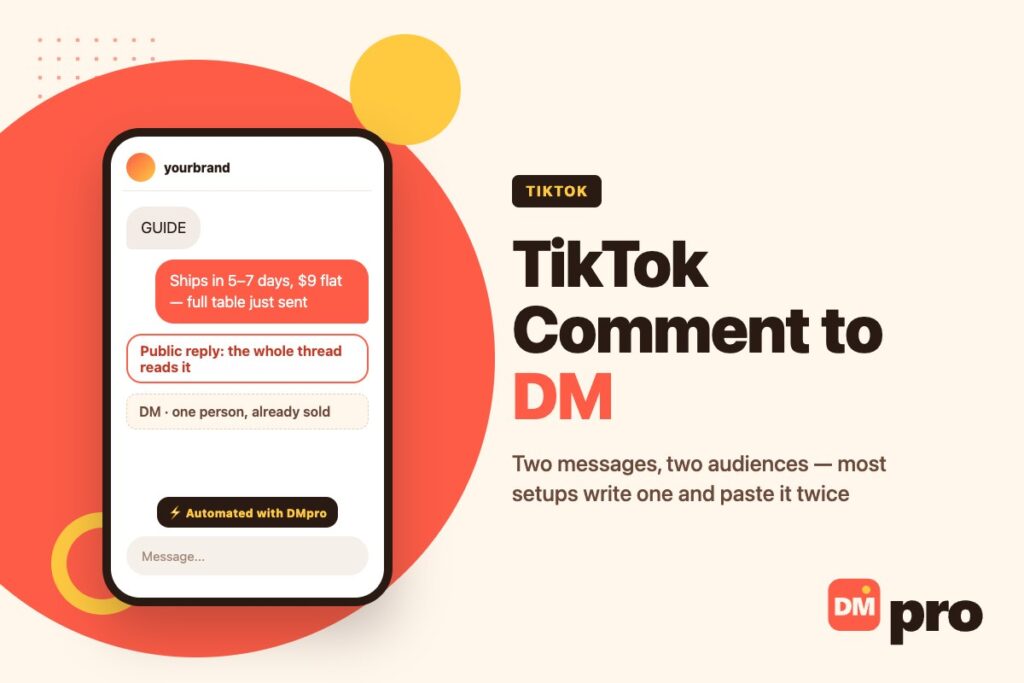
Comment to DM is the automation TikTok is built for. Someone types a word under your video, a reply appears publicly under their comment, and the thing they asked for lands in their inbox. It takes about ten minutes to switch on.
It also takes about ten minutes to switch on badly, and the failure is specific: the two messages go to two completely different audiences, and most setups write one message and paste it into both. The public reply is read by everybody scrolling the thread, most of whom will never comment anything. The DM is read by one person who already asked. Writing them as if they were the same message wastes the half that is doing the marketing.
What follows is the build: choosing a keyword that survives how people actually type, writing each half for its own reader, using the two sends that exist only on TikTok, and deciding what happens to the majority who comment something else entirely. Why comments rather than DMs are the entry point here is settled in our guide to TikTok auto replies, and which kind of tool you need is in TikTok DM automation.
Key Takeaways
The Two Audiences
The idea the rest of the build hangs on, and the one most guides skip.
Who Reads the Public Reply
Everybody scrolling the comments. On a video that travels, that is orders of magnitude more people than will ever type your keyword, and almost all of them are strangers deciding in two seconds whether you are worth following.
Which makes the reply the only piece of marketing in the whole flow. “Sent! Check your DMs” tells that audience nothing except that you have automated something. A reply that answers the question in one line and then mentions the longer version is doing the job twice over.
Who Reads the DM
One person, who has already raised a hand. They do not need to be convinced; they need to be given the thing and told what to do next. Short, specific, and with the link or the file right there.
This half can be shorter than people expect. The persuasion already happened in the video. The equivalent split on Instagram, where the mechanic is older, is covered in our Instagram auto reply guide. Written examples of both halves, side by side, are in our TikTok DM templates.
Why Pasting One Into Both Fails
A message written for the DM reads as a non-answer in public. A message written for the thread reads as padding in the inbox. The two have different jobs, different lengths and different readers, and the ten minutes spent writing them separately is the highest-return ten minutes in this entire build.

Choosing the Keyword
Three decisions, and the second one is where most flows quietly lose people.
One Word, Easy to Spell
Say it out loud in the video and put it on screen. One word beats a phrase, a common word beats a clever one, and anything with a silent letter or a doubled consonant will be typed wrong by a meaningful share of your audience.
GUIDE, PRICE, LINK and HOW all work. Your brand name usually does not, because people abbreviate it.
Match Mode Decides Who Gets Through
The default is word: the keyword has to appear as a whole word, so “I want GUIDE please” fires and “GUIDEBOOK” does not. Contains matches the keyword anywhere inside the comment, which catches more and also catches more accidents. Exact requires the comment to be nothing but the keyword, which is far stricter than most people intend when they pick it.
For a public comment section, word is usually right and contains is the forgiving fallback if you are losing people to typos. Exact is almost never what you want under a video – real comments carry emoji, a greeting, or a second question.
Case Sensitivity Is Usually Off
It can be switched on so GUIDE and guide are treated differently. On TikTok there is rarely a reason to: people type in whatever case their keyboard is in, and the only effect of turning it on is losing some of them.
TikTok’s own comment controls sit alongside this and are worth knowing – filters and keyword blocking are configured in the app, documented in TikTok’s help centre, and they apply before any automation sees the comment.
What Belongs in Each Half
Written side by side, because that is how the mistake becomes obvious.
| Public reply | The DM | |
|---|---|---|
| Read by | Everyone in the thread | One person who asked |
| Job | Answer, and earn the follow | Deliver, and say what is next |
| Length | One or two lines | Short – persuasion already happened |
| Contains the link? | Usually not | Yes |
| Tone | Written to be screenshotted | Written to be acted on |
| Worst version | “Sent! Check your DMs” | A sales pitch they did not ask for |
The same split applies on Instagram, where the mechanic is older and the patterns are well established – see Instagram comment auto replies.
Scope: One Video or All of Them
A single setting, and the commonest cause of a flow firing where it should not.
Scoped to One Video
The keyword only works under the post you attached it to. This is right whenever the offer belongs to that video – a template shown in it, a discount tied to it, the resource it describes.
It also means an old video that goes viral months later will not start delivering an expired offer, which happens more often on TikTok than anywhere else because the algorithm revisits old posts.
Account-Wide
The keyword works under everything you post. Reserve this for something genuinely evergreen – PRICE, HOURS, a catalogue link – where the answer is true regardless of which video prompted it.
The failure mode is subtle: an account-wide keyword that mentions a specific video’s offer will be delivered under videos that have nothing to do with it, to people who will reasonably be confused.
The Two Sends That Exist Only Here
Worth building around rather than treating as a curiosity.
Send the Video Itself
A TikTok post can be dropped into the DM as a post, not as a link. The viewer stays inside the app, it plays where it sits, and the engagement lands on your video rather than on a browser tab.
This is the right answer to the single most common comment on any account with a back catalogue: “which video was that?”. No other channel we work with can do it.
Send a Q&A Card
TikTok’s Q&A format can be delivered as a card in the DM. It suits the case where the answer is already published and the question keeps recurring, and it reads as native rather than as a pasted link.
If you are porting a flow from Instagram, these two sends are the parts worth adding rather than translating – everything else maps across almost unchanged. The scopes that make these sends available are listed on TikTok’s developer portal.

Everyone Who Types Something Else
The majority, and the part of the build that is usually missing entirely.
They Outnumber the Keyword by a Lot
For every person who types GUIDE there are many more asking the price, asking whether it ships to them, saying something kind, or asking a question your video raised and did not answer. A flow that only handles the keyword treats all of them as noise.
They are not noise. They are the people who engaged and got nothing, under a video that is still being watched.
Three Things Worth Catching
A second keyword for the next most common question, which costs nothing to add. An AI step for the open-ended ones, which answers in your own words when the question was not predictable. And a route to a person for anything that is a complaint or a real decision.
Language is the quiet one here: TikTok audiences are international, and a keyword set written in English matches nothing typed in Spanish or Indonesian, silently. That failure mode is covered in our guide to translation and keywords.
And the Ones You Should Not Automate
Anything that reads as a complaint, anything about an order that has gone wrong, and anything where the right answer depends on a judgement. Send those to a person. A public comment section is the worst possible place for an automation to get a sensitive answer slightly wrong.
Building It
In order. Steps two and five are the ones that get skipped.
Pick the video and the keyword
Scope to that video unless the offer is genuinely evergreen. Say the keyword out loud and put it on screen – people do not read captions.
Write the public reply as content
One line that answers the question for everyone reading, then a mention of the longer version. This is the half that earns followers, and it is the half people skip.
Write the DM as delivery
Short, with the link or the file, and one sentence about what to do with it. No pitch – they already raised a hand.
Choose the send that fits
A link for a resource, the TikTok post itself for “which video was that”, a Q&A card for a recurring question with a published answer.
Add a branch for the other comments
A second keyword, an AI step for the open-ended ones, and a human route for complaints. This is where most of the value that is currently being lost sits.
Test on a live video for a week
TikTok comment volume is high enough that a week is a real sample. Watch what people actually typed, not what you hoped they would.
Setting the Trigger
The three choices that decide who the automation reaches.
| Choice | Pick this | Because |
|---|---|---|
| Keyword | One common word, said on screen | Clever words get typed wrong |
| Match mode | Word (default) | Fires inside a sentence, ignores longer words |
| If typos are costing you | Contains | Catches the keyword anywhere in the comment |
| Exact | Almost never | Real comments carry emoji and a greeting |
| Case sensitivity | Off | People type in whatever case the keyboard is in |
| Scope | One video | An old video resurfacing will not deliver a dead offer |
Volume limits and reply windows sit upstream of all of this and are covered in the hub, and the rules governing TikTok DMs themselves decide whether your reply can leave the comment section at all; the comparable limits on other channels are in our guide to Instagram DM limits.
Measuring It
Two numbers, and one of them is usually the wrong one to celebrate.
Not Replies Sent
Replies sent measures the automation working, which it will do whether or not the video deserved it. It goes up with reach and tells you nothing you can act on.
Clicks Per Video
Tracked links attribute the click to the video that produced it, which turns the whole thing into a content measurement rather than a bot measurement. Over a month it tells you which subjects are worth making more of – and that is the finding worth having. If you are still choosing a tool to do any of this, our comparison of DM apps covers the field.
The wider version of this argument, across channels, is in our DM marketing guide.
Run Comment to DM With DMpro
DMpro triggers on a comment with an optional keyword and an optional scope to a single video, then replies publicly on the comment, sends the DM, or does both from the same automation. The DM can carry media, one of your TikTok posts, or a Q&A card, and a webhook can fill the reply from your own data.
Match mode is yours to set – word, contains or exact, with case sensitivity optional – and anything the keywords do not catch can go to an AI step or to a person rather than nowhere.
- Comment trigger with keyword and per-video scope
- Word, contains or exact matching, case sensitivity optional
- Public reply and private DM from one automation
- Send a TikTok post or a Q&A card inside the DM
- AI step for the comments no keyword predicted
- Tracked links so clicks attribute to the video
- The public half is written as content, not as a receipt
- Scope keeps an old video from delivering a dead offer
- The TikTok-only sends have no equivalent on other channels
- Unmatched comments can reach a person instead of nothing
- Three public reply steps is a hard ceiling
- No product cards on TikTok – links and descriptions only
- Cannot message anyone who has not commented or written first
Conclusion
Comment to DM is two messages, not one. The reply is read by the whole thread and is the only marketing in the flow; the DM is read by one person who already decided. Write them separately and the same automation does twice the work.
Choose the keyword for how people type rather than how you write – one common word, said out loud in the video, matched on word and loosened to contains if typos are costing you. Scope it to the video unless the offer is genuinely evergreen, because TikTok resurfaces old posts and an expired offer delivered in month four is worse than no automation at all.
Then build the branch almost nobody builds: the people who typed something else. They are the majority of your comment section, they engaged with the video, and at the moment most accounts give them nothing.
Keyword comment triggers, public replies and comment-to-DM on TikTok’s official connection.
Start free