
Most advice about TikTok auto replies is Instagram advice with the name changed, and it does not survive contact with how TikTok messaging actually works. On Instagram anybody who finds you can open a conversation. On TikTok they usually cannot – direct messaging runs between people who already have a relationship, and a good share of an audience is not eligible to be messaged at all.
That single difference reorders everything. The comment section, which is open to everyone watching, becomes the trigger that matters, and the DM becomes where the conversation continues rather than where it starts.
This covers the constraints TikTok documents, the windows and caps an automation actually runs inside, and four campaign shapes that work within them.
Key Takeaways
Why TikTok Messaging Is Different
Worth reading before choosing a trigger, because these constraints come from TikTok rather than from any tool and no product can work around them.
Not Everyone Can Be Messaged
TikTok’s own documentation on direct messages sets the floor: direct messaging is available to registered account holders aged 16 and older, and parents can restrict it further through Family Pairing.
It also describes who messaging runs between – mutual followed friends, suggested friends and contacts, and people you may know. That is a relationship requirement, not an open inbox, and it is the single biggest difference from Instagram.
They Can Switch Messages Off
A viewer can set direct messages to Don’t receive. TikTok notes that existing chats keep working when they do, so somebody you already talk to is unaffected while new conversations simply never begin.
Nothing tells you this has happened. An automation that appears to send and produces no reply may be hitting this rather than being ignored.
Where Your Message Lands
For users 18 and over, TikTok says messages from mutual friends and accounts they follow go directly into the inbox. Being followed is therefore not a vanity metric here – it decides whether your message is seen or filed.
Which Leaves Comments
Comments are open to everybody watching a video, regardless of age gates or follow relationships. On a platform where the DM is gated, the comment section is the only part of the funnel with no entry requirement – which is why nearly every TikTok automation worth building starts there.
The reply is public, which is the point
A visible answer under a busy video is read by hundreds of people who never comment themselves.
Keywords beat open-ended prompts
“Comment GUIDE” produces a sortable trigger; “let me know below” produces a conversation you have to read.
Scope it to one video when it matters
A keyword can be limited to a single post, so a campaign for one launch does not fire on three-year-old comments.

The Windows and the Caps
Numbers worth knowing before designing a flow, because each of them quietly ends one that was built on Meta’s assumptions.
Forty-Eight Hours, Not Twenty-Four
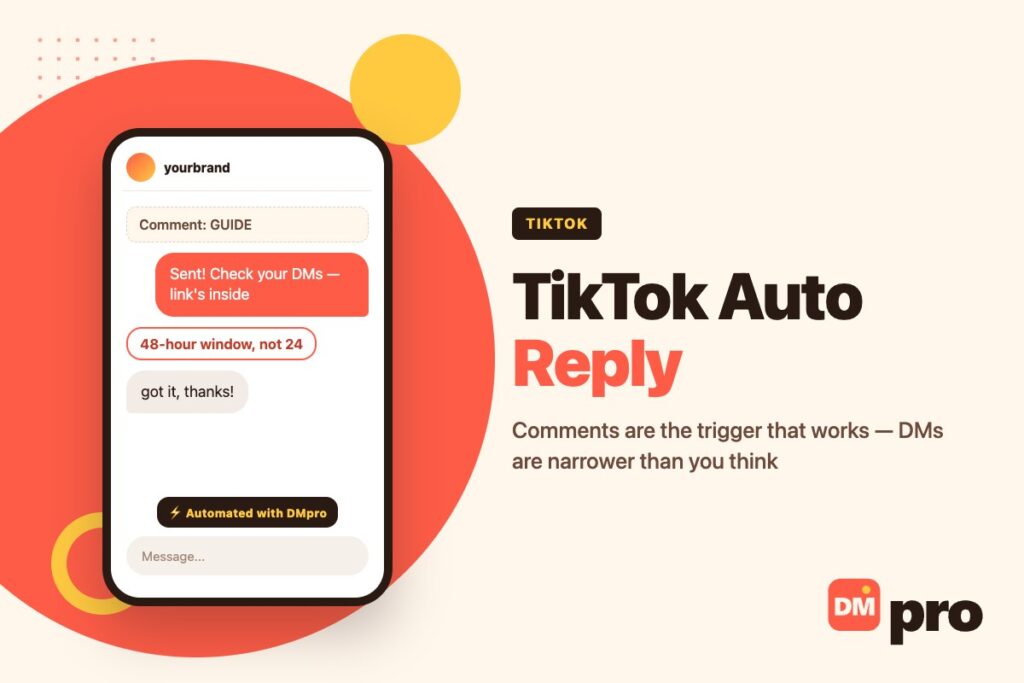
TikTok’s messaging window runs 48 hours from the person’s contact. That is twice the room Instagram and Messenger allow, and the underlying rule is identical: they start the conversation and you continue it within the window.
Our guide to Instagram DM limits covers the Meta side for comparison, and Instagram auto reply covers the equivalent setup there, which is worth reading side by side if you run both.
Ten Consecutive Messages
You may send at most ten outbound DMs in a row before the person replies again. Any long scripted sequence will meet this ceiling, which is an argument for flows that ask a question early rather than delivering a monologue.
Three Public Comment Replies
A single campaign may include up to three reply-on-comment steps. Enough for a reply and a follow-up; not enough to hold a conversation in public, which is the correct design anyway – move it to the DM.
Two Authorisations, Not One
Connecting a TikTok account takes two separate steps: Login Kit for the comment permissions, then a second Business Messaging authorisation for direct messages.
This is the most common setup failure. An automation that replies to comments perfectly but never manages to send a DM is almost always missing the second authorisation rather than misconfigured.
No Follower Gate
The ‘must follow to continue’ condition that exists on Instagram is not supported on TikTok. Which is just as well – Meta’s own spam policy treats requiring a follow in exchange for content as a violation, and the same logic applies wherever you are.

What TikTok Offers Natively
Briefly, and with a caveat about sourcing that is worth stating plainly.
There Is a Native Layer
TikTok business accounts have some built-in messaging automation – a welcome message and keyword-triggered replies, configured in the business tools rather than in the main app settings. For a small account it may be all you need, and it costs nothing.
Why This Section Is Short
Because TikTok’s own documentation on it could not be reached. Its help centre search returns the same handful of generic articles whatever you ask, and the business help pages are not reachable by direct link.
Everything circulating about the exact feature list, a moderation review before automations go live, and an exclusion for the EEA, Switzerland and the UK comes from tool vendors and trade press rather than from TikTok. Those claims may well be right; they are not stated as fact here because they could not be checked at source. Open your own business tools and look – that is the only reliable answer for your account and region.
Where the free layer stops and a paid tool starts – and which kinds are safe to buy at all – is set out in our guide to TikTok DM automation.
Building One That Works
In order. The first two steps are where most TikTok automations fail.
Complete both authorisations
Login Kit for comments and Business Messaging for DMs. Check the account shows both before building anything, or the DM half will silently never run.
Start from a comment, not a DM
The comment section has no age gate and no follow requirement, which is not true of the inbox – who can send a TikTok DM depends on follows, contacts and age. On TikTok the comment section is the only reliably open door, and it is also public proof that you answer. The full build – keyword, match mode, scope and both halves of the message – is in our guide to TikTok comment to DM.
Pick a keyword people will actually type
One word, easy to spell, named in the video and in the caption. GUIDE, PRICE, LINK. A phrase nobody types is an automation nobody triggers.
Reply publicly first, then move to the DM
The public reply is seen by everyone reading the comments, which is free distribution. The DM carries the thing they asked for.
Keep the sequence short
Ten consecutive messages is the ceiling and three is a better target. Ask a question early so the window resets on their reply rather than running out on yours.
Measure replies, not sends
A comment keyword that fires two hundred times and produces four conversations is a keyword problem, not a volume success.
Four Campaigns Worth Building
Each of these fits inside the constraints above rather than fighting them.
| Campaign | Trigger | What happens |
|---|---|---|
| Comment keyword auto-reply | Comment containing LINK | Public reply with the tracked link, visible to everyone reading |
| Comment-to-DM lead magnet | Comment containing GUIDE | Public acknowledgement, then the guide delivered privately |
| DM keyword reply | DM containing COLLAB | Media kit sent back automatically, with an attachment if needed |
| Webhook lead capture | Comment or DM containing WAITLIST | Details pushed to a sheet or CRM, answer returned as a reply or DM |
All four start with something the person did. None of them messages anybody first, because on TikTok that is not available – and on any platform it is the line between automation and spam.
Running It With DMpro
What our own connection does on TikTok specifically, since the capabilities differ by platform.
Triggers and Actions
DMpro supports two TikTok triggers – a comment on a post, with an optional keyword and an optional scope to a single video, and an inbound direct message. From either it can reply publicly on the comment, send a DM, attach media, share a TikTok post or a Q&A card, call a webhook, or hand off to an AI response.
Flows can branch on what the person answers and wait for a reply, which is how a two-line exchange becomes a qualified lead rather than a delivered link.
What It Cannot Do Here
Send product cards, which exist on other channels but not on TikTok. Gate an automation behind a follow, which TikTok does not support. And start a conversation with somebody who has not contacted you, which no official connection anywhere allows.
Two whole surfaces sit outside this as well: buyer chat in the shop runs on a separate authorisation, which is why TikTok Shop auto replies need their own setup, and TikTok publishes no event for a LIVE at all, so TikTok Live auto replies do not exist in any official form.
Outbound on TikTok is a different product and a different method – the DMpro Chrome extension sends from your own account at human pace, and our guide to DM outreach covers how that is done properly.
The Same Flow, Other Channels
A comment-to-DM campaign built here works the same way on Instagram, with different numbers. Our guide to Instagram comment auto reply covers the Meta version including the keyword matching rules, and WhatsApp automation covers what is permitted on that channel.
A TikTok Video Peaks in Hours. The Comments Peak Faster.
A video that travels fills the comment section with the same three questions, asked by people who will have scrolled past something else within the minute.
DMpro answers them as they land – publicly under the video, privately in the DM, or both – through TikTok’s official connection, and brings a person in on anything that needs one.
- Comment keyword triggers, scoped to one video or all
- Public reply and private DM from the same automation
- Official TikTok connection, no password shared
- Branching questions that qualify as they go
- The same flows on Instagram, WhatsApp, Messenger and Telegram
- The comment section is answered while people are reading it
- Public replies double as proof that you respond
- Works inside TikTok’s own windows and caps
- It cannot message anyone who has not contacted you
- Product cards are not available on TikTok
Conclusion
The thing to carry away is that TikTok is not Instagram with a different logo. Direct messaging here needs a relationship and an age, which removes a large part of your audience from the start, and no automation can reach past that.
Comments do not have those conditions. Everyone watching can type one, which makes the comment section the open door on this platform and the right place to start every campaign – with the DM as where the conversation continues rather than where it begins.
Then build inside the real numbers: forty-eight hours rather than twenty-four, ten consecutive messages, three public replies, and two authorisations before anything works at all. Most TikTok automations that ‘do not send’ are the second authorisation, not the flow.
Comment and DM automation on TikTok’s official connection. Free plan to start.
Start free