
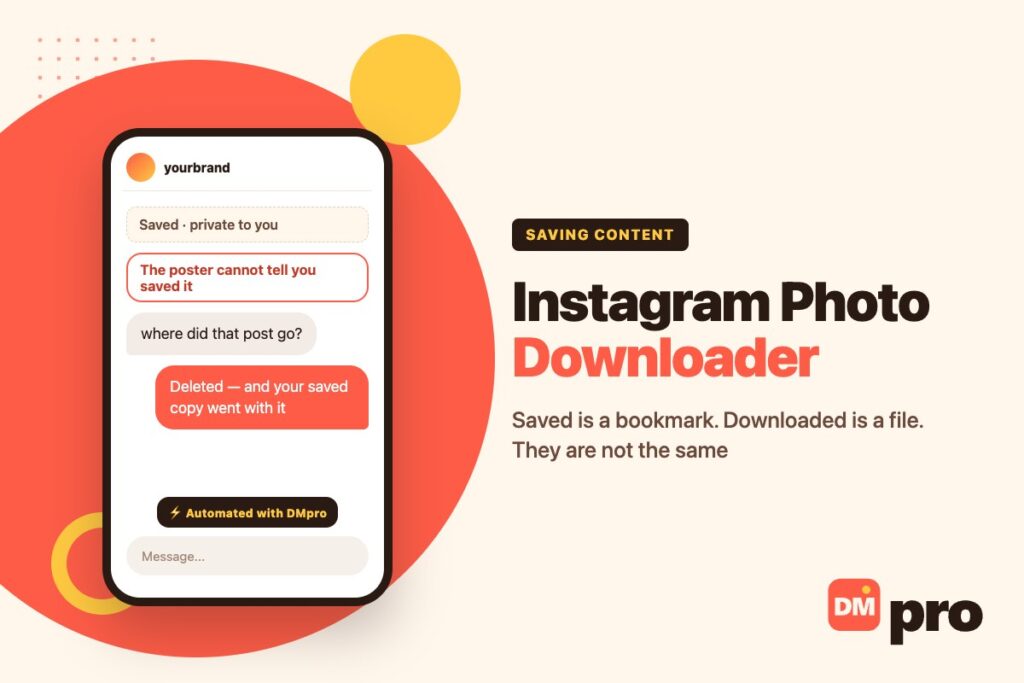
Most people arrive at this search having already tried the obvious thing. They tapped Save, built a collection, and then one day went back to find half of it gone – because Instagram’s Save button does not download anything. It keeps a pointer to a post that still belongs to somebody else, and when that post is deleted the pointer goes with it.
That discovery is what sends people looking for a downloader, and it is a reasonable thing to want. What follows is which routes actually produce a file, what quality each gives you, and the one question that decides whether you should be using any of them.
Carousels complicate all of it: every slide is a separate image, so every method here has to be repeated per slide.
Key Takeaways
Save and Download Are Different Things
Worth settling first, because the confusion between them is the reason most people end up here.
What Save Actually Does
Instagram’s page on saving posts describes it precisely: a saved post is visible to you from a private section of your profile, only you can see what you have saved, and the person who posted it cannot tell that you saved it.
Press and hold Save and you can file it into a collection. All of which is excellent for collecting ideas, and none of which puts a file on your device.
Why Collections Empty Themselves
Because a saved post is a reference to content that still lives on Instagram and still belongs to somebody else. If they delete the post, deactivate the account, or make it private, your saved entry has nothing left to point at.
This is the moment most people decide they need a downloader, and it is a fair conclusion. A bookmark is not a backup.
Saved Is Still the Right Tool for Most Uses
If the reason is inspiration, research or a swipe file of ideas, collections do the job better than a folder of images ever will – they stay in context, they carry the caption, and they cost nothing. Reach for a download only when you genuinely need the file to exist independently.

Your Own Photos
Straightforward, native and free. Two routes depending on whether you want one image or everything.
Everything at Once
Everything you have ever posted comes back through Instagram’s own export, in one request. The screen gives you two choices, and taking the broader one is a mistake almost everybody makes once: ask for everything and the archive that lands includes your correspondence, your activity logs and a great deal else besides. Narrow it to photos instead.
Worth doing on a schedule rather than in an emergency – before a rebrand, before closing an account, or just annually alongside whatever else you back up.
Narrow the request
The broad option is designed for a data-access request, not for retrieving your pictures. Photos only is what you want.
Expect media, not a feed
Captions and comments arrive as data files alongside the images. Nothing reassembles into posts.
Allow time
The archive is built and then offered to you, which can take a while. Starting that process the day an account is in trouble is too late.
A Single Image You Just Edited
Instagram can save a photo you edited in the app directly to your device, which is the cleanest copy of your own work – full quality, before the upload compresses anything.
Somebody Else’s Photos
No native route exists, which is deliberate. What remains divides by quality and by what you may then do with the result.
Screenshot
Instant, available everywhere, not notified. The file is whatever your screen resolution is, cropped to what was visible, which is usually well short of the original.
Perfectly fine for keeping a record or showing somebody something. Poor for anything you intend to print, publish or put in an advert. If the post you are capturing has already gone, our guide to Instagram message recovery covers what is and is not retrievable.
Ask
The only method that returns the original file at full quality with the right to use it. For any commercial use – a customer photo in an advert, a supplier image on your site, a creator’s shot in a campaign – this is not the polite option, it is the only one.
Downloader Sites
They work, they return clean full-size files, and the ones that handle whole carousels and private content tend to want a login. That login is the whole problem. Among the behaviours Instagram says will get an account flagged and restricted for scraping is passing your credentials to an outside app or site – a consequence that falls on you rather than on whoever built the tool.
Our guide to the Instagram story downloader question goes through what the Terms say about this in full.

The Carousel Problem
A detail that changes the practical answer, and the reason this search often ends in frustration.
One Post, Ten Images
A carousel is a single post containing up to ten separate images or videos. Screenshotting it means swiping and capturing ten times; saving it to a collection saves the post rather than any one slide.
This is what people mean when they say a downloader “did not work” – it returned the first slide, which is all a simple tool reads.
Which Is Why Bulk Tools Want More Access
Reading every slide of a carousel takes more than reading a public page, which is exactly why the tools that manage it are the ones with a sign-in form. The capability and the risk come from the same place.
The Honest Shortcut
If you need all ten slides of somebody else’s carousel at full quality, you are describing a request rather than a download. One message takes less time than ten screenshots and comes back with better files.
Choose by What You Will Do With It
Decide the use first and the method is obvious. Most frustration comes from picking a tool before answering this.
| What you need it for | Route | Why |
|---|---|---|
| Collecting ideas and references | Save to a collection | Keeps the caption and context, costs nothing |
| Backing up your own account | Download your information | Bulk, official, original quality |
| Keeping a record of something | Screenshot | Instant, unnotified, quality is irrelevant |
| Reposting a customer’s photo | Ask, or use the repost sticker | Permission is what you actually need |
| Using an image commercially | Ask, in writing | A file is not a licence |
| Archiving a competitor’s whole grid | Nothing legitimate | Collecting at that scale is what gets accounts restricted |
If the use is not on this list, it is worth writing down before choosing a method. A surprising share of these searches turn out to be solved by a screenshot.
For a Business Account
Two things matter commercially here, and neither is the download itself.
A File Is Not a Licence
The most expensive mistake in this area is treating a saved image as usable. A customer tagging you, a creator shooting your product, a supplier’s catalogue photo – none of those transfers any right to put the image in an advert.
Asking costs one message and settles it permanently. Our guide to Instagram DM outreach covers asking in a way that gets answered.
Keep Your Own Masters Outside Instagram
Every copy you retrieve from the platform afterwards is compressed. Keeping originals in your own storage is the same habit that matters for video – our guide to the Instagram reels downloader question makes the argument for reels.
What the Photo Is Actually For
A post exists to start conversations, and the ones it starts arrive within the hour as comments and direct messages asking price, availability and delivery. DMpro connects through Instagram’s official API and answers those as they land, handing anything unusual to a person with the thread attached.
Our guide to Instagram DM CRM covers keeping those conversations once they start.
Nobody Buys From a Photograph
A post that works does not produce sales directly. It produces questions – is this in stock, how much, do you ship here – from people who are interested right now and will be interested in something else by tomorrow.
DMpro handles that window: reading what was actually asked in a comment or a message, replying straight away, and pulling a colleague in on anything that needs judgement with the exchange already laid out.
- Replies while the post is still being scrolled past
- Picks up questions left under the post itself
- Connects the way Instagram intends, with no password handed over
- Buyer details recorded as the conversation happens
- Instagram, WhatsApp, Messenger, TikTok and Telegram on one screen
- The hour a post is working is not wasted
- Public questions get public answers
- No credentials shared with anything
- Nothing to do with editing or exporting images
- Someone has to compose the stock replies properly, one time
Conclusion
Start by being clear about what Save does, because it is the source of most of the confusion here: it keeps a private pointer, the poster cannot see it, and it vanishes when the post does. That is a bookmark, and a bookmark is not a backup.
For your own photos, Instagram’s export returns everything in one request – choose the specific-types option and select photos so you do not receive your entire message history as well. For somebody else’s, a screenshot handles any purpose where quality does not matter, and asking handles every purpose where it does.
And on a carousel, remember you are dealing with ten images rather than one. If you need all ten at full quality, you are describing a request. One message is faster than ten screenshots and comes back with better files and the right to use them.
Comments and DMs answered as they arrive, on a sanctioned connection.
Start free