
TikTok direct messages work differently from every other app people compare them to, and most of the confusion comes down to one thing: on Instagram or X, anybody can open a conversation with anybody. On TikTok they generally cannot.
There is an age floor, a relationship requirement, and a message-request system with a rule that surprises people – you get one request, and if it is ignored or deleted you cannot message that person again. Add a privacy setting that does less than its name suggests and a translation feature that only covers part of a conversation, and there is a lot here worth knowing before you wonder why your message never arrived.
Everything below comes from TikTok’s own help documentation, read in full while writing this.
Key Takeaways
Who Can Message Whom
Two gates, and both of them catch people out.
The Age Floor
Direct messaging on TikTok is available to registered account holders aged 16 and over. Below that the feature is not available at all, and parents or guardians can place further restrictions on it through Family Pairing.
This is the first thing to check when a message will not send and nothing obvious is wrong.
The Relationship Requirement
TikTok describes messaging as running between mutual followed friends, suggested friends and contacts, and people you may know. In practice that means the frictionless case is a mutual follow: if you follow each other, a Chat button appears at the top of the inbox in supported regions, and Message appears on their profile.
Everybody else goes through the request system below, and a good share of the platform is not reachable at all.
Where Messages Land at 18 and Over
If you are 18 or older, messages from mutual friends and accounts you follow go straight into your inbox. Messages from people you may know, your own followers, and anybody else arrive as a message request instead.
Note the detail there: your followers do not get into your inbox automatically. Following someone is not the same as being able to message them. The comparable rules on other channels are collected in our DM marketing guide.

Message Requests, and the One-Shot Rule
The part that most surprises people moving from another platform.
You Get One
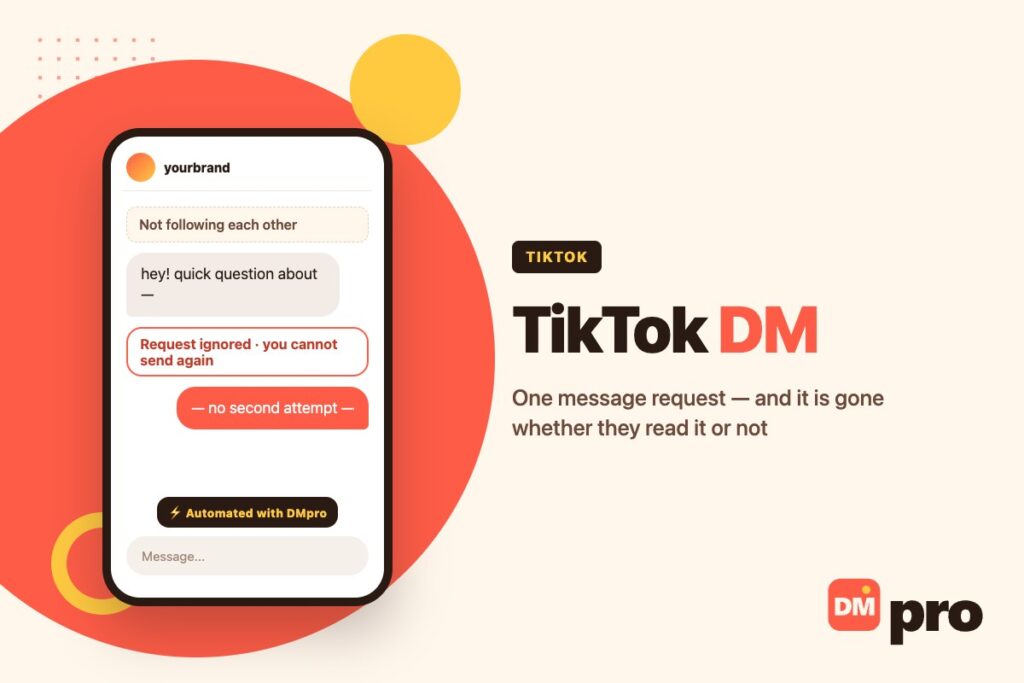
To message someone who does not follow you, you send a request. TikTok is explicit about the limit: you can send only one message request until the recipient accepts it.
And if they delete the request or simply never respond, that is the end of it – you cannot message them again. There is no second attempt, no polite follow-up a week later.
Under 18, Requests Are Off
For accounts under 18 the message-request setting defaults to Don’t receive. You must be at least 16 to receive requests at all, so there is a narrow band where requests are possible but switched off unless changed.
At 18 and over, requests from followers and others appear in the inbox unless the person has chosen not to receive them.
When a Request Will Not Send at All
Three situations, per TikTok: you have been banned from sending direct messages, the recipient has blocked you, or their privacy setting is set to not receive message requests.
From the sender’s side these can look similar, which is why “my message is not going through” rarely has one obvious cause. If you are trying to work out whether someone has blocked you, that is a different question – covered in our guide to blocking on TikTok.
Where a Message Lands
Assuming you are 18 or over and have not changed the defaults.
| They are | Where their message goes | Can they message again? |
|---|---|---|
| Someone you follow back | Straight into your inbox | Yes, normally |
| A mutual friend | Straight into your inbox | Yes |
| One of your followers | A message request | Only after you accept |
| Someone you may know | A message request | Only after you accept |
| A stranger | A message request | One attempt, then never |
| Someone you blocked | Nowhere | No |
It is also the reason businesses cannot approach you here the way they can elsewhere, which we come back to at the end.
Sending, and What You Can Send
More than text, and with one limitation on shared videos.
Starting a Chat
From the inbox, tap an existing chat, or – if you follow each other – use the Chat button at the top in supported regions and search for the person. You can also open their profile and tap Message when the follow is mutual.
From a video, effect, hashtag or sound, the Share button sends it to one or several people with an optional message attached.
Private Videos Will Not Travel
A private video cannot be shared in a message. More awkwardly, a video that was public when you shared it and is later switched to private becomes unavailable in the chat – the message stays, the video does not play.
Worth knowing if you have ever sent someone a link that mysteriously stopped working.
Stickers, Reactions and Suggested Replies
The emoji panel carries GIFs, emoji and stickers, with a sticker store for adding sets and a favourites row for the ones you use. Pressing and holding an existing message offers an emoji reaction, a reply or a forward.
TikTok also shows suggested replies above the message bar, including ones generated from the content of a shared video. It says plainly that this feature is not available to everyone, which is true of several things on this list. TikTok keeps the current list in its help centre.

The Setting That Does Less Than It Says
“Don’t receive” is the most misread control in the app.
What It Stops
New people reaching you. With direct messages set to Don’t receive, people who are not already in a conversation with you cannot start one.
What It Does Not Stop
Your message history stays in the inbox, and you can still send and receive messages in existing chats. TikTok states this directly: the setting does not close conversations you already have.
So if the goal is to stop hearing from one specific person, this is the wrong control – blocking is. If the goal is to stop strangers arriving, it is exactly the right one. Businesses meet the same distinction from the other side, which is part of why comment automation exists at all – see TikTok comment to DM.
Read Receipts and Active Status
TikTok lists checking who has read your messages and seeing who is active or recently active among the features of direct messaging. Both are worth knowing about before you assume a message went unseen – and worth finding in settings if you would rather they were not on.
Translation, Group Chats and Voice
Three features people ask about, with the catch on the first.
Translation Covers Text Only
Press and hold a message and tap Translate, and it appears in your preferred language below the original. The limitation is the important part: only text is translated. Images, videos and shared posts are not.
Which means a conversation conducted mostly in shared videos – a very TikTok way to talk – is largely untranslatable. If you are a business wondering how this plays out at scale, our guide to translation and keywords covers the gap between reader-side translation and anything automatic.
Private and Public Group Chats
TikTok supports both. Private group chats work the way you would expect; public group chats are a separate, more open format. Both are documented alongside direct messages rather than as a different product.
Voice Messages and Voice Calls
Both exist within direct messages. Like several features here, availability varies – TikTok flags a number of messaging features as not available everywhere, and region is the usual reason something described in a help article is missing from your app.
What Direct Messages Include
From TikTok’s own feature list, with the caveats attached.
| Feature | Notes |
|---|---|
| Sharing TikTok videos | Private videos cannot be shared |
| Read receipts | You can check who has read your messages |
| Active status | Who is active or was recently active |
| Privacy controls | Who may message you; requests separately |
| Translation | Text only – not images, videos or shared posts |
| Group chats | Private and public formats |
| Voice messages and calls | Availability varies by region |
| Stickers | Panel, favourites and a sticker store |
If you are comparing platforms, the equivalent rules on Instagram are in our guide to Instagram DMs.
Why Businesses Cannot Just Message You
A short answer, because it follows directly from the rule above.
The One-Request Rule Applies to Them Too
A company cannot open a conversation with you any more easily than a stranger can. There is no official route for a business to message people who have not contacted it first, which is why almost everything businesses do on TikTok starts in the comment section rather than the inbox.
If you message a business, TikTok also tells you that the chat may be handled by software outside TikTok and that the business can see your public profile – a disclosure worth knowing about, covered in our piece on business account messages.
Which Is Mostly Good News
It means the thing that makes other platforms tiring – unsolicited sales messages from accounts you have never heard of – is structurally harder here. Anyone offering to send you thousands of cold TikTok DMs is describing something the platform does not permit.
The business side of all this, for anyone reading from the other direction, starts at our guide to TikTok auto replies.
Fixing the Common Problems
In the order worth trying them.
“I can’t message someone”
Check the follow is mutual. If it is not, you are sending a request – and if you already sent one, there is no second.
“My request disappeared”
They deleted it or never responded. TikTok does not let you send another one to that person.
“Nobody can message me”
Check whether direct messages or message requests are set to Don’t receive. Under 18, requests are off by default.
“A video I shared stopped working”
The creator switched it from public to private after you sent it. The message stays; the video does not.
“Translate isn’t working on this”
It only covers text. Shared videos, images and posts are not translated at all.
“I don’t have a feature from the help page”
Region. TikTok flags several messaging features as not available everywhere.
If You Are Here From the Business Side
Everything above is why businesses work the comment section rather than the inbox on this platform: the inbox needs a relationship most viewers do not have, and the one-request rule means there is no second attempt.
DMpro works with that rather than against it – a keyword in a comment triggers a public reply and, where the person has opened the door, a direct message. It cannot message anyone who has not contacted you first, because TikTok does not allow that and no tool should claim otherwise.
- Comment keyword triggers with per-video scope
- Public reply and DM from one automation
- Send a TikTok post or a Q&A card inside the DM
- AI responses for the questions no keyword predicted
- Official TikTok connection – no password shared
- The same builder across Instagram, WhatsApp, Messenger, Telegram and Discord
- Works through the comment section, which has no relationship requirement
- Answers instantly at any hour, inside TikTok’s own windows
- Nothing that risks the account
- Cannot start a conversation with anyone who has not contacted you
- No product catalogue or follower gate on TikTok
- TikTok Shop and TikTok Live messages are not covered
Conclusion
TikTok DMs are built around connection rather than reach. You need to be 16, the easy path needs a mutual follow, and everyone else arrives as a request that can be sent exactly once – ignored or deleted means never again.
The settings are worth reading carefully because the names oversell them. “Don’t receive” stops new people, not conversations you already have, and translation covers the text in a chat but none of the videos, images or posts shared inside it.
And the thing most people notice only by its absence: almost nobody gets unsolicited sales messages here. That is not luck, it is the one-request rule doing its job – and it applies to companies exactly as it applies to strangers.
Answer every comment and message automatically, on TikTok’s official connection.
Start free