
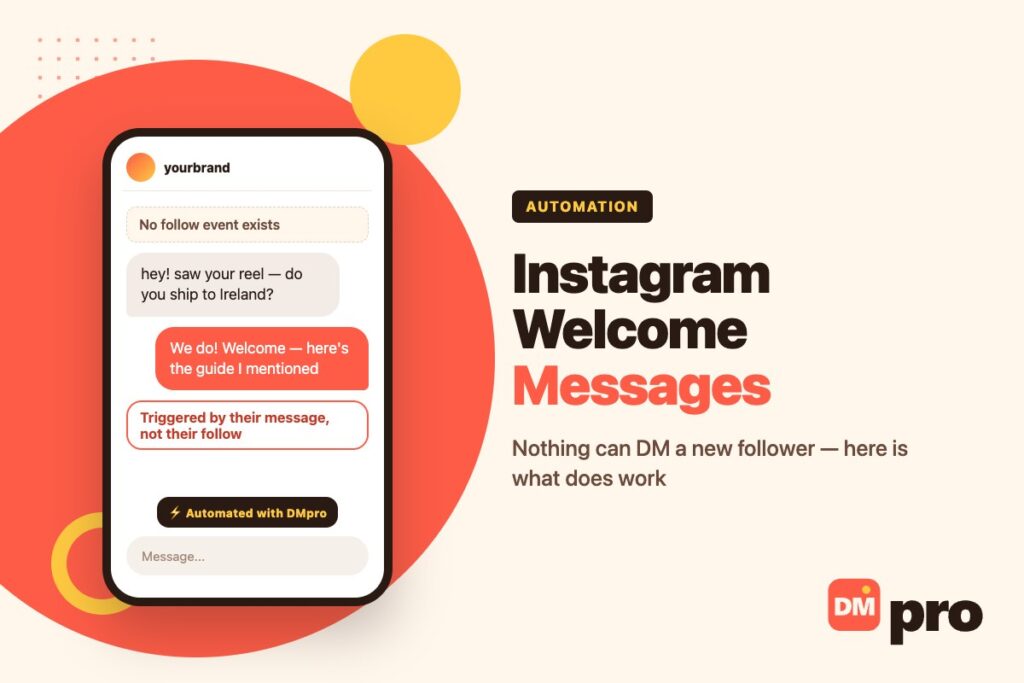
Almost everything written about Instagram welcome messages describes the same setup: somebody follows you, and a friendly automatic DM arrives a moment later. It is a lovely idea and it is not available, because Instagram does not tell anybody when a follow happens. There is no follow event in the API, so there is nothing for a tool to react to.
That matters practically rather than philosophically. People set this up, see nothing send, and assume the tool is broken or that their account has been restricted. Neither is true – the trigger they chose does not exist.
What does work is a welcome message that answers somebody who has reached out: a first DM, a keyword comment, a story reply, an ad click. This covers each of those, the free version built into Instagram itself, and what the message should say.
Key Takeaways
Why Follower Auto-DMs Do Not Exist
Worth being precise about, because this is the single most repeated piece of misinformation in Instagram automation and it wastes a lot of people’s afternoons.
There Is No Follow Event
An automation needs something to react to. Instagram’s messaging platform reports messages, comments, story replies and mentions – things a person directed at your account. It does not report follows.
So the chain that every guide describes breaks at the second link. The follow happens, nothing is reported, and no tool anywhere is told to send anything.
This Is Not a Limitation of Any Particular Tool
It applies to every product working through the official connection, ours included. A tool that genuinely sends DMs to new followers is not using that connection – it is driving the app another way, which is the behaviour that gets accounts restricted.
If you have seen this advertised, that is the distinction worth asking about before you buy.
The Setting That Causes the Confusion
There is a followers-related control, and it reads like a follow trigger at a glance: an “only followers” condition that stops an automation unless the person already follows you.
It does the opposite of what people assume. It does not send anything when somebody follows – it declines to reply to people who have not. The trigger is still their message; this just narrows who gets an answer.

The Free One, Built Into Instagram
Before any tool, there is a native feature doing most of the job, and most professional accounts have never switched it on.
Questions on Chats
Instagram’s page on setting up frequently asked questions on Chats describes it: the questions you add are displayed when people try to message your account. Somebody opens a chat with you and is met by your questions before typing anything.
You reach it from Messages, then Tools, then Frequently asked questions, with the Show Questions toggle on. Each entry takes a question and an optional automated response.
The limit is four
Choose the four that genuinely repeat. This is a welcome mat, not a help centre.
Always fill in the answer
The automated response is optional, and a question without one simply opens a conversation you still have to answer yourself.
Phrase them as the customer would
“Do you deliver to my area?” gets tapped; “Delivery information” does not.
Why It Is Underrated
It fires at exactly the moment a welcome message is supposed to – the instant somebody decides to contact you – and it costs nothing. For a small account it may be the whole solution. Our guide to Instagram business chat covers the rest of the free messaging tools.
The Triggers That Actually Fire
Each of these is a real event Instagram reports, and each can open a conversation automatically through the official connection.
Their First Message
The closest thing to a true welcome DM. Somebody writes to you for the first time and gets an immediate, useful reply instead of silence until morning.
This is the trigger most people actually wanted when they went looking for follower auto-DMs, and it is better: the person has demonstrated interest by writing, rather than by tapping a button.
A Keyword in a Comment
Someone comments an agreed word under a post or reel – GUIDE, PRICE, LINK – and a private reply opens the conversation. The post does the advertising and the comment does the opting in.
Our guide to Instagram comment auto reply covers the public side, and the keyword matching rules that decide what counts as a match.
A Story Reply or Mention
The warmest of the lot, because the person was watching something you made a second earlier. Story replies land in the inbox like any other message and can be greeted the same way.
A Click-to-Message Ad
The paid route. The ad opens a conversation rather than a web page, so the first message exists before anybody has typed anything. Our guide to click-to-Instagram-Direct ads covers setting them up.

Setting One Up That Works
Perhaps twenty minutes, most of it writing rather than configuring.
Switch on the four questions first
Free, native, and it covers the most common case. Do this before evaluating any tool, because it may be enough.
Write down what people actually ask
A fortnight of real messages beats any template list. The top four go into the native questions; the next few become your automated replies.
Pick the trigger that matches your traffic
If people message you, use the first-message trigger. If your reach comes from reels, use a comment keyword. If it comes from stories, use story replies.
Connect through the official API
A tool that asks for your Instagram password is not using the official connection, whatever else it claims. That is the single clearest signal available.
Answer the question, then greet
The common mistake is a warm hello that addresses nothing. If somebody asked about delivery, lead with delivery – the warmth can come second.
End with one question
Something answerable in a word. A welcome message that does not invite a reply has produced a notification rather than a conversation.
What to Write
Shorter than people expect, and specific to how the conversation started.
Answer First
The person wrote for a reason. A reply that opens with three lines of welcome before reaching the point reads as automated in the worst way – and it is the single most common fault in these messages.
Say the Thing They Came For
If they commented a keyword for a guide, the guide link belongs in the first message. Making somebody ask twice for something they already asked for is how an automation loses the person it just caught.
One Question, Answerable in a Word
“Is this for your own shop or a client?” does more than any amount of enthusiasm. It also tells you how to handle the reply, which is the point of starting the conversation at all.
Sound Like the Account They Followed
The message arrives attached to your name. If your posts are plain and dry and your automated reply is full of exclamation marks, the mismatch is obvious and it reads as a bot.
Matching the Trigger to Your Situation
The right trigger depends on where your attention actually comes from, not on which one sounds best.
| Where people find you | Trigger to use | What the message should do |
|---|---|---|
| They DM you directly | First inbound message | Answer the question, then ask one back |
| Reels and posts | Keyword in a comment | Deliver what the keyword promised, immediately |
| Stories | Story reply | Pick up the thread of whatever they reacted to |
| Paid traffic | Click-to-message ad | Qualify, because the click was cheap and the lead may not be |
| A quiet account | The four native questions | Answer the obvious things before anybody asks |
| New followers only | Nothing exists | Earn the message instead – give them a reason to write |
If the goal really is reaching people who have not contacted you, that is outbound rather than automation, and it works differently – our guide to Instagram DM outreach covers it.
Doing It With DMpro
Said plainly, including the part the previous version of this page got wrong.
What It Does
DMpro connects through Instagram’s official API and replies the moment somebody contacts you – an inbound DM, a keyword comment, a story reply or a mention. The reply can branch on what they answer, collect an email or phone number, and hand the conversation to a person with the thread attached.
The same automation runs on WhatsApp, Messenger, TikTok and Telegram, and there is a free plan to start on.
What It Does Not Do
It does not send a DM when somebody follows you, because Instagram does not report follows to anybody. An earlier version of this article said otherwise and was wrong.
There is a followers-only condition, which restricts an automation to people who already follow you – a filter on a trigger, not a trigger itself.
Where to Start
Switch on Instagram’s four native questions, then add a first-message reply for the question those four do not cover. Our guide to Instagram DM CRM covers keeping the conversations once they start arriving.
The Conversation Starts When They Reach Out
A follow costs nothing and means little. A message means somebody wants something, and the reply that arrives in the next few seconds decides whether they stay in the conversation.
DMpro answers inbound messages, keyword comments and story replies the moment they land, through Instagram’s official connection – collecting what matters and handing anything unusual to a person with the thread already in front of them.
- Replies to first messages, comments and story replies
- Branching questions that qualify as they go
- Official API connection, so no password is shared
- Contact details captured and routed to your CRM
- Same automation on WhatsApp, Messenger, TikTok and Telegram
- Nobody who writes to you waits until morning
- The reply answers what was asked, not a generic hello
- A free plan is enough to test the idea properly
- It cannot message someone for following you – nothing can
- The replies have to be written properly once
Conclusion
If you have been trying to set up a DM that fires when somebody follows you, stop – the event does not exist and no amount of configuration will produce it. Any tool advertising it is either describing a different trigger or is not connected the way it should be.
The good news is that the alternative is better. A welcome message triggered by somebody’s first message, their keyword comment or their story reply reaches a person who has actually done something, rather than one who tapped a button and moved on.
Start with the four questions Instagram gives you for free, because they fire at exactly the right moment and cost nothing. Add an automated first-message reply for whatever those four do not cover, and write it to answer the question rather than to say hello.
Instant replies on the official API, triggered by messages, comments and story replies.
Start free