
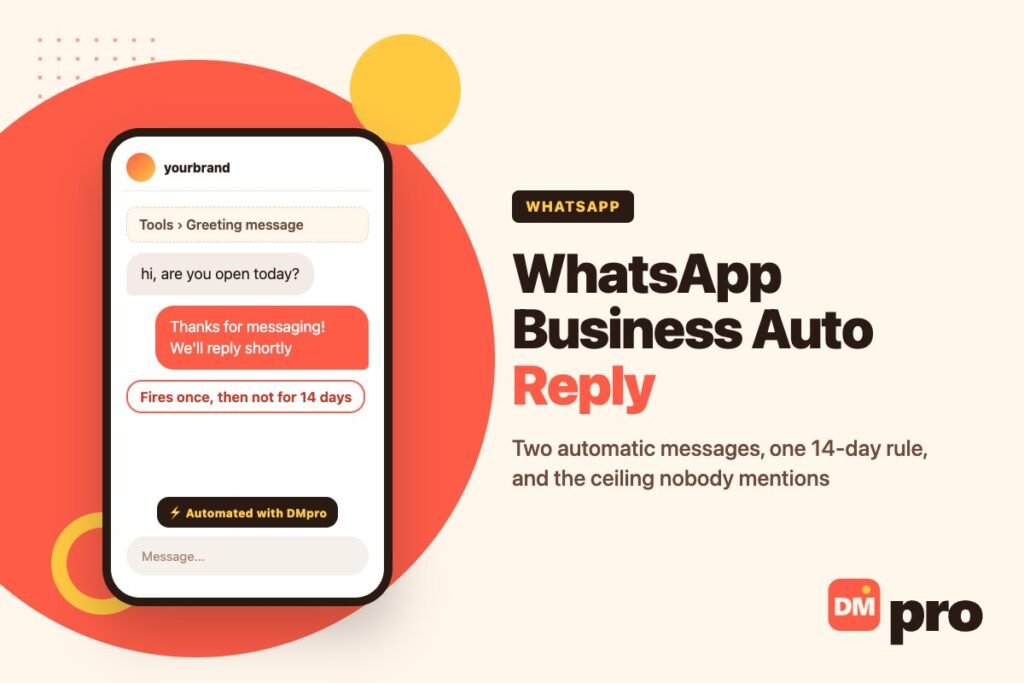
Almost every guide to WhatsApp Business auto reply lists three features. There are two. Greeting messages and away messages send themselves; quick replies do not send at all until you open the chat and choose one, which makes them a typing shortcut rather than automation.
The distinction is not pedantry. People set up all three, assume the inbox is covered, and find out weeks later that the common questions are still waiting for them. Worse, the one feature that greets a new customer has a condition on it that almost nobody is told about, and the first symptom is a greeting that appears to have broken.
What follows is the setup for both automatic messages as WhatsApp documents it, the five reasons they stop arriving, and an honest account of where the free app’s ceiling sits.
Key Takeaways
What the App Actually Automates
Two messages, both unconditional. Knowing exactly what each one does is most of the work, because the common complaints about them are really misunderstandings of when they fire.
The Greeting Message
WhatsApp describes a greeting as a customisable message automatically sent when a customer first messages you – and sent again when they message you after 14 days of inactivity in that chat.
Read that second clause twice, because it is the single most consequential sentence in the whole feature. The greeting is not a reply to every message, or even to every first message of the day. It is a reply to a new relationship, and a chat goes back to being new only after a fortnight of silence.
Who it goes to
Everyone, everyone not in your address book, everyone except a list you pick, or only a list you pick. The default is everyone, and for most businesses that is correct.
What it cannot do
Change according to what they wrote, the time of day, or which product they asked about. One message, every time.
What to put in it
An acknowledgement and a realistic time frame. “We have your message and reply within a working day” sets an expectation; “Thanks for contacting us!” sets none.
The Away Message
An away message is the one with a clock on it. WhatsApp’s away message settings offer three schedules: always send, a custom period you define, or outside the business hours in your profile – and that third option only appears if those hours exist.
Unlike the greeting there is no 14-day condition. Anyone who writes to you during the scheduled window gets it, as often as they write.
Always send is not a mistake
A one-person business that genuinely answers in batches can leave it on permanently, and be more honest than one pretending to be always available.
Custom schedules beat business hours
Business hours are a profile field customers also see. If the two should differ – you open at nine but answer messages from eight – use a custom schedule.
It overlaps with the greeting
A first-time customer writing at midnight can receive both. Write them so that reads as deliberate rather than as two bots talking.
Quick Replies Are Not Automatic
This is where most articles go wrong. Quick replies are shortcuts for messages you send often: you open the chat, type a slash in the message field, pick one and send it. Nothing happens on its own.
They are genuinely useful – the app also generates default replies from your business profile, so your address and hours are one keystroke away – and the cap is 50 stored. Just do not count them as coverage for the hours you are not looking at the phone.
Media works, except on desktop
A quick reply can carry an image or a video on the phone. WhatsApp notes that media files are not supported in quick replies on Web or Desktop.
Deletions are permanent
There is no recovery for a deleted quick reply. Keep the important ones written down somewhere outside the app.
Fifty is more than it sounds
Most businesses need eight or ten. If you are near the cap, the questions are probably a signal to fix the website instead.

Setting Both Up
Six minutes end to end on a phone. The order matters because one step unlocks an option in another.
Fill in your business hours first
Profile, then business hours. Do this before touching the away message – the ‘outside of business hours’ schedule does not appear until the hours exist, and that is the schedule most businesses actually want.
Write the greeting, then set recipients
Tools, Greeting message, turn on Send greeting message, edit the text, tap Save. Leave Recipients on Everyone unless you have a specific reason; the narrower options are the commonest cause of a greeting that seems broken.
Write the away message and pick a schedule
Tools, Away message, turn on Send away message, edit the text. Then choose Always send, a custom schedule, or outside business hours.
Say when you will actually reply
Both messages are expectation management, nothing else. A time frame you can meet does more for a customer than any amount of warmth.
Add the five or six quick replies you retype most
Tools, Quick replies, add a message and a shortcut. Price list, opening hours, delivery times, returns. Type a slash in any chat to pull them up.
Test from a number that has never messaged you
Not your own second phone if you have used it before. A chat with history inside the last fortnight will not produce a greeting, and you will conclude the feature is broken when it is working exactly as documented.
Why Your Auto Reply Stopped Sending
Five causes, four of them documented by WhatsApp itself. In the order worth checking.
The Fourteen-Day Rule
Far and away the commonest. A greeting is sent on a first message and then not again until that conversation has been quiet for fourteen days. Regular customers never see one after their first contact, and your own testing almost always falls inside the window.
Nothing in the app warns you. The toggle is on, the message is saved, and the silence looks like a bug.
Meta Business Agent Disables It
WhatsApp’s own troubleshooting is explicit here: greeting messages are automatically turned off when Meta Business Agent is connected, and to use greetings again you have to remove the agent.
This is worth knowing before you connect anything, because the greeting screen still shows the feature enabled. If your greeting stopped working around the time you tried an AI assistant on the account, this is almost certainly why.
Recipient Settings That Exclude
Only send to… and Everyone except… are easy to set while exploring the screen and easy to forget. Either one can quietly leave out exactly the new customers the greeting exists for. Set it back to Everyone before concluding anything else is wrong.
The Phone Is Offline
Both automatic messages are sent by the app on the device – WhatsApp notes on both help pages that an active internet connection is required. There is no server answering on your behalf.
Which is a real limitation, not a footnote: the away message meant to cover a long weekend stops the moment the handset dies or goes in a drawer. Our guide to running a WhatsApp team inbox covers how this plays out once more than one person depends on that phone.
A Schedule That Never Opens
If the away message is set to outside business hours and the profile hours are missing or cover the whole day, the window never opens and nothing ever sends. Switch to a custom schedule to see whether the message itself works, then go back.

Where the Free App Runs Out
Not an argument for buying anything – plenty of businesses never outgrow it. But the edges are worth seeing before you plan around them.
It Cannot Read the Message
There is no keyword matching in the WhatsApp Business app. The greeting cannot answer a price question differently from a delivery question, because it never looks at what was asked. One message goes to everybody.
That is the hard ceiling, and it is the reason the next tier exists at all. The equivalent features in Instagram’s own app have exactly the same constraint, so moving the problem to another Meta channel does not solve it.
One Phone, One Person
The app is tied to a handset. Linked devices let colleagues see the same inbox, but there is no routing, no assignment and no way to tell who is already replying – two people answer the same customer and neither knows.
Nothing Connects to Anything
No order lookup, no CRM, no stock check, no record that survives the phone being replaced. Everything a customer told you lives in a chat thread on one device.
When Moving Up Is Justified
Three honest signals: the same question arrives more than about twenty times a week, more than one person needs to answer, or an answer requires data from another system. Short of those, finish setting up the free app properly – most businesses asking about automation have not.
If you do move, our guide to WhatsApp automation covers the routes and what each actually costs, and message templates covers the approval rules that govern anything sent outside a live conversation.
The Two Tiers, Side by Side
What changes when you leave the free app, stated plainly rather than as a sales case.
| Capability | WhatsApp Business app | Business Platform |
|---|---|---|
| Reply automatically to a first message | Yes – greeting message | Yes, and to every message |
| Reply differently to different questions | No | Yes, on keywords and branches |
| Reply when the phone is off | No | Yes – it runs server side |
| Several agents, no collisions | No | Yes |
| Pull an order or stock status into a reply | No | Yes, through a webhook |
| Cost | Free | Per conversation, plus the tool |
The 24-hour rule applies on both sides. A customer’s message opens a window for free-form replies and the window closes; after it, only an approved template may be sent. WhatsApp messaging limits covers the sending caps that sit on top of that, and the WhatsApp Business API guide explains what access to templates actually requires.
Doing It With DMpro
Specifically what our WhatsApp connection does, since capabilities differ by channel and the differences matter here.
Keyword Replies, Not One Message
DMpro connects a WhatsApp Business account through Meta’s own signup flow and triggers on an inbound message, matching keywords in what the customer actually wrote. PRICE gets the price list, TRACK starts an order lookup, and anything unmatched reaches a person.
Flows can branch, wait for the reply, pause between steps and cap how often someone is contacted – which is the whole difference from a single greeting that goes to everybody.
What It Can Send
A message of up to 4,096 characters with an attachment, products from your WhatsApp Commerce catalogue, a location pin, a contact card, or a sticker. It can also call a webhook mid-flow and send the answer back, which is how an order number becomes a delivery date without anyone looking it up.
What It Cannot Do
Message anyone who has not written to you first – that is WhatsApp’s rule, not ours, and anything advertising otherwise is describing bulk sending through an unofficial client.
Reply to comments, which do not exist on this channel. And AI responses, which work on other platforms but are not wired for WhatsApp – the block may appear in the builder, it will not run here. Keyword flows and webhooks are the tools on this channel.
If the volume is coming from outbound rather than inbound, that is a different product entirely: the DMpro Chrome extension for Instagram, or contactID for contact-form outreach.
The Same Flows Elsewhere
A keyword flow built for WhatsApp works the same way on other channels with different limits. Messenger auto reply covers the closest relative, and TikTok auto reply covers a channel where the rules are genuinely different.
A Greeting Says You Will Reply. This Replies.
The free app tells a customer their message arrived. It cannot tell them your delivery time, send the price list they asked for, or look up where their order is – and it stops entirely when the phone does.
DMpro reads what they wrote and answers it, on the official WhatsApp connection, with a person brought in the moment the conversation needs one.
- Keyword triggers on inbound WhatsApp messages
- Catalogue products, location pins and contact cards
- Webhooks for order and stock lookups mid-conversation
- Branching flows that wait for the customer’s reply
- Official Meta connection – the number stays yours
- Answers the specific question instead of acknowledging the message
- Runs server side, so the phone being off changes nothing
- Hands off to a person on anything it should not answer
- It still cannot message someone who has not contacted you
- AI responses are not available on the WhatsApp channel
Conclusion
The honest summary of WhatsApp Business auto reply is that it is two unconditional messages, and they are better than nothing by a wide margin. A greeting that sets a realistic time frame and an away message that admits you are closed will change how a customer feels about waiting.
What they will not do is answer anything. Neither message reads what was written, so the price question and the complaint get identical text, and both still need you.
Before concluding yours is broken, check the 14-day rule and check whether Meta Business Agent is connected – between them they explain most reports. And set the business hours before the away message, or the schedule you want will not be there to choose.
Keyword replies on WhatsApp through Meta’s official connection. Free plan to start.
Start free