
A WhatsApp catalog looks like a brochure you send someone. It is not. It is a live window onto your inventory, and it keeps moving after it lands in the chat.
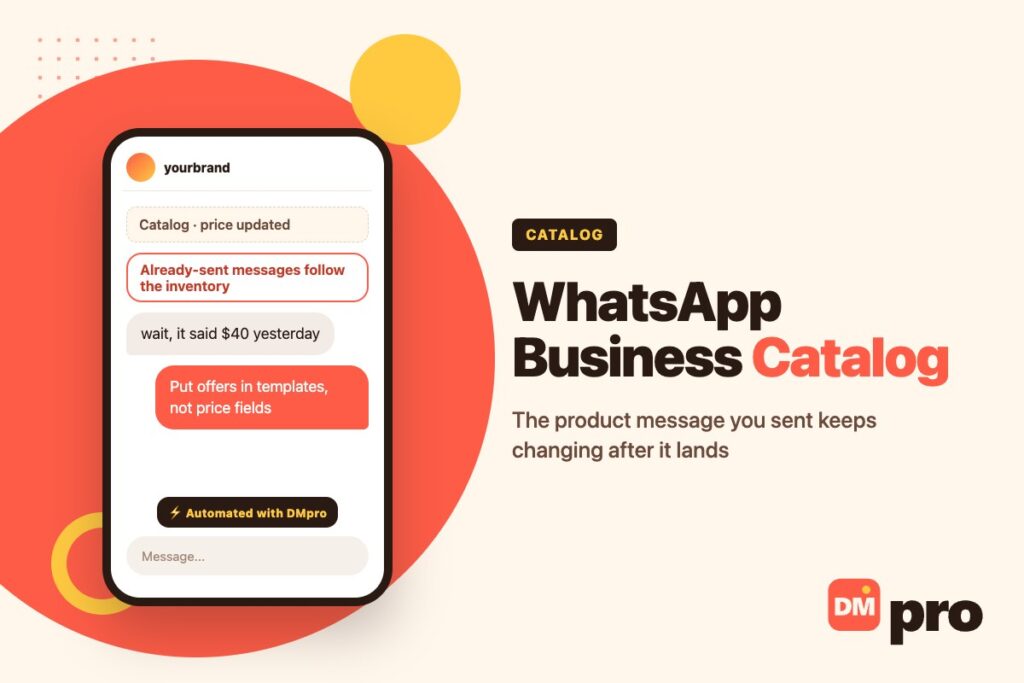
Change a price in your catalog and the product message you sent yesterday shows the new price. Sell the last unit and the item is pulled out of a customer’s cart with a dialog telling them something changed. That is Meta’s documented behaviour, and it reframes what a product message is: not a thing you sent, a thing you are publishing.
The rest of the detail below – the format limits, the cart rules, the one thing the API cannot do that the app can – comes from Meta’s own catalogs documentation, read while writing this.
Key Takeaways
What a Catalog Is, and What Meta Does With It
Less a page, more a connected inventory – and one Meta reviews.
Structured Inventory, Held by Meta
A catalog is a structured list of items you upload to Meta and connect to your WhatsApp account hierarchy. Each item carries a name, description, price, images and availability. Once connected, that inventory is what every commerce interaction in the chat reads from.
You upload it through the Commerce API or Meta Commerce Manager – the same catalog machinery that serves Facebook and Instagram shopping, which is why a business already selling on Instagram shopping usually has most of this done.
Products and Services
Worth knowing because most coverage assumes physical goods: catalogs support two categories of item. Products are physical or digital goods with price, SKU and images. Services are offerings like appointments, consultations or subscriptions.
A clinic, a salon or a consultant can run a catalog that contains no stock at all. That is a genuinely under-used case, and it pairs well with click-to-WhatsApp ads, where the arriving customer is already asking about one specific thing.
Four Stages, in Order
Upload the inventory. Configure commerce settings on the business phone number – whether the cart is on, whether the catalog is visible. Share products in a conversation. Then receive what the customer does as webhook notifications carrying order details and product enquiries.
That last stage is the one people forget to build. The order does not arrive as an email; it arrives as a webhook, which is part of why the WhatsApp Business API shape matters here.
Items Are Auto-Reviewed
WhatsApp automatically reviews items added to a catalog connected to a WhatsApp account hierarchy. If a policy-violating item is added, the product is flagged and you are pointed at the Commerce Policies. Appeals go through Meta Commerce Manager.
The practical point: this is per item, not per account. One bad SKU does not take the catalog down, but it will not send.
Customers Can Report a Product
A user who receives a product in a message can report that specific product, and it is then reviewed for violations. Worth remembering when deciding how aggressively to push items at people who did not ask.
India Has Extra Rules
Businesses based in India must comply with the country’s online selling laws, and Meta provides a Business Compliance API to retrieve compliance details for a business phone number. If you sell into or from India, that is a build item, not a footnote.

The Four Ways to Put a Product in a Chat
Each one suits a different moment in the conversation.
The Catalog Message
A thumbnail of your whole catalog, inviting the customer to browse everything. The right answer to “what do you sell?” and almost always the wrong answer to anything more specific – browsing is work you are asking the customer to do.
The Single Product Message
One product with its image, price and description. The right answer to “do you have this in blue?” It needs a catalog ID and the product’s retailer ID, which is the detail that turns a vague catalog into something an automation can actually address.
The Multi-Product Message
A curated selection: up to 30 products, organised into up to 10 sections, with at least one product in each. This is the workhorse for “what do you have under $50” or “show me the winter range.”
Thirty is a ceiling, not a target. A list of thirty things is a catalog message with extra steps; the value here is in the curation.
The Product Carousel
Horizontally scrollable cards, maximum ten, each with its own index from zero to nine. Visual, quick to swipe, and the format closest to how people browse on a phone anyway.
The Formats Compared
Pick by the question the customer just asked, not by what looks richest.
| Format | Items | Answers | Risk |
|---|---|---|---|
| Catalog message | Whole catalog | “What do you sell?” | Makes the customer do the work |
| Single product | 1 | “Do you have this?” | None – this is the safe default |
| Multi-product | Up to 30, in up to 10 sections | “Show me the X range” | Thirty items is a list, not a recommendation |
| Product carousel | Up to 10 cards | “What else is like this?” | Ten cards of near-identical items reads as noise |
The formats and their exact payloads are documented in Meta’s guide to sharing products. How you decide which one an automation sends is a messaging question rather than an API one, and our DM marketing guide covers that side.
The Part Nobody Tells You: It Keeps Changing
The spine of this article, and the reason catalogs need an operational habit rather than a one-off upload.
Price, Title, Description and Image
Send a customer a product message. Later, change that product’s price in your catalog. The screens showing that product update as soon as the customer’s client hears about the change from the server.
So a promotional price you sent on Friday is not preserved in the chat on Monday. If you ran a weekend offer by changing catalog prices, the evidence of that offer rewrites itself – and a customer scrolling back sees the new price next to your old message.
Availability Is Harsher
If the customer already added the item to a cart and you then mark it unavailable, it is removed from their cart and the cart shows a dialog: one or more items in your cart have been updated. If they had not added it, the product message simply shows the item as unavailable.
Neither of those is a message you wrote. They are the platform telling your customer something changed, in your name.
What to Do About It
Treat the catalog as production. Do not run offers by editing prices; run them with templates and codes, so the offer lives in the message rather than in the inventory – WhatsApp message templates covers how those are built and approved. Keep availability honest and current, because the alternative is a cart emptying itself in front of someone who was ready to buy.
And if your catalog is synced from a shop, know the sync interval. The gap between your shop selling out and WhatsApp knowing is the window where this goes wrong.

The Cart Rules, in Full
Documented, specific, and almost never written up anywhere else.
One Per Thread, Per Device
A cart is unique to a customer-business chat thread on a specific device, and carts do not persist across devices. Someone who starts adding items on their phone does not find that cart on their desktop.
Once a cart is sent, they can open another with you and start again.
No Expiry, and No Edits After Sending
The cart has no expiration date. It sits in the thread until the customer sends it, and sending clears it. After that, no edits are possible – if they want different items, they build and send a new cart.
That makes the sent cart a clean order record, which is convenient. It also means “can you just add one more” is a new cart, not an amendment.
99 of Anything, As Many Things As You Like
Customers can add up to 99 units of each single catalog item, and there is no limit on how many distinct items go in. The constraint is per line, not per basket.
You Cannot Send a Cart
Stated plainly in the documentation: businesses cannot send carts to customers. You can send products in any of the four formats; building the cart is the customer’s action, always.
Anyone promising a “pre-filled cart” flow on WhatsApp is describing something the platform does not do.
What You Can and Cannot Do
The boundary, since this is where most catalog plans quietly break.
| Who does it | Notes | |
|---|---|---|
| Share a product or a list | Business | Four formats, up to 30 items or 10 cards |
| Build a cart | Customer only | Per thread, per device |
| Send a cart | Nobody but the customer | Businesses cannot send carts at all |
| Edit a sent cart | Nobody | A new cart replaces it |
| Change what a sent message shows | Business, indirectly | Edit the catalog item; the message follows |
| See a cart icon in the chat header | Only the app | Cloud API product messages do not show it |
That cart icon absence matters more than it sounds: a customer who browsed your catalog through an API-sent message has no persistent cart affordance in the header to return to. Build the conversation so they do not need one.
Two Catalogs, One Conversation
The distinction that saves an argument with whoever is setting this up.
Meta’s Commerce Catalog
Lives at Meta, connected to your WhatsApp account. It powers the native product message, the in-chat browsing and the cart. It is the only one that can produce those native experiences, and it is subject to everything above – review, auto-updating, the cart rules.
Your Messaging Tool’s Catalog
DMpro keeps a catalog of its own: a spreadsheet you upload – xlsx, csv, xml or json, up to 15 MB and 10,000 rows, with a required link column and optional id, title, description and image – or one of 62 connected store and affiliate integrations, from Shopify and WooCommerce to Etsy, Gumroad and the affiliate networks.
That catalog powers tracked links inside a flow: an affiliate_link placeholder resolves to a redirect you can measure. It is a marketing object, not a storefront.
Which One You Need
If you want the customer to browse and build a cart inside WhatsApp, you need Meta’s. If you want an automation to send the right product link to the right person and know who clicked, you need the tool’s. Plenty of businesses run both, pointed at the same inventory, and that is fine – as long as somebody knows which is which.
Setting One Up Without the Usual Mess
In order. Step two is the one people skip and then wonder about.
Get the inventory into Commerce Manager first
Through the Commerce API or by hand. Decide now whether you are syncing from a shop or maintaining it separately – running both by accident is how prices drift.
Turn on commerce settings for the phone number
Cart on or off, catalog visible or not. These are per business phone number, not per account, and a catalog nobody can see is the most common ‘it isn’t working’.
Build the webhook that receives orders
Orders and product enquiries arrive as webhook notifications. Without a handler, a customer can complete a cart and nobody finds out.
Pick one default format and use it
Single product for a specific question, multi-product for a range. Consistency reads as competence; switching formats every message reads as a demo.
Stop running offers by editing prices
Already-sent messages follow the catalog. Put the offer in a template with a code so the message holds the promise, not the inventory.
Check availability sync against reality
The gap between your shop selling out and WhatsApp knowing is the window where carts empty in front of customers.
Where DMpro Fits
Including the part that is missing, as on every WhatsApp page we publish.
Sending Products from a Flow
On WhatsApp, DMpro can send catalog products from WhatsApp Commerce as part of an automation: a customer messages a keyword, the flow answers, and the right products arrive as a native product message rather than a link dump.
It can also send a location pin, a contact card, a sticker, and an attachment with a message of up to 4,096 characters – and call a webhook mid-flow to check stock or an order before deciding what to send.
WhatsApp Is One of Three
Product cards exist on Instagram, Messenger and WhatsApp, and nowhere else in the set. On TikTok, LinkedIn, Telegram and Discord a DM carries a link instead. If a flow depends on a card, it is a flow for these three channels – selling in the Instagram inbox is covered in our guide to selling in Instagram DMs and taking orders in DMs.
And No AI on This Channel
The AI response block runs on Instagram, TikTok, Telegram and Discord. It is not wired for WhatsApp at runtime. For a catalog flow that matters less than it might – product selection is a keyword-and-branch problem more often than a language problem – but it is a real limit and it belongs here rather than in the footnotes. Keyword flows and what they cover are in our WhatsApp chatbot guide.
Catalog Sends That Answer the Question
The failure mode with catalogs is volume: someone asks about one thing and gets thirty. DMpro triggers on what the customer actually typed and sends the products that match it – from your WhatsApp Commerce catalog, inside the chat.
Connect a shop or upload a spreadsheet, branch on the answer, call a webhook when the reply needs real data. Official Meta connection through embedded signup, inside WhatsApp’s own windows, with the gaps stated rather than glossed over.
- Send WhatsApp Commerce products from inside a flow
- Keyword triggers on inbound WhatsApp messages
- 62 store and affiliate integrations, or a spreadsheet upload
- Tracked product links with click measurement
- Webhooks mid-flow for stock and order lookups
- Product cards on Instagram and Messenger from the same builder
- Native product cards rather than a pasted link
- Official connection – no app driving, no personal account
- Curation by keyword instead of sending the whole catalog
- No AI response on WhatsApp – the runtime is not wired for this channel
- Carts belong to the customer; no tool can send or pre-fill one
- No product cards on TikTok, LinkedIn, Telegram or Discord
Conclusion
The thing to carry away is that a WhatsApp product message is not a message in the ordinary sense. It is a view of your inventory that happens to be sitting in somebody’s chat, and it updates when the inventory does – price, title, image, and most consequentially availability.
That makes the catalog an operational system rather than a marketing asset. Offers belong in templates, not in price fields. Availability has to be honest, because the platform will tell your customer about it in your name. And the cart is theirs – they build it, they send it once, and nobody can edit it afterwards.
Get those habits right and the format does something no link can: it lets someone buy without leaving the conversation they were already having.
Keyword-triggered product sends on WhatsApp, on Meta’s official connection.
Start free