
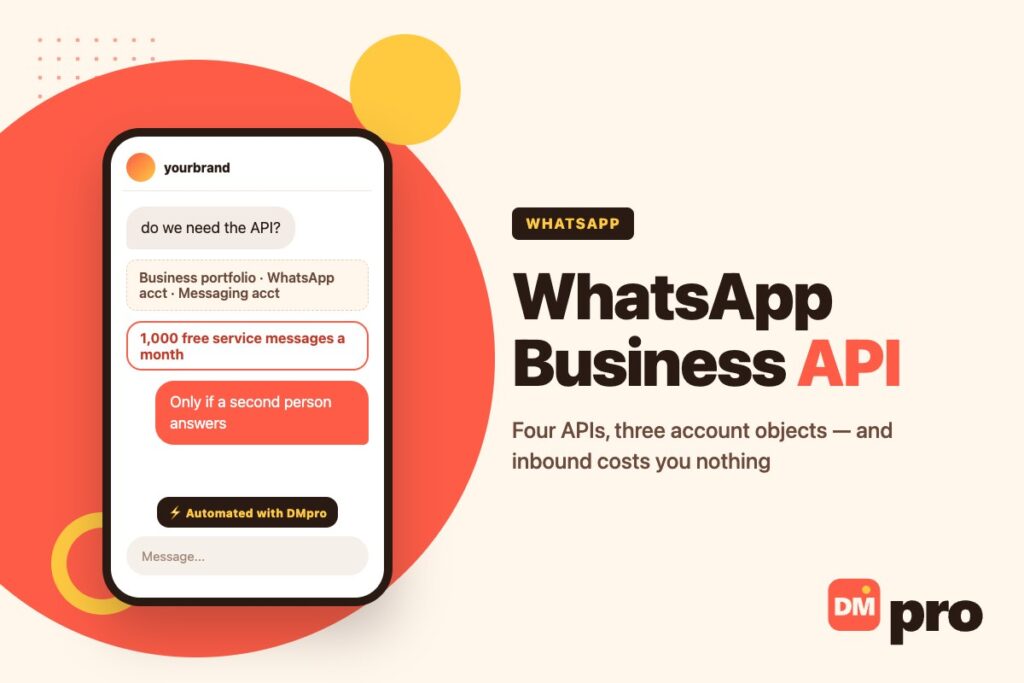
Most guides to the WhatsApp Business API describe a product that no longer has that shape. They tell you about “the WABA” as one object, they treat Cloud API as the whole platform, and they skip the part that decides whether any of it is worth doing – what it costs you per delivered message.
Meta restructured the account model and widened the API during 2026. What used to be one account is now two, sitting under a third thing, and the API you would reach for is one of four. None of that is hard, but getting it wrong is how a build stalls on day two.
Everything below was read on Meta’s own documentation while writing this – the platform overview and the pricing page – rather than from a vendor’s comparison table.
Key Takeaways
What the API Actually Is Now
Four pieces with four jobs. Knowing which one you need saves a week.
Cloud API
The one people mean. It sends and receives messages – text, rich media and interactive messages – and Meta now documents two more capabilities under the same roof: calling, so you can place and receive calls to customers, and groups, so you can create, manage and message group conversations.
Those two are worth noticing because almost no third-party guide mentions them yet. It runs on Graph API over HTTPS, and messages keep Signal protocol encryption on the way to the customer.
Business Management API
The admin side. Create accounts, add and remove phone numbers, link accounts together, assign partner access, manage templates, configure billing. It also exposes the analytics you will actually be asked for: messaging volume by type, granular pricing breakdowns per delivered message, and template metrics including button clicks.
Marketing Messages API
A separate API for promotional sends, with features Cloud API does not have. Meta claims up to 9% higher marketing message delivery than Cloud API for high-engagement content, plus automatic creative optimisation, benchmarks against similar templates in your region, and conversion metrics tied to app events like Add to Cart or Purchase.
If marketing broadcasts are the point of your build, this is the one to read about – and our page on WhatsApp bulk messaging covers what is permitted before you design around it.
Webhooks, and Meta’s Own Agent
Webhooks are not optional. Every message a customer sends you arrives as a webhook payload, and every delivery status comes back the same way – the platform leans on them heavily.
Meta also now ships Meta Business Agent, its own AI agent that holds conversations using FAQs, business info, catalogs, files and websites you provide, with custom connectors to your APIs and thread handoff to humans. It has its own billing category, which we come back to.

The Account Model That Changed Under You
This is the part that trips up anyone following a tutorial written before 2026.
Business Portfolio
The container. It holds your Meta business assets in one place, and you cannot use the platform without one. Verification status matters here: a verified portfolio unlocks higher throughput and Official Business Account status, which is the route to the badge our page on the WhatsApp green tick walks through.
WhatsApp Account
Your presence on WhatsApp. Phone numbers, display name, usernames, and the partner access configuration. You can link several of these together to share access with an agency or a software partner.
Messaging Account
Templates, billing and payment methods – and this is the genuinely new separation. One Messaging account can be associated with several WhatsApp accounts, which is why Meta tells partners and agencies they may either use a shared Messaging account or create their own and link it to a client’s shared WhatsApp account.
Practical consequence: the thing that gets billed and the thing that holds your phone number are no longer the same object. When someone asks “who pays for this number,” that is now a real question with a real answer.
And a Business App
One more requirement, associated with the same portfolio, plus the access tokens and permissions to go with it. Meta notes the platform uses OAuth access tokens – not OAuth 2.0 – which is the kind of detail that costs an afternoon if you assume otherwise.
Which Route Fits
Three honest options, and the one most people need is the first.
| Route | Who it suits | What you give up |
|---|---|---|
| The free WhatsApp Business app | One person, one phone, low volume | Automation beyond greetings and away messages |
| API via a messaging platform | A team answering in volume, no engineers to spare | Direct control of the integration |
| Direct Cloud API build | Engineering team, custom routing or CRM depth | Weeks of build, and you own every limit |
What the free app can and cannot automate is set out in our guide to WhatsApp Business auto replies, and the full picture of the channel is in our WhatsApp automation hub.
What It Costs, Honestly
The number that decides the project, and the one vendor pages leave out.
Per Delivered Message, by Category and Market
Since 1 July 2025 Meta charges per message rather than per conversation. Two things set the rate: the message’s category, and the country calling code of the recipient. You are charged on delivery, not on send – and never for messages a user sends you.
That last clause matters more than it sounds. Inbound is free, so a flow that gets people asking questions costs you only your answers.
Five Categories, Not Four
Marketing, utility and authentication are template categories – templates can be sent any time. Service covers non-template replies inside an open window. The fifth, added on 1 July 2026, is Meta Business Agent: any non-template message powered by Meta’s own AI agent.
Meta describes service as any non-template message not powered by that agent, explicitly including ones “powered by a 3rd-party AI solution or people.” In other words, a human reply and an outside AI reply bill identically – as service.
Where It Is Free
Two places. Every business phone number gets 1,000 free service messages per month, which do not roll over and reset monthly, so billing starts at the 1,001st. And the free entry point window runs up to seven days from the moment you reply to a click-to-WhatsApp arrival – inside it, marketing, utility, authentication and service messages are all free.
One caveat nobody mentions: the free entry point window only opens if the user tapped that ad on the Android or iOS app. Desktop and web arrivals do not qualify. If you run click-to-WhatsApp ads, that changes how you value a desktop click.
And Where It Is Not
Meta Business Agent is billed on tokens: $2.00 per million, with a typical message consuming 20,000-25,000 tokens, so roughly four to five cents each. No volume tiers, no free allowance, and it is charged even inside the free entry point window – the only category with no free path at all. Volume tiers, where they exist, apply to utility and authentication only.

The Limits and Rules You Will Meet First
Four different ceilings – which are not the same ceiling – and the two rules that sit behind all of them.
Throughput
A business phone number sends up to 80 messages per second by default, with capacity upgrades available. Quality rating – assigned per phone number and per template – feeds automatic throughput tier upgrades, so message quality is not only a policy matter, it is a capacity one.
The Pair Rate Limit
The one that catches flow builders. You may send one message every six seconds to the same user – about ten a minute, six hundred an hour. Exceed it and you get error 131056 until you are back inside the rate.
Bursts are allowed: up to 45 messages in six seconds. But a burst borrows from future quota, so twenty messages in a burst means roughly a two-minute wait before you can send to that person again. If a send fails, Meta’s own advice is to retry at 4^X seconds, increasing X each failure.
Messaging Limits
A cap on how many unique users you can message outside a customer service window in a rolling 24 hours, set at the business portfolio level. The tiers and how you move between them are in our guide to WhatsApp messaging limits.
App Rate Limits
Separate again, and about API calls rather than messages: 200 requests per hour per app per Messaging account by default, rising to 5,000 per hour once the account hierarchy has at least one registered phone number.
Templates Are the Only Way Out of the Window
Non-template messages can only be sent inside an open 24-hour customer service window, which opens and resets with each user message. Template messages can be sent at any time, which makes them the only route to someone who has gone quiet. They generally need approval first, and they carry quality scores of their own.
The categories, the approval process and what gets rejected are in our guide to WhatsApp message templates.
Opt-In Is Not Optional
Meta requires user opt-in before you send message templates, and the opt-in must clarify your business name and your intent. That is a lower bar than it should be ethically and a hard requirement legally – a list you bought clears neither.
The Sentence Worth Memorising
Meta’s own documentation puts it in six words: using unauthorised third-party tools is prohibited. Any tool that reaches WhatsApp by driving the app, automating a personal account, or blasting an uploaded list is outside the platform, whatever its marketing says. Our page on WhatsApp bulk messaging covers how to tell the two apart before you pay for one.
Four Ceilings, Four Meanings
Worth keeping straight, because the error you get tells you which one you hit.
| Limit | Measured in | Scoped to | Default |
|---|---|---|---|
| Throughput | Messages per second | Phone number | 80/second |
| Pair rate | Messages to one user | Business + user pair | 1 per 6 seconds |
| Messaging limits | Unique users per 24h | Business portfolio | Tiered |
| App rate limit | API requests per hour | App + Messaging account | 200, then 5,000 |
None of these is the 24-hour customer service window, which is a different rule again – it governs whether you may send a non-template message at all, and it resets with every message the customer sends.
Do You Actually Need the API?
The test, since most articles on this keyword simply assume yes.
Three Questions
Does more than one person need to answer? The free app is one phone, one login. A second person answering is the first real reason to move.
Do you need to reach people who have not written to you? That is templates, and templates mean the API.
Does the answer live in another system? Order status, booking availability, a CRM record. If a reply has to look something up, you need a webhook, and that means the API.
If All Three Are No
Stay on the free app and set up its greeting and away messages properly. You will save the monthly platform fee and the per-message rates, and lose nothing you were using. We wrote the setup out in the auto reply guide.
If Any Is Yes
Then the question becomes build or buy, and for most businesses buying is the obvious answer. A shared inbox with routing is the other half of the job that the API does not give you – covered in our WhatsApp team inbox guide.
Getting From Nothing to a First Message
Access no longer takes a sales call. Meta creates a test WhatsApp account, a test Messaging account and a test business phone number for you automatically, with relaxed limits and no payment method needed to send templates – so trying it costs nothing. This is the order that avoids the common dead ends.
Create or verify the business portfolio
Everything hangs off it, and verification is what later unlocks higher throughput and Official Business Account status. Start it early; it is the slowest step.
Decide who owns the Messaging account
Yours, or your partner’s shared one. This is the billing object, so decide it before anyone builds – moving it later is not a config change.
Build on the test resources first
A test WhatsApp account, Messaging account and phone number come free, with relaxed limits and no payment method required for templates.
Register the real number and submit the display name
Real or virtual, both work. Expect the display name review to take time and have a fallback ready.
Stand up the webhook before the first send
Inbound messages and delivery statuses both arrive this way. A build without a working webhook endpoint is a build that cannot hear anybody.
Submit templates and collect opt-in properly
Name the business, state the intent. Approval comes before volume, not after.
Watch quality rating from day one
It is per number and per template, and it drives automatic throughput upgrades. Volume follows quality here, not the other way round.
Where DMpro Sits in This
Stated plainly, including the part that is missing.
Embedded Signup, Then Keywords
DMpro connects a WhatsApp Business Account through Meta’s embedded signup, so you authorise rather than integrate. The trigger on this channel is an inbound message matching a keyword – the customer always writes first, which is the platform’s own rule rather than ours.
What It Can Send
A DM of up to 4,096 characters with one attachment, products from your WhatsApp catalog, a location pin, a contact card, a sticker. It can call a webhook mid-flow, branch on the answer and wait for a reply – which is how an order-status lookup gets answered without a person.
The catalog send is worth a line of its own: it is the same WhatsApp Commerce catalog, and it is one of the few channels where a product card is native rather than a link. The formats, the item limits and the in-chat cart rules are in our guide to the WhatsApp Business catalog.
And What It Cannot
There is no comment trigger on WhatsApp, because there are no public comments. There is no follow gate. And the AI response block, which works on Instagram, TikTok, Telegram and Discord, is not wired for WhatsApp at runtime – the block may appear in the builder, but it does not run on this channel.
Under Meta’s pricing that is less costly than it sounds: a reply written by a person or by outside software bills as service either way, and only Meta’s own agent carries the token charge. What you lose is the open-ended answer, which is a real loss – said here rather than buried.
The Shortest Route to a Working WhatsApp Automation
The API is the plumbing. What a business actually wants is a keyword that triggers the right answer, a catalog send when someone asks for the price, and a webhook that checks the order instead of a person checking it.
DMpro gets there through Meta’s embedded signup – no Graph API, no webhook to host, no display-name review you have to chase alone. Inside WhatsApp’s own windows, on an official connection, with the capability gaps stated rather than glossed over.
- Embedded signup – authorise, do not integrate
- Keyword triggers on inbound WhatsApp messages
- Send catalog products, location, contact cards and stickers
- Webhooks mid-flow for order status and bookings
- Paths and wait-for-reply for multi-step conversations
- The same builder for Instagram, TikTok, Messenger, Telegram and Discord
- No engineering time, and no integration to maintain
- Official Meta connection – no app driving, no personal account
- Native product cards, which most channels do not have
- No AI response on WhatsApp – the runtime is not wired for this channel
- Customer must message first; templates are not sent from here
- No comment trigger, because WhatsApp has no public comments
Conclusion
The WhatsApp Business API in 2026 is four APIs, three account objects and five billing categories, and the guide you found on page one of Google probably predates at least two of those. Start from Meta’s own documentation, not a comparison table.
The economics are kinder than people expect. Inbound is free, a thousand service messages a month per number are free, and a click-to-WhatsApp arrival can open a whole week where nothing you send is charged. The expensive category is the one powered by Meta’s own AI, and it is the only one with no free path.
And the question worth asking before any of it: can the free app still do this? For one person answering a manageable number of messages, it can, and the API is a cost with no return. The moment a second person answers, or a reply needs data from somewhere else, that stops being true.
Connect WhatsApp through Meta’s own signup and answer every message automatically.
Start free